


qikify Collection Slideshow
แกลเลอรีรูปภาพที่แสดง


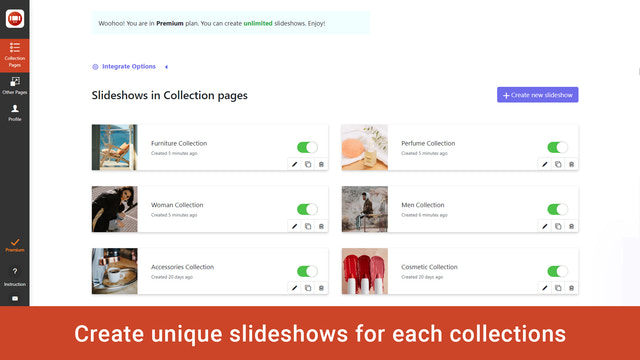


qikify Collection Slideshow - โชว์รูปภาพสินค้าที่ดีที่สุดของคุณในรูปแบบสไลด์โชว์สุดตระการตา
สร้างประสบการณ์การช้อปปิ้งที่ดียิ่งขึ้นด้วยแบนเนอร์สไลเดอร์ที่จะสร้างความประทับใจให้ลูกค้าและช่วยเพิ่มยอดขาย สามารถตั้งค่าสไลเดอร์สำหรับทุกหน้าในร้านค้าได้ ซึ่งช่วยให้คุณตั้งค่าได้อย่างสะดวกรวดเร็ว โดยสไลเดอร์แต่ละตัวจะทำหน้าที่เฉพาะเจาะจง เช่น การนำเสนอสินค้าและคอลเลกชัน
- เพิ่มลิงก์ไปยังสไลเดอร์รูปภาพสไลด์โชว์คอลเลกชัน
- สไลเดอร์รูปภาพสไลด์โชว์สำหรับแบนเนอร์ธีม Shopify
- สไลเดอร์รูปภาพสไลด์โชว์คอลเลกชันแบบแบนเนอร์สำหรับทุกหน้า
มีข้อความที่แปลอัตโนมัติ
ภาษา
ภาษาอังกฤษ
แอปนี้ไม่ได้แปลเป็นภาษาไทย
ประเภท
การเพิ่มประสิทธิภาพรูปภาพ
การแก้ไขจำนวนมาก
การปรับแต่ง
การกำหนดราคา
เลือกแผนที่เหมาะกับธุรกิจของคุณที่สุด
ฟรีตลอดชีพ
ฟรี
ฟีเจอร์
- 1 สไลด์โชว์
- 2 สไลด์/สไลด์โชว์
- เพิ่ม URL รูปภาพ
- เพิ่มลงในคอลเลกชันทั้งหมดหรือคอลเลกชันที่เลือก
- ปรับแต่งสไตล์
- รองรับการแสดงผลทุกหน้าจอ
- ไม่มีลายน้ำ
- บริการช่วยเหลือ
Basic
$4.99 / เดือน
หรือ $47.87/ปี และประหยัด 20%
+20% สำหรับ Shopify Plus
ฟีเจอร์
- ฟรีสำหรับร้านค้าเพื่อการพัฒนา
- ทุกอย่างในแผนฟรี
- 6 สไลด์โชว์
- 3 สไลด์/สไลด์โชว์
- อัปโหลดรูปภาพ
ทดลองใช้งานฟรี 7 วัน
Premium
$9.99 / เดือน
หรือ $95.87/ปี และประหยัด 20%
+20% สำหรับ Shopify Plus
ฟีเจอร์
- ฟรีสำหรับร้านค้าเพื่อการพัฒนา
- ทุกอย่างในแผน Basic
- สไลด์โชว์ไม่จำกัด
- สไลด์ไม่จำกัด
ทดลองใช้งานฟรี 7 วัน
มีข้อความที่แปลอัตโนมัติ
ค่าบริการทั้งหมดจะเรียกเก็บเป็น USD ค่าบริการที่เกิดขึ้นประจำและตามการใช้งานจะเรียกเก็บเงินทุกๆ 30 วัน
รีวิว (1)
-
0% ของการให้คะแนนคือ 5 ดาว
-
0% ของการให้คะแนนคือ 4 ดาว
- 100% ของการให้คะแนนคือ 3 ดาว
-
0% ของการให้คะแนนคือ 2 ดาว
-
0% ของการให้คะแนนคือ 1 ดาว
downloaded the app so I could add a collection slideshow on my homepage. The 'free' version wont let me upload any photos to my collections, making the whole thing useless. Maybe the paid version works better. Didnt get any further.
Hi there,
In Free plan, you can upload an image to get its URL in your Shopify admin / Settings / Files / Upload file. Once the image is uploaded, you will get a URL alongside its entry > Copy that URL and paste into "Background image" field.
If you want to upload directly image to our app, you will need to upgrade to higher plan. Because the image is uploaded to our sever, so it will be a paid feature. Hope you can understand for us.
If you need any other assistance, feel free to contact us at support.qikify.com
ความช่วยเหลือ
ให้ความช่วยเหลือสำหรับแอปโดย Qikify
แหล่งข้อมูล
เปิดตัวแล้ว
16 กันยายน 2019

