
ISBNExpress: Books Importer
- Priser
-
Gratis abonnement tilgjengelig
- Høydepunkter
- Bruk direkte i Shopify-administrator
- Vurdering
- 5,0 (9)
- Utvikler
- Dmitri Pavlutin
Galleri med fremhevede bilder
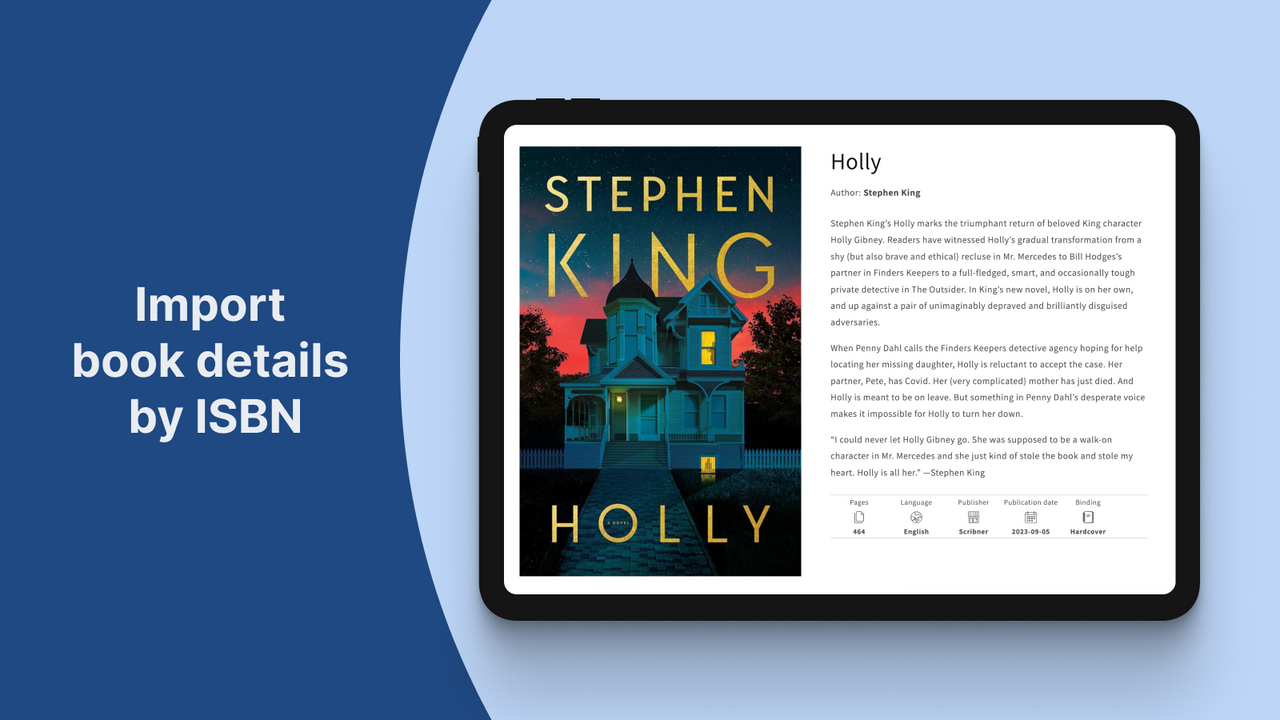
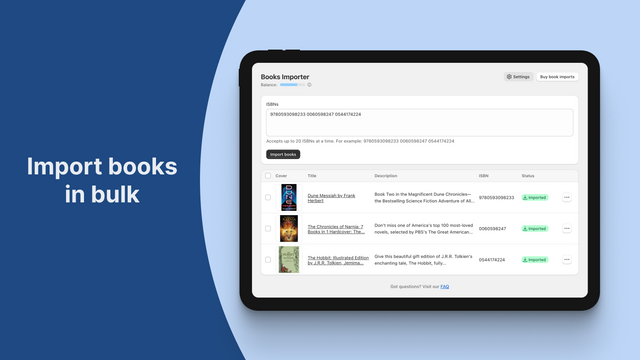
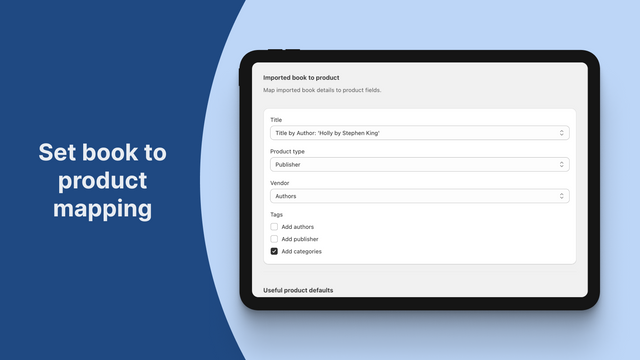
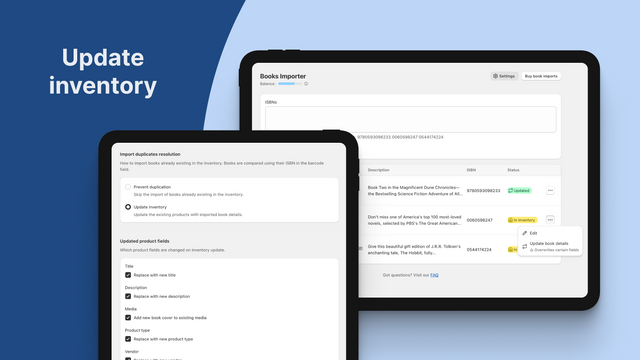
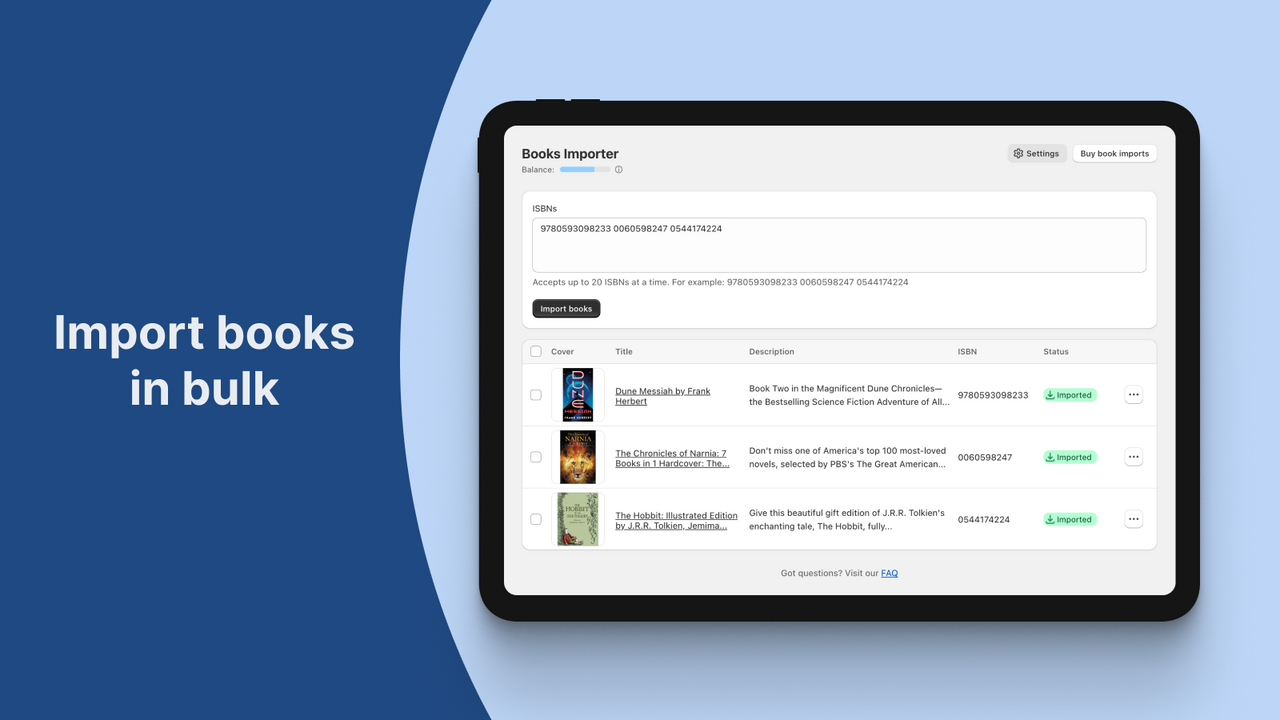
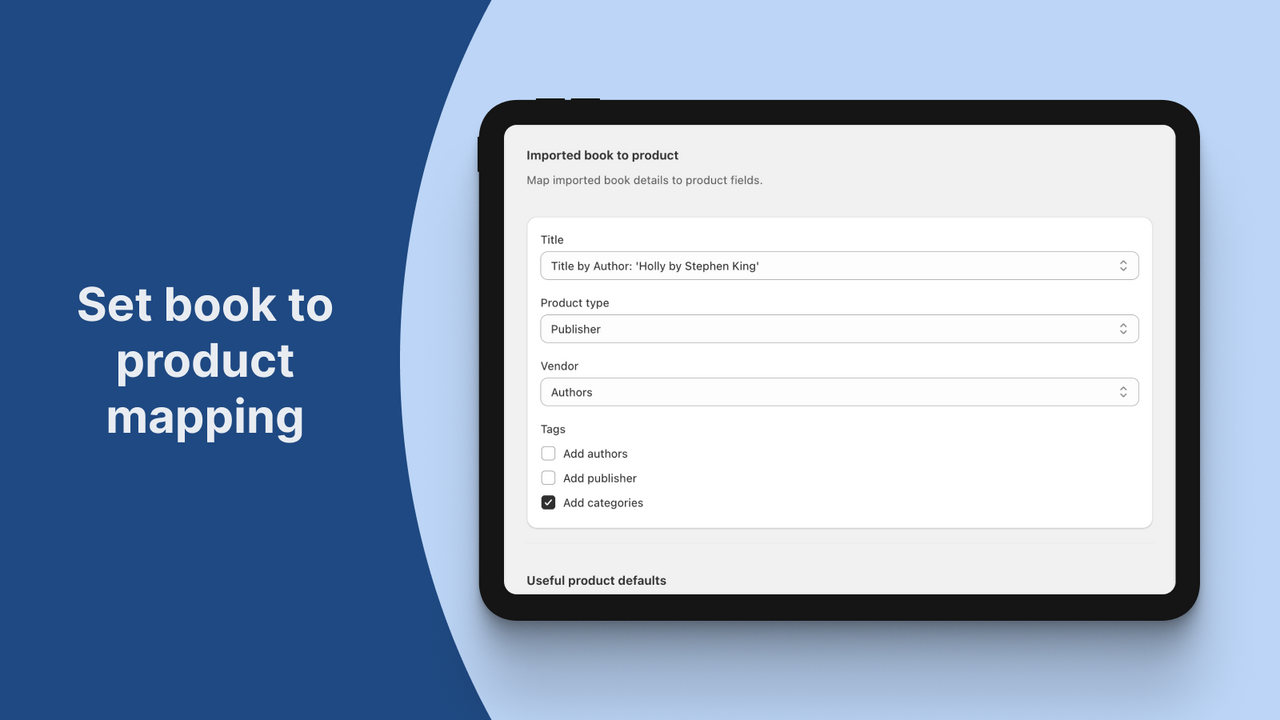
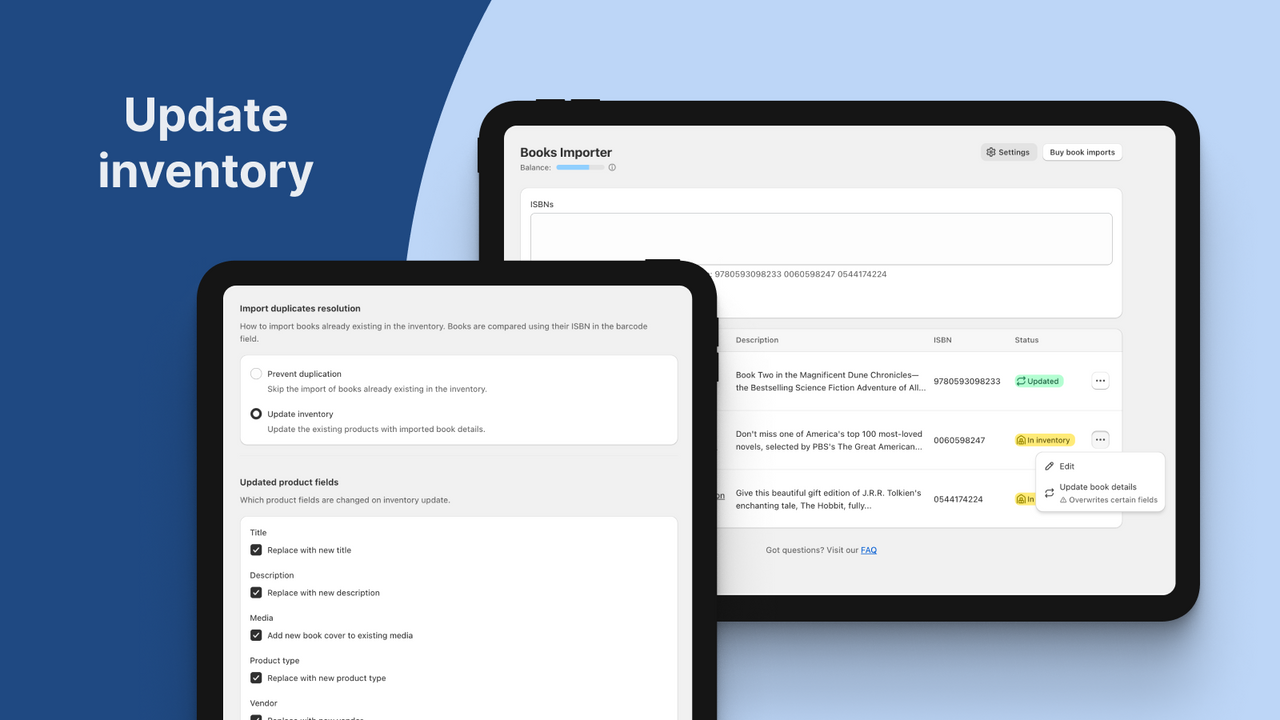
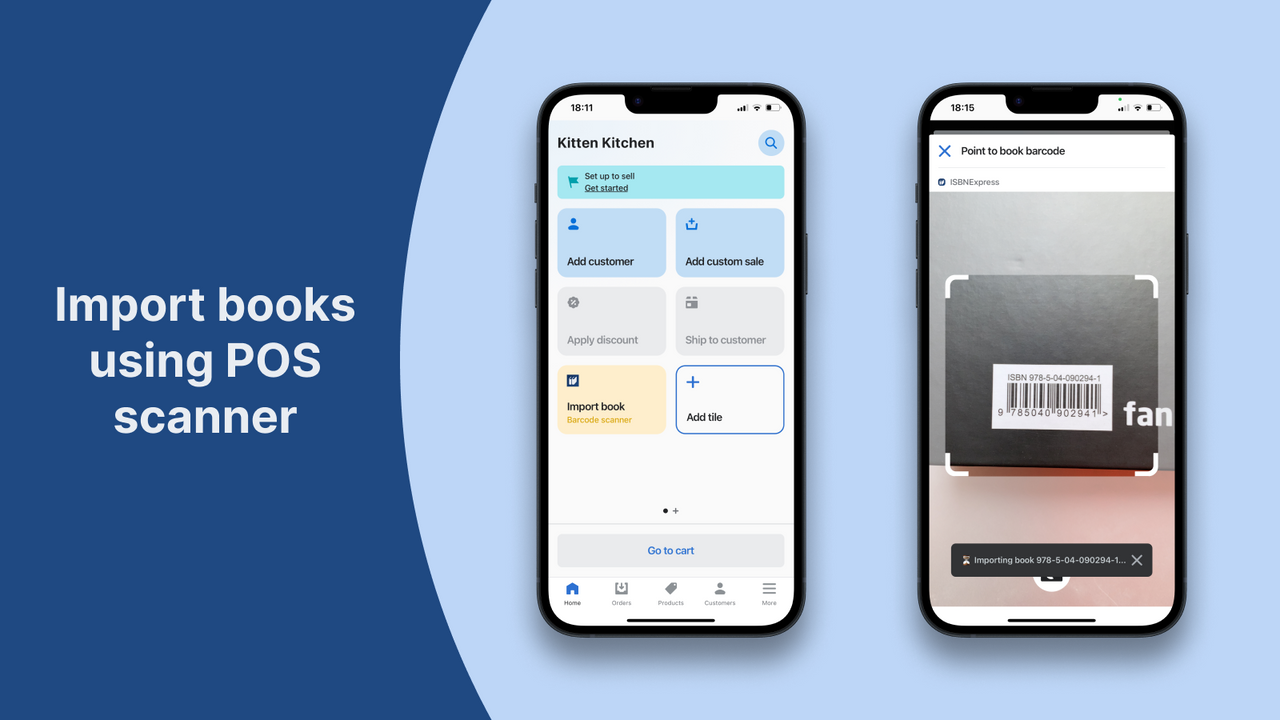
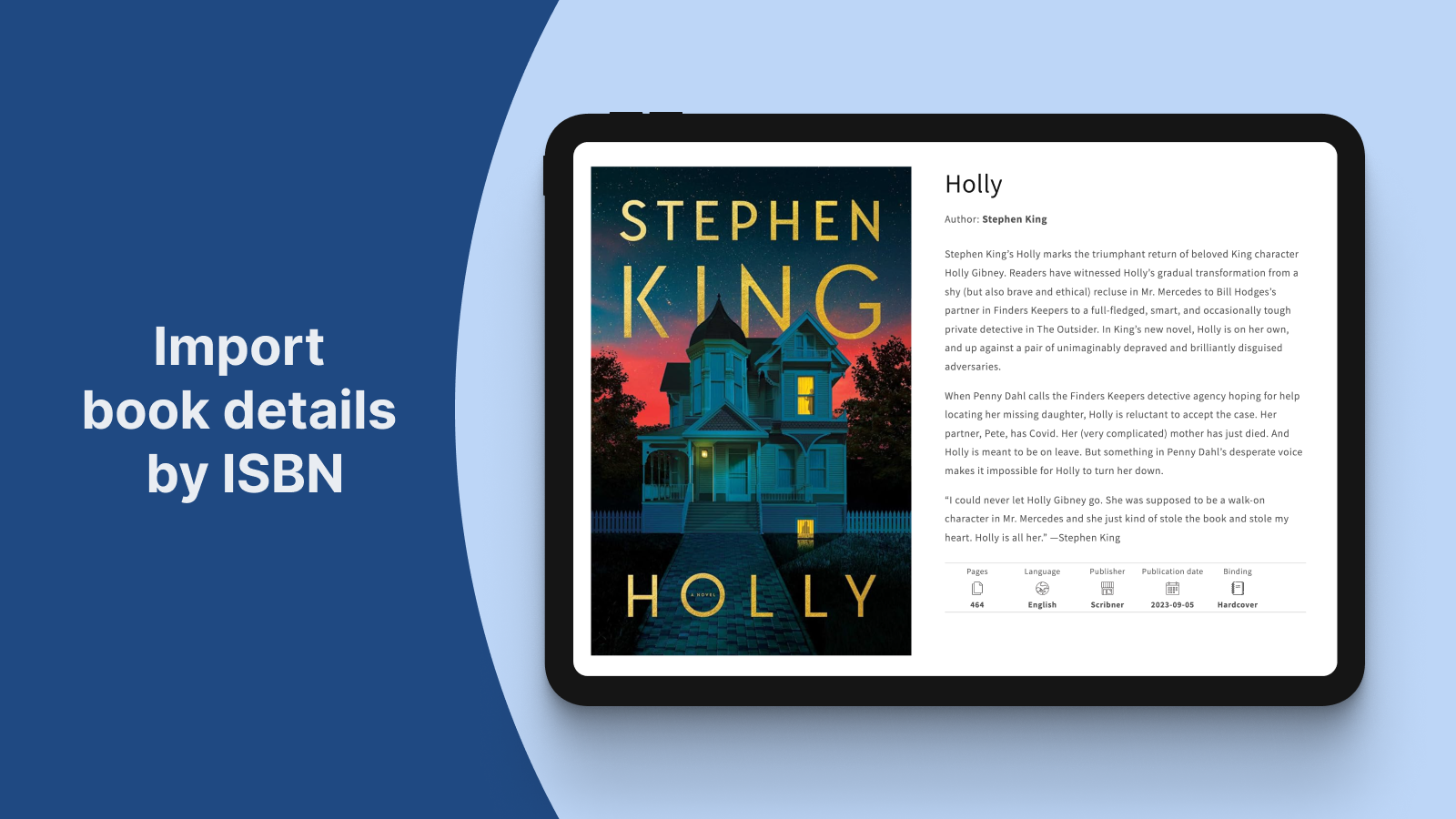
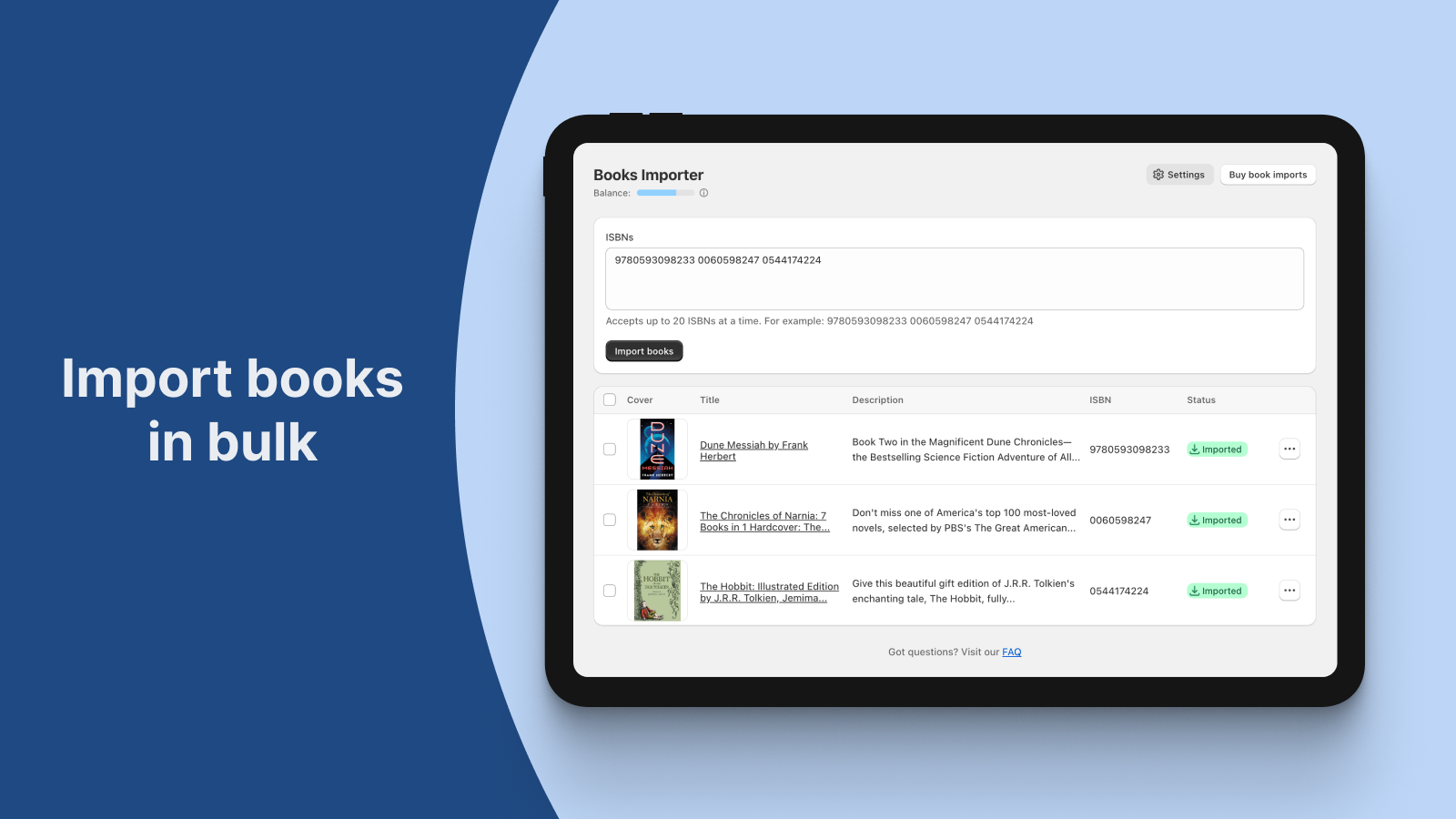
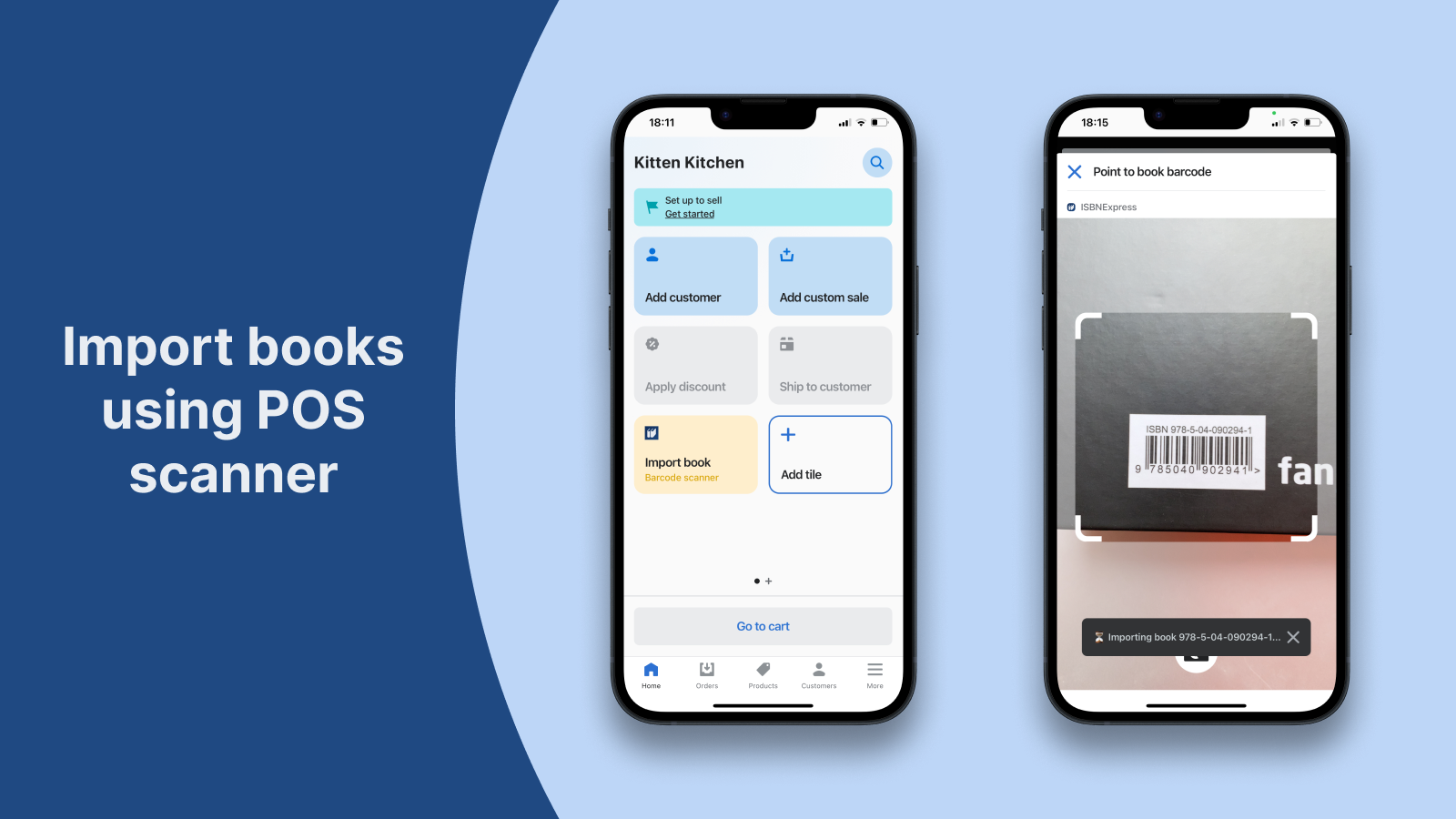
Import book details by ISBN into bookstore. No more time-consuming book data search and manual entry
With just the ISBN, our app automatically imports all the book details you need as a bookseller into your bookstore. Create new products or update existing inventory with the book's title, description, cover image, author, pages, binding, publication date, dimensions, weight, language, and categories. Save valuable time and focus on what you love – running your bookstore.
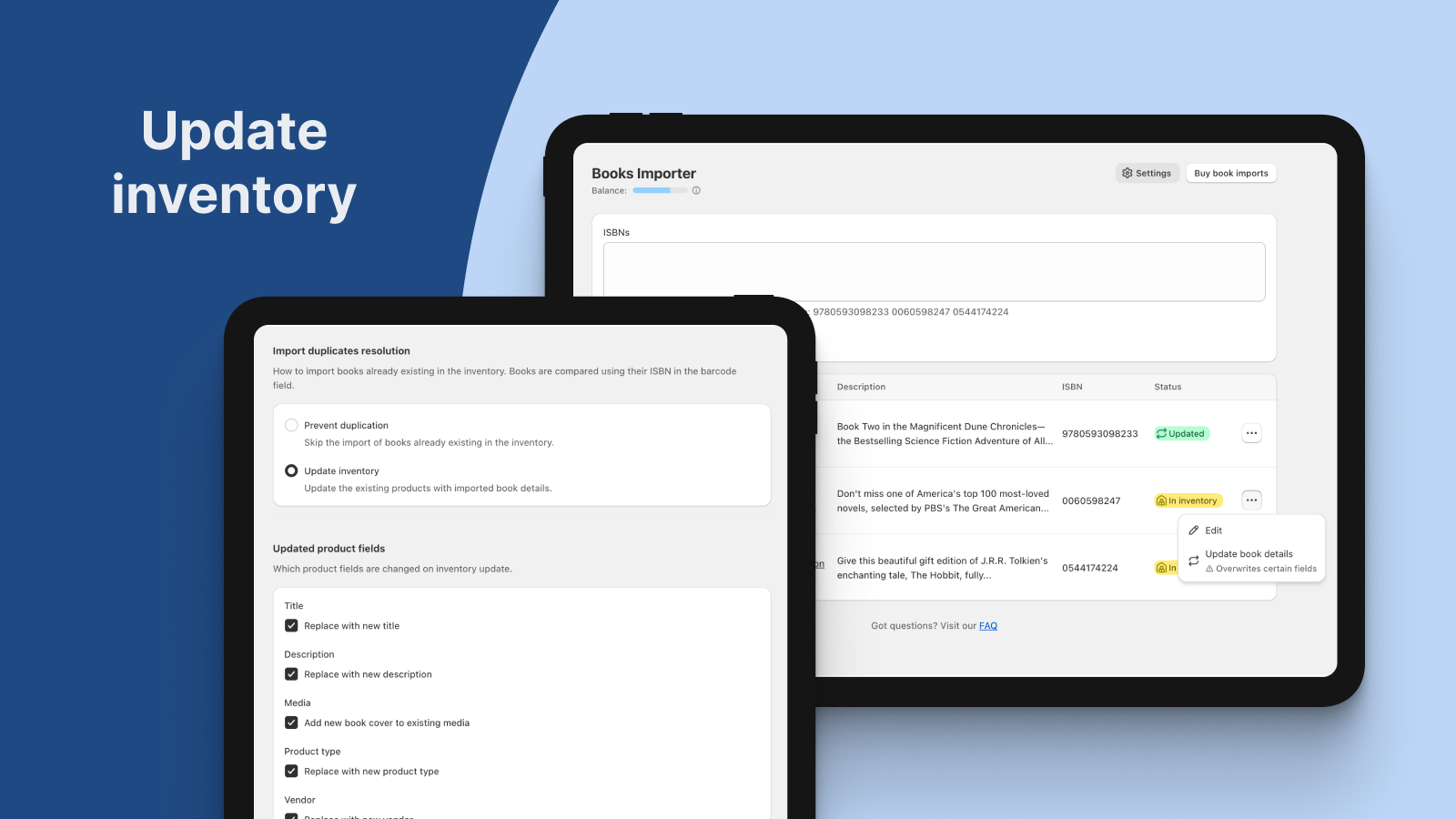
- Import books by ISBN to create new products or update existing inventory
- Enter multiple ISBNs to import books in bulk
- Import books by scanning physical book ISBN using the POS integration
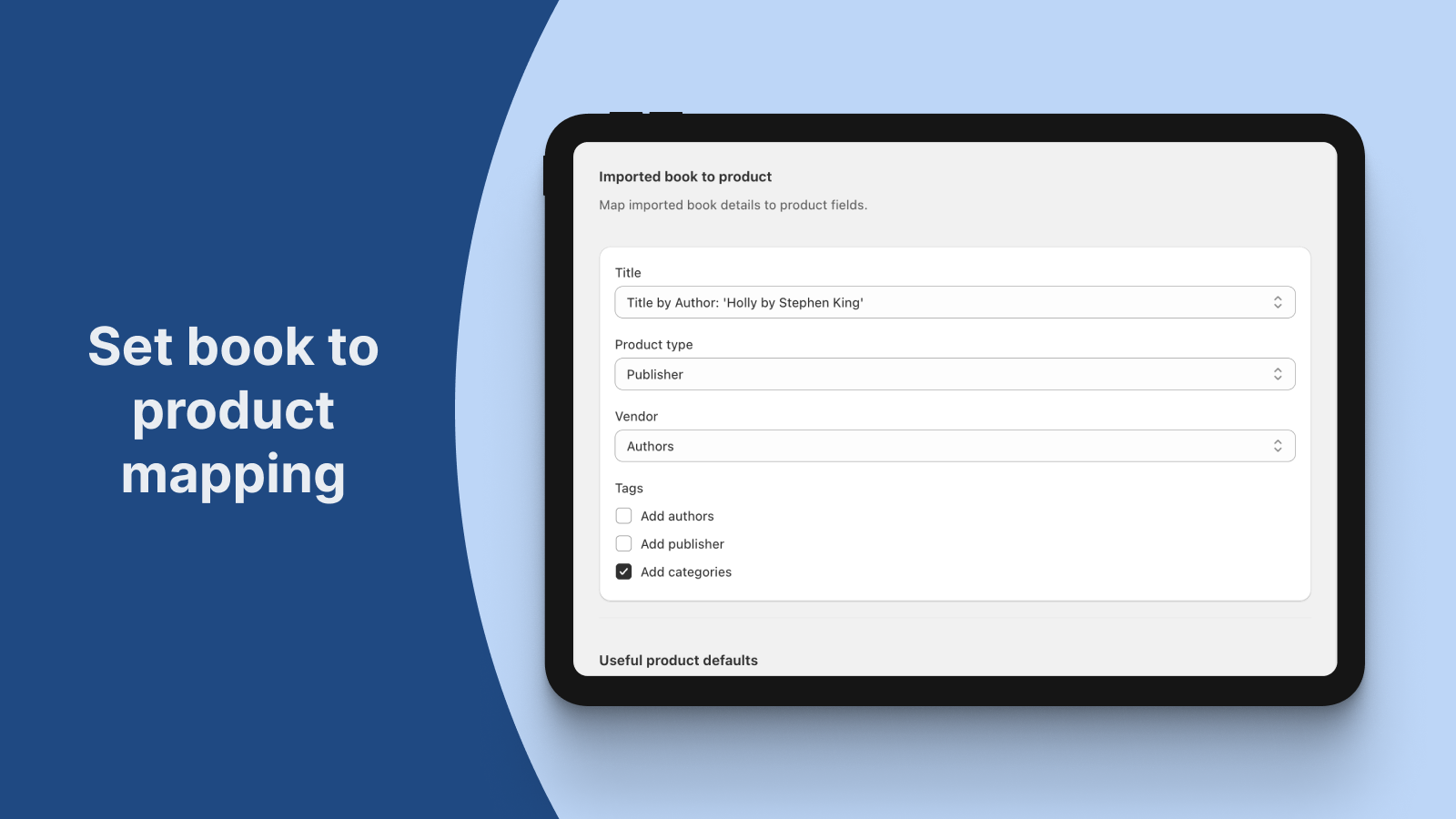
- Customize book-to-product mapping
- Works with English, French, German and Spanish books
- Høydepunkter
- Bruk direkte i Shopify-administrator
Lansert
15. september 2023
Språk
Engelsk
Denne appen er ikke oversatt til Norsk (bokmål)
Kategorier
Fungerer med
Shopify POS, POS Barcode ScannerPriser
Free
Gratis
- 25 book imports on install
- Bulk importer
- POS scanner importer
- Inventory updater
- Book-to-product customization
Bookshelf
$5 / måned
- 100 book imports per month
- Bulk importer
- POS scanner importer
- Inventory updater
- Book-to-product customization
Book corner
$8 / måned
- 250 book imports per month
- Bulk importer
- POS scanner importer
- Inventory updater
- Book-to-product customization
Bookcase
$12 / måned
- 500 book imports per month
- Bulk importer
- POS scanner importer
- Inventory updater
- Book-to-product customization
Free
Gratis
- 25 book imports on install
- Bulk importer
- POS scanner importer
- Inventory updater
- Book-to-product customization
Bookshelf
$5 / måned
- 100 book imports per month
- Bulk importer
- POS scanner importer
- Inventory updater
- Book-to-product customization
Book corner
$8 / måned
- 250 book imports per month
- Bulk importer
- POS scanner importer
- Inventory updater
- Book-to-product customization
Bookcase
$12 / måned
- 500 book imports per month
- Bulk importer
- POS scanner importer
- Inventory updater
- Book-to-product customization
Alle kostnader faktureres i USD. Gjentagende og bruksbaserte kostnader faktureres hver 30. dag. Se alle prisalternativer
Omtaler (9)
- 100 % av vurderingene er 5 stjerner
-
0 % av vurderingene er 4 stjerner
-
0 % av vurderingene er 3 stjerner
-
0 % av vurderingene er 2 stjerner
-
0 % av vurderingene er 1 stjerner
Hands down this is the best app I've used on Shopify so far. It's easy to use and the developer is quick to respond to messages and is genuinely helpful.
We had a project that required a one time massive import of books, and the developer created a custom package to help save us time and money. Absolute hero.
The app itself is brilliant, it's ability to create metafields that automatically pulls data such as author, bindings, publisher, and publication dates is immensely valuable not only for the front end but also for behind the scenes cataloguing.
Seriously can't recommend enough.
Thank you for the kind words!
The communication with Ever After Books was efficient and friendly. We were glad to offer the custom package and support.
And it was just a pleasure to work with the Ever After Books owner.
Best regards,
Dmitri.
Absolutely necessary if you are running a bookstore through Shopify. The price is so fair and this app is so wonderful.
The only thing I would add is for the cover price to be imported as well because we have accidently published a couple things at $0 - but we know this app is new and will continue to approve! Thank you!
Thank you so much for your feedback! We will continue improving our app to make it even more useful.
Warm regards,
Cristina.
This app has saved me so much time! It easily imports data on books with barcodes. I look forward to updates with even more functionality!
Thank you for the review! We will continue adding more functions.
Kind regards,
Cristina.
As a new bookshop this app was an ABSOLUTE LIFESAVER! Thank you ISBNExpress for creating such a useful tool
Thank you for your feedback. We are glad that the app is useful for your new bookshop.
Kind regards,
Cristina.
add more categories customization ........
Thank you for the positive feedback.
Regarding the categories customisation, I have sent you an email to discuss more about your request.
Kind regards,
Cristina.
Brukerstøtte
Dmitri Pavlutin kan besvare eventuelle spørsmål du har om ISBNExpress: Books Importer.
Utvikler
Ressurser
Denne utvikleren tilbyr ikke direkte støtte på Norsk (bokmål).
Utvalgt hos
Tekniske løsninger
Få oversikt over appene Federal Street Books bruker for å holde virksomheten i gang.
Flere apper som denne