
Keeping ‑ Helpdesk for Gmail
- 요금제
-
월 $33부터. 무료 체험 이용 가능.
- 평점
- 5.0 (1)
- 개발자
- Katsu Ventures
추천 이미지 갤러리

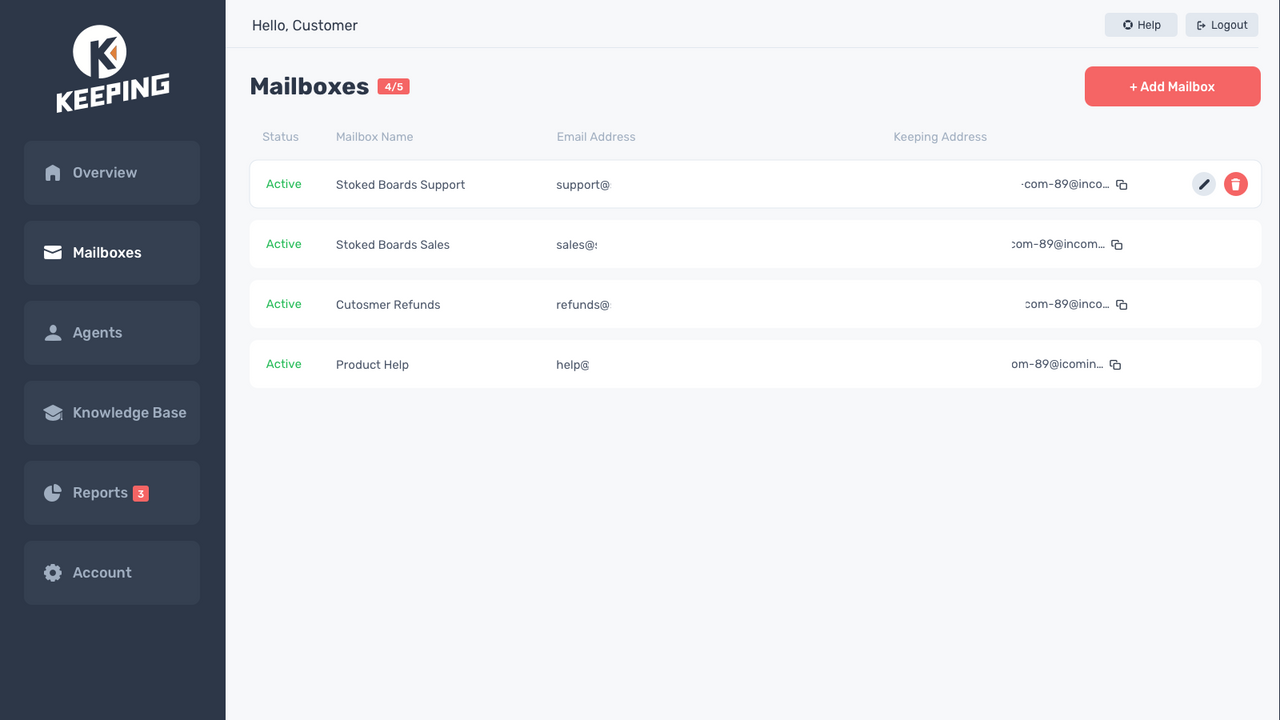



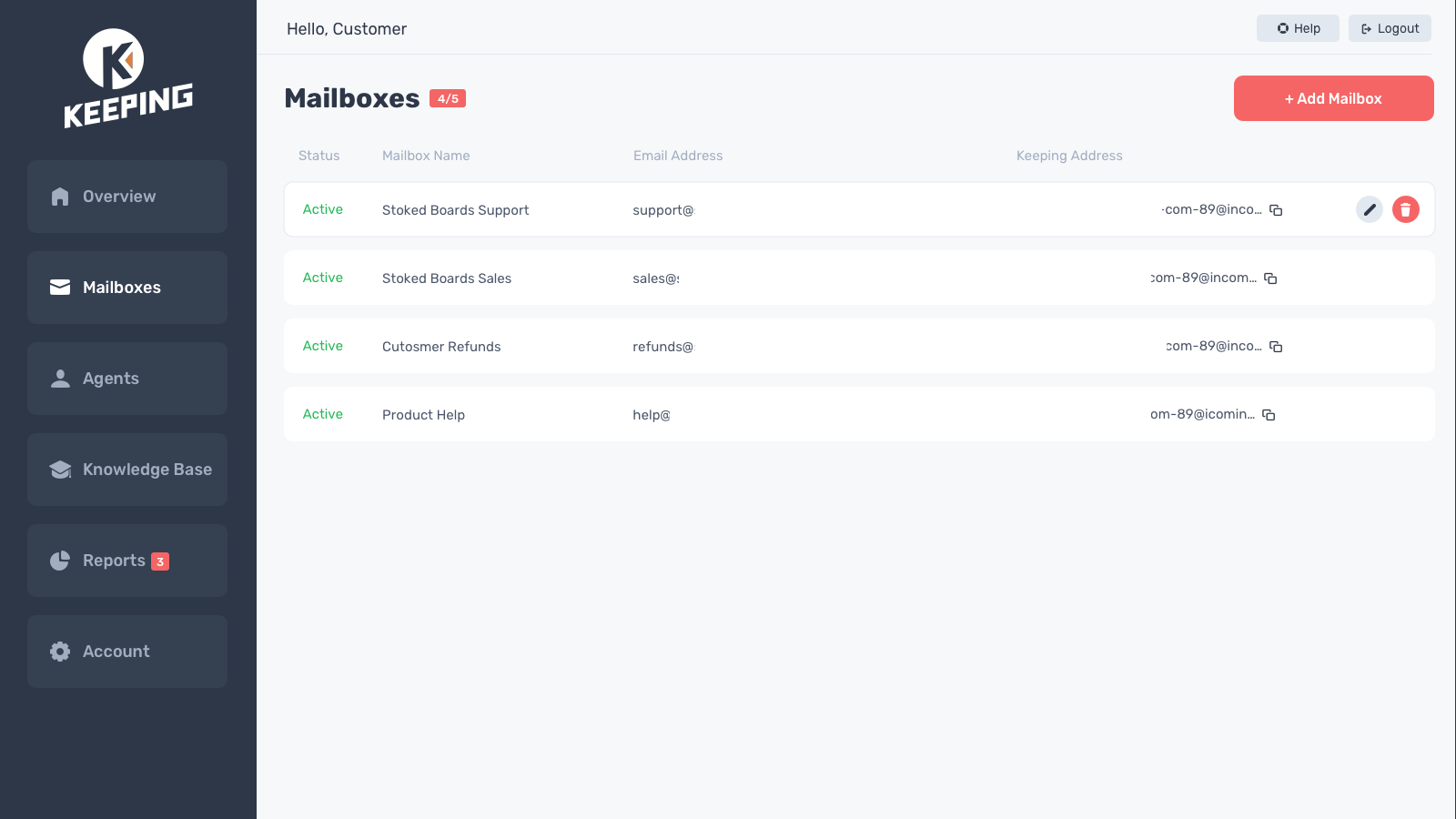
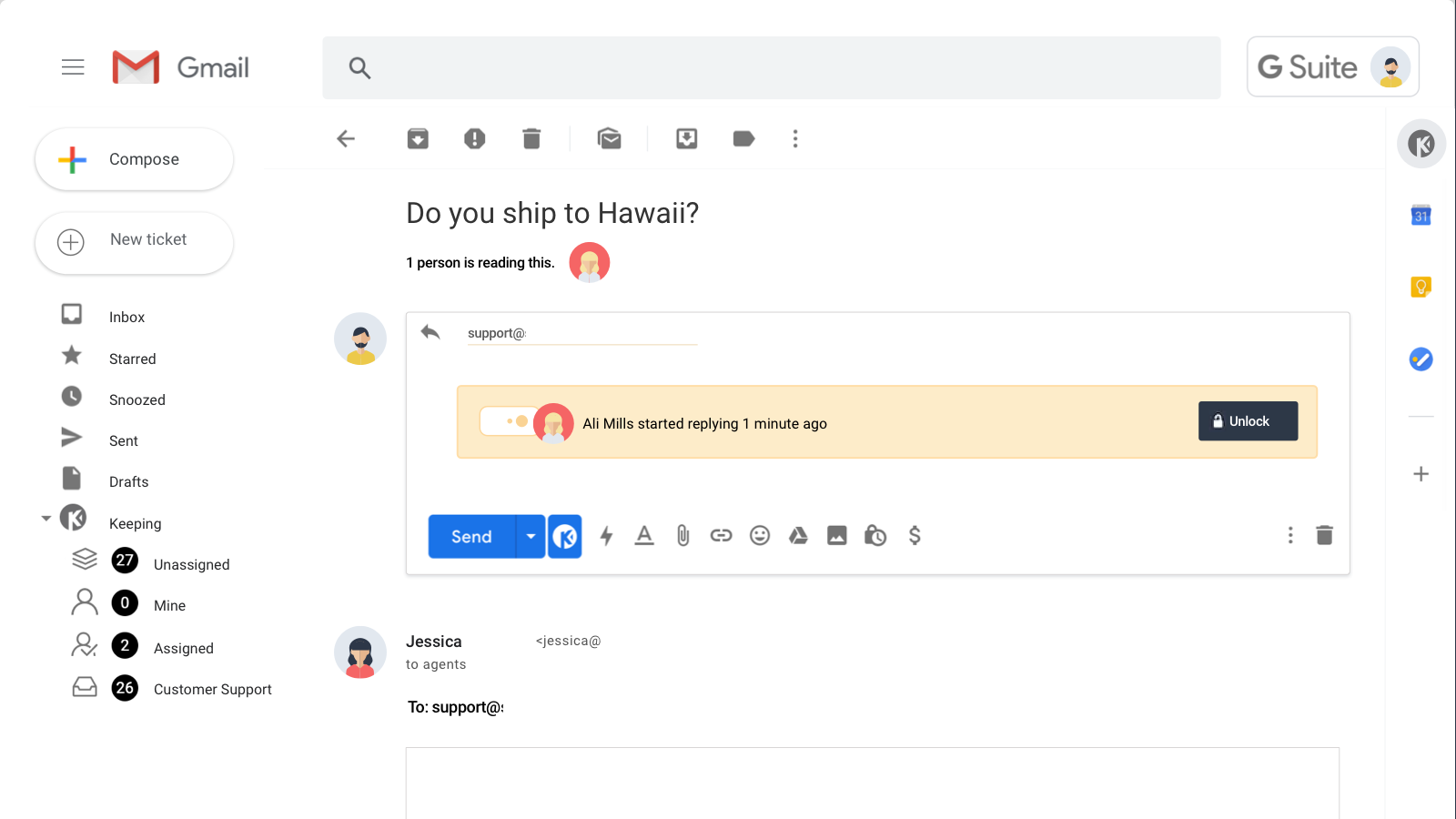

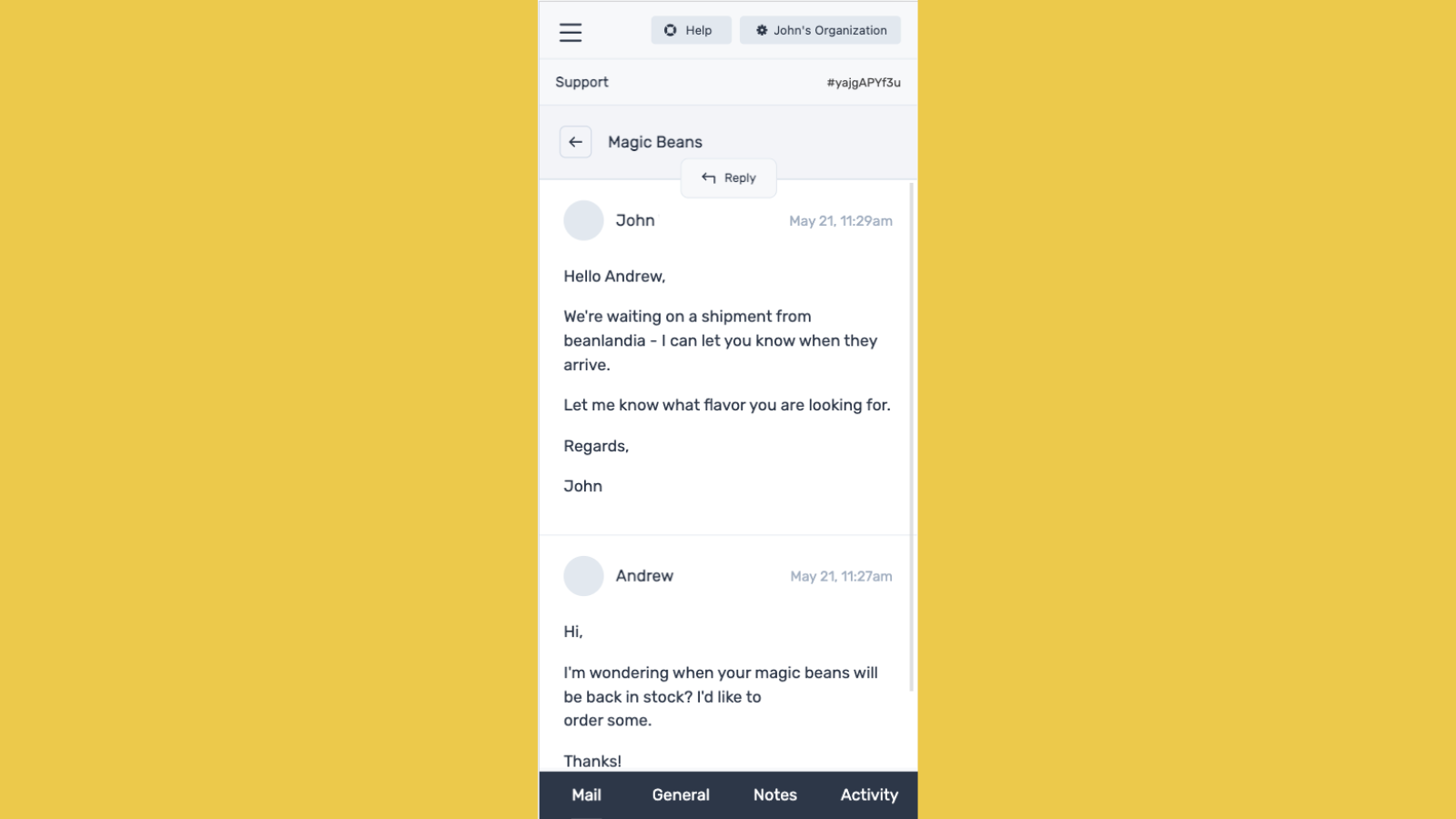
Keeping은 Gmail을 벗어나지 않고도 지원 받은편지함을 공유할 수 있는 가장 쉬운 방법입니다.
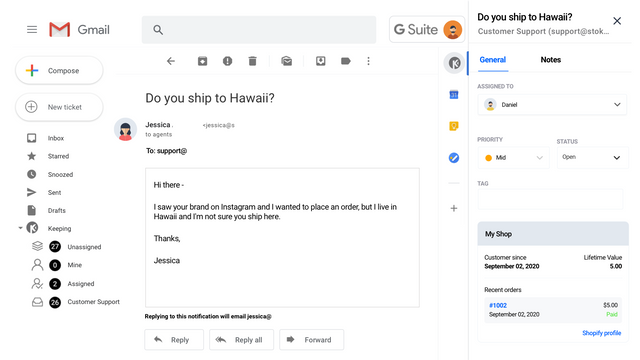
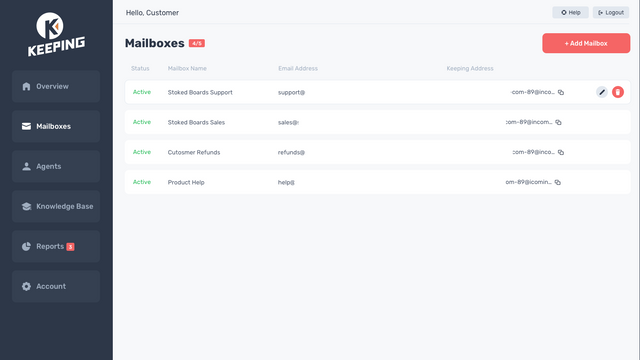
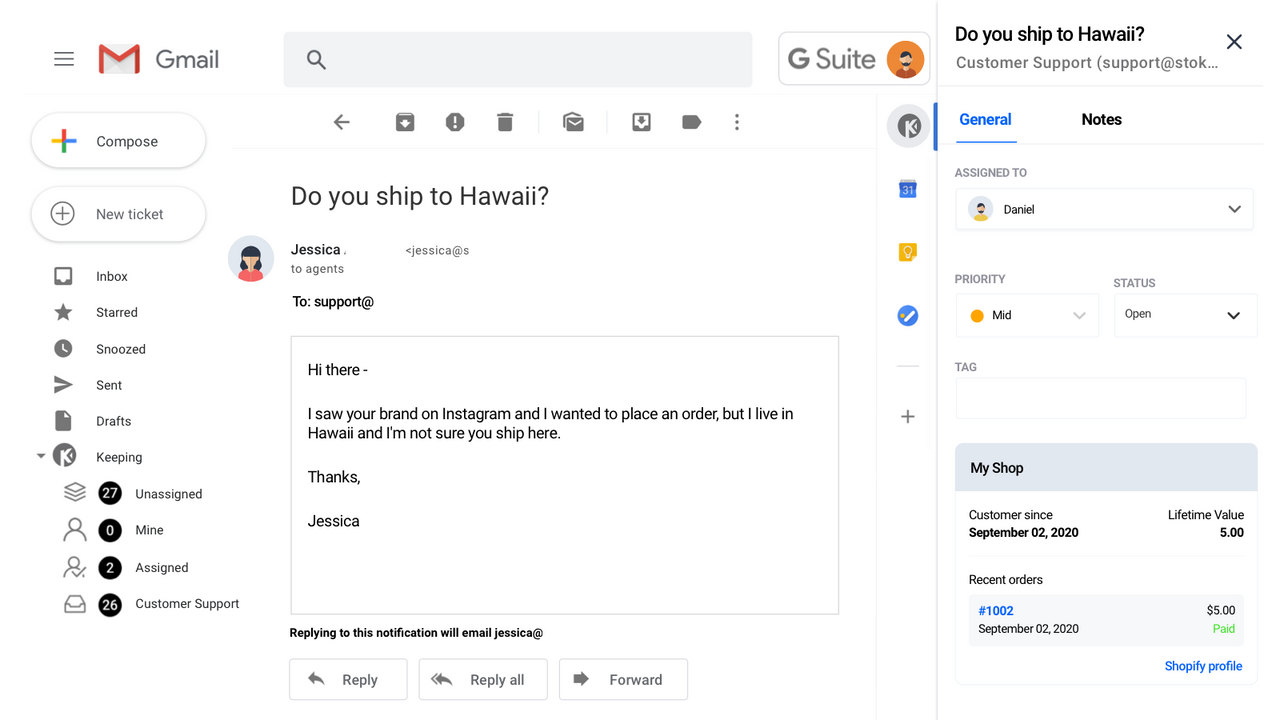
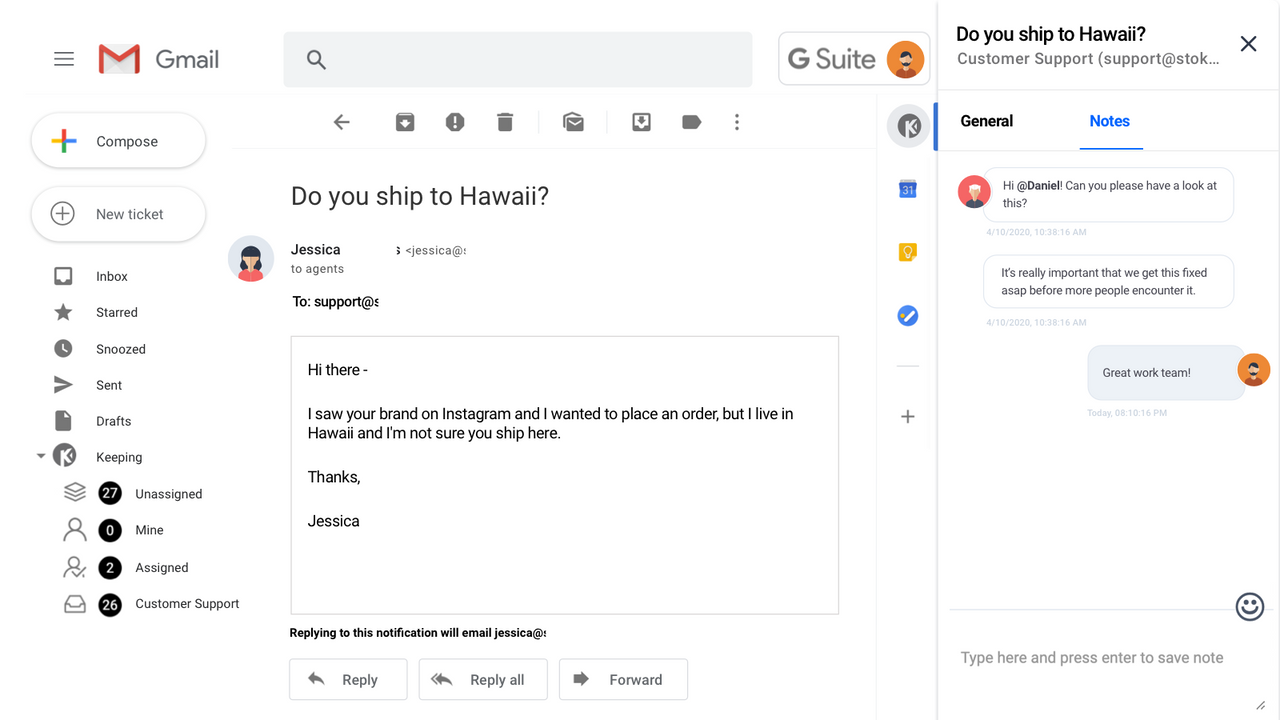
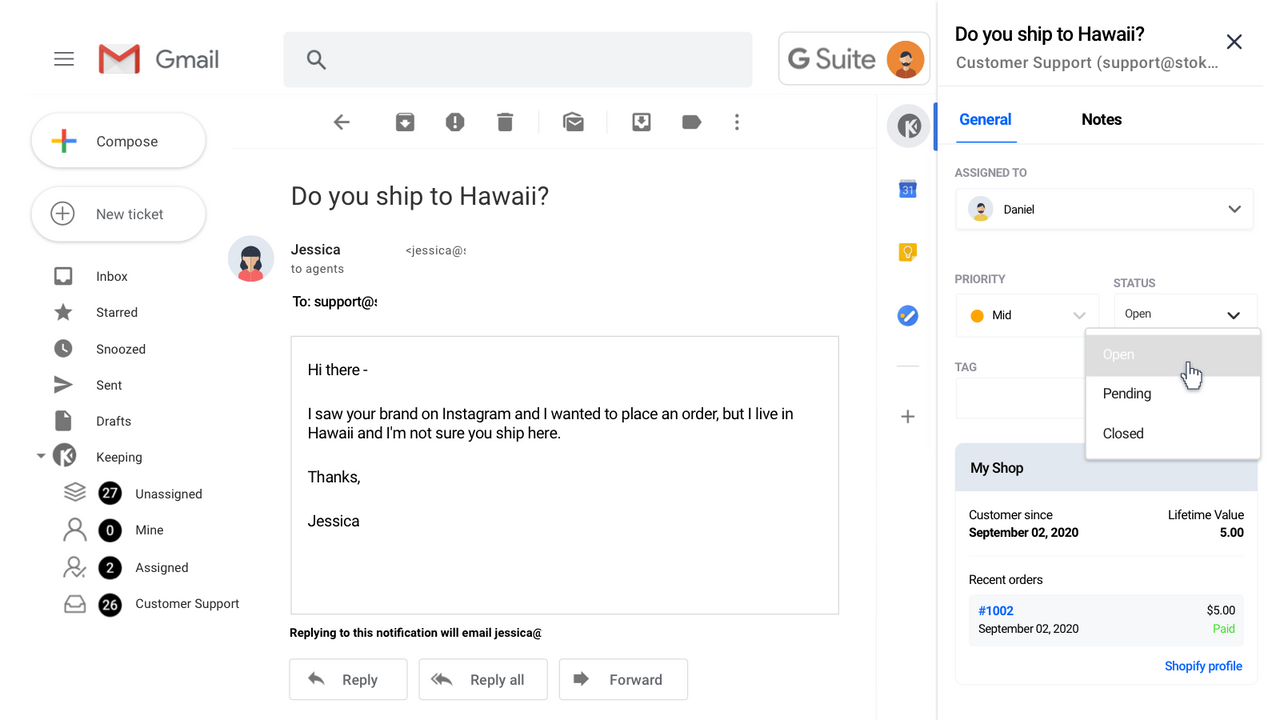
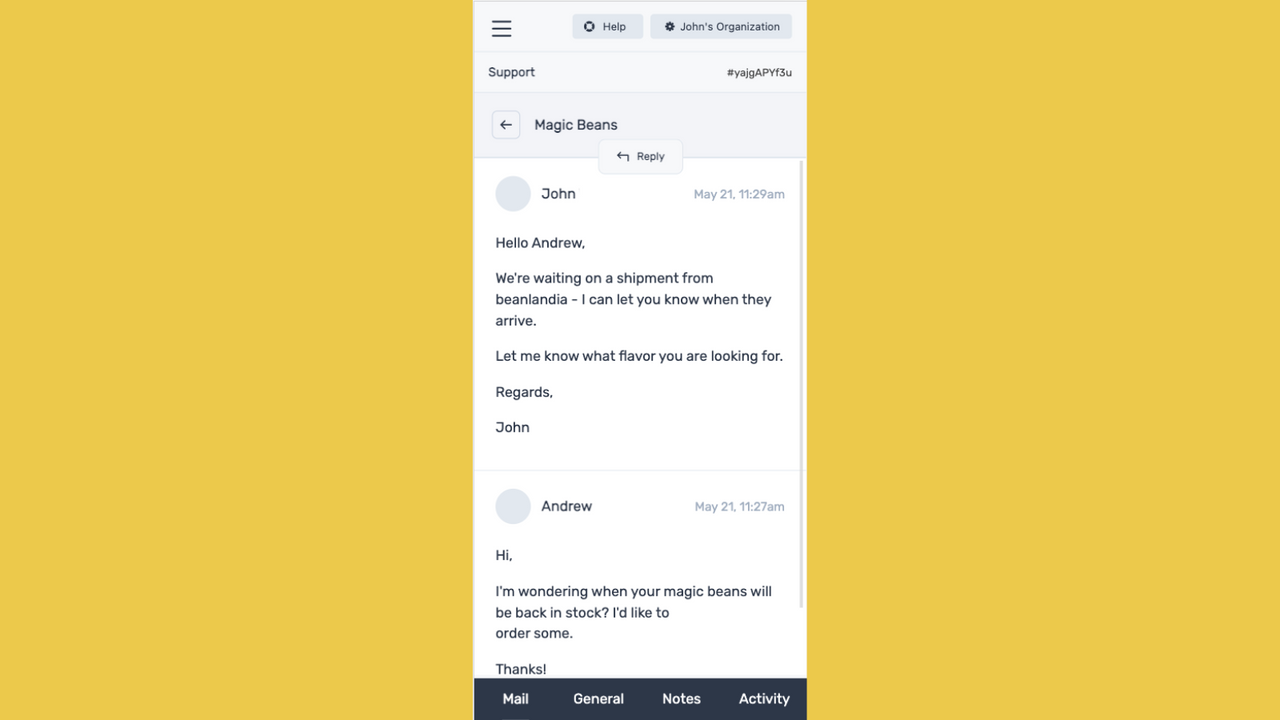
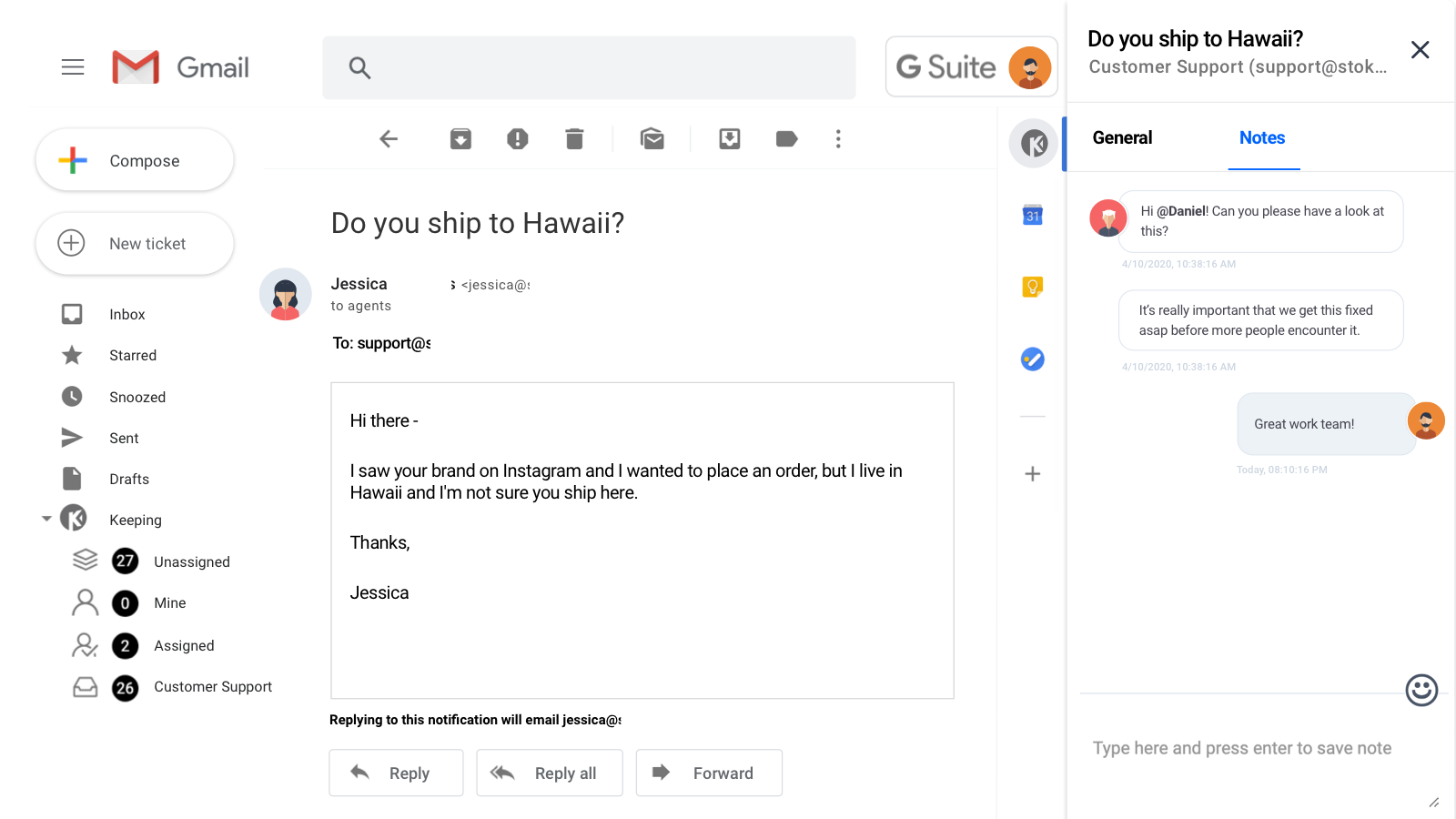
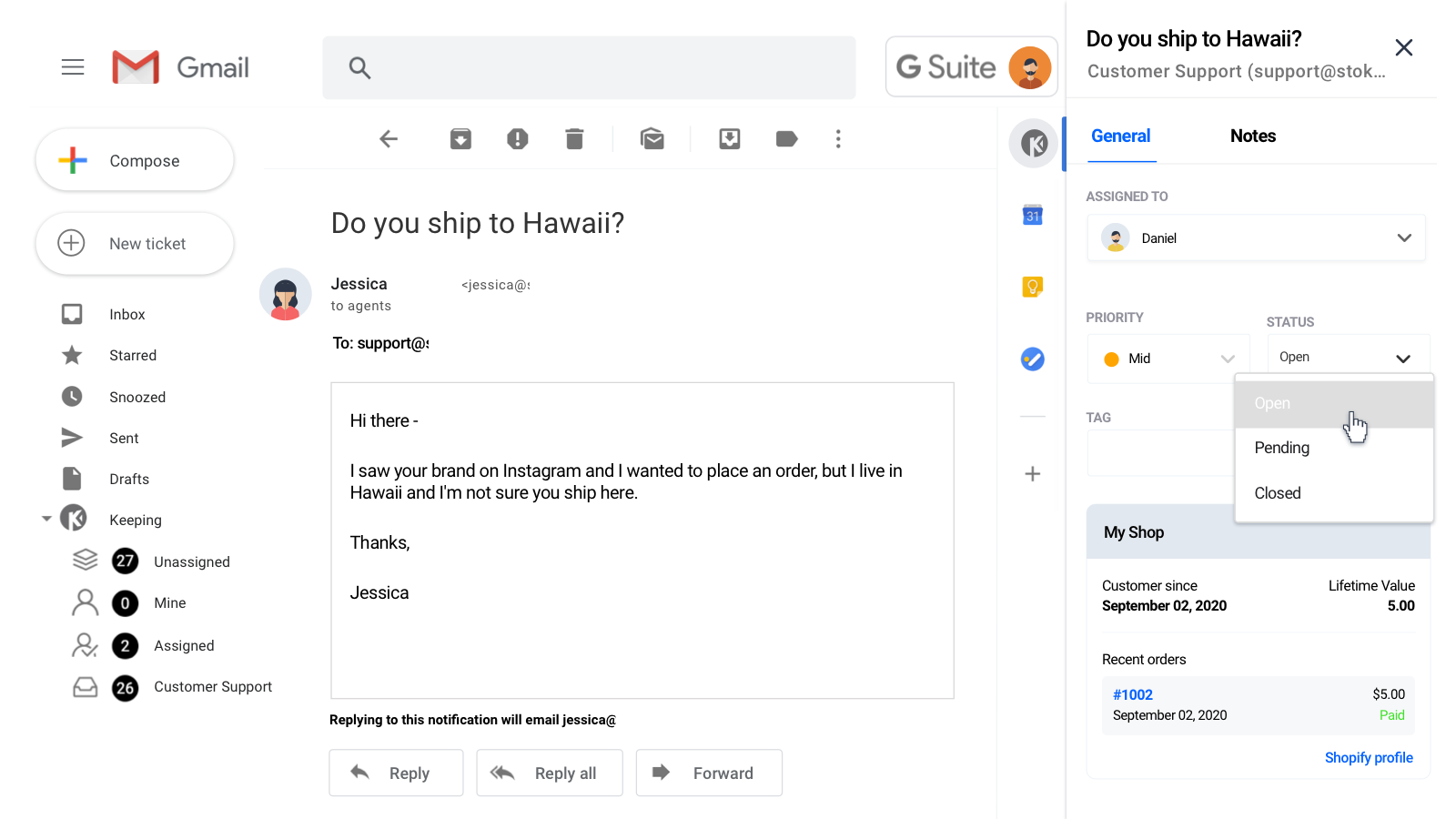
Keeping은 팀의 Gmail을 완벽한 기능을 갖춘 헬프데스크로 변환합니다. Gmail 내에서 바로 고객 지원 이메일을 관리하십시오. 외부 헬프데스크를 사용할 필요 없이 향상된 고객 지원을 제공할 수 있어 모든 규모의 이커머스 팀에 이상적인 솔루션입니다. 공유 받은편지함에 지원 요청이 수신되면 Keeping이 이를 지원 티켓으로 변환하여 팀 전체와 동기화합니다. 그런 다음 Gmail 내에서 바로 티켓을 할당하고, 논의하며, 우선순위를 지정할 수 있습니다.
- Gmail 내에서 고객의 주문 정보를 바로 확인하십시오.
- 지원 계정을 개인 또는 업무용 Gmail과 동기화하십시오.
- 고급 보고서를 통해 응답 시간, 티켓 수, 상담원 성과를 측정합니다.
자동으로 번역된 텍스트 포함
언어
영어
이 앱은 한국어로 번역되지 않았습니다
다음과 호환:
- Gmail
- Google Workspace
- Gsuite
- HubSpot
- Zapier
요금제
비즈니스에 가장 적합한 요금제를 선택하세요.
Plus
$33 /월
또는 연 $288 및 27% 할인
추가 상담원 1명당 $11
기능
- 무제한 지원 티켓
- 지원 상담원 3명 포함
- 공유 사서함 5개
- 워크플로 2개
- 브랜딩 없음
14일 무료 체험
Unlimited
$48 /월
또는 연 $504 및 13% 할인
추가 상담원 1명당 $16
기능
- 무제한 지원 티켓
- 지원 상담원 3명 포함
- 무제한 공유 사서함
- 무제한 워크플로
- 브랜딩 없음
14일 무료 체험
자동으로 번역된 텍스트 포함
모든 비용은 USD(으)로 청구됩니다. 반복 요금 및 사용 기반 요금은 30일마다 청구됩니다. 모든 요금제 옵션 보기
리뷰 (1)
- 평점의 100%가 별 5개입니다
-
평점의 0%가 별 4개입니다
-
평점의 0%가 별 3개입니다
-
평점의 0%가 별 2개입니다
-
평점의 0%가 별 1개입니다
tl;dr - Keeping is exactly what we have been searching for to better handle our customer inquiries via support emails, and in a more professional manner. :)
---
As a small company the "Plus" subscription is plenty for our needs, as opposed to the also-affordable "Unlimited" plan. (We also chose the annual payment plan for the 20% off deal they were offering at the time.)
-
Everything is done right within our existing Gmail accounts, although Keeping has an option to work within their site. All incoming emails (to the main selected support email account) are automatically converted into a "ticket". Tickets can easily be assigned to different agents, and I can even include notes within it for other agents to view / add to. Replying to the message will respond directly to the customer from the support account, so support reps can stay anonymous (careful with automated signatures - change your settings to easily avoid trouble).
-
Tickets can be marked as Open, Pending, or Closed at any point in time. There's also a nice feature to change this status as you send the message (the Keeping logo next to the original send button). And you don't have to worry about missing a reply to a Closed ticket, since it'll automatically be reopened, and assigned to whoever was last assigned to the ticket! (You can assign multiple agents too; I like use this just to easily find / view tickets I'm involved in / need to refer to info from it, even if I'm not the one to respond.)
-
The BEST feature of Keeping is the Knowledge Base. We have FAQs stored (the lightning bolt icon next to the send buttons) which we can add to the email, basically like copy and pasting text, and even links and images. The info is editable in the text body too, to further personalize responses.
-
This might be the ACTUAL BEST feature: For those customers who create a new email thread for every response instead of simply replying to the existing thread (very annoying, but I'm not sure they even know they're doing it) - each ticket shows info on "related tickets" that you can click between and easily find previous info.
-
The new Shopify integration tool is an example of Keeping's continuing progress. When you're viewing a ticket, their Shopify order and customer info is right there, so you don't have to have Shopify open in a separate window 24/7. And if you need to do anything in their actual order or customer profile, each are linked in this section.
---
ps - My review includes what I feel is more important to general users, but I've explored most of the ins and outs of Keeping. I recommend doing the same to more quickly understand how it works, and how to use to use it with your processes!
-
I also mentioned some additional features I'd like to see in the future, and the Keeping team was great to talk to about it!
Thanks for this great and very comprehensive review! 😊
지원
앱 지원은 Katsu Ventures에서 제공합니다.
리소스
이 개발자는 한국어(으)로 직접 지원을 제공하지 않습니다.
개발자
출시됨
2021년 8월 19일
이 앱과 비슷한 더 많은 앱 보기