



Stoclean: Out‑Of‑Stock Cleaner
- 定價
-
每月 $6。 提供免費試用。
- 評分
- 4.0 (5)
- 開發者
- Menelabs O.E.
主要圖片圖庫

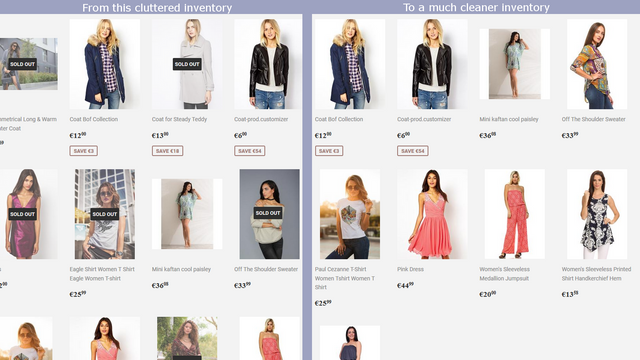
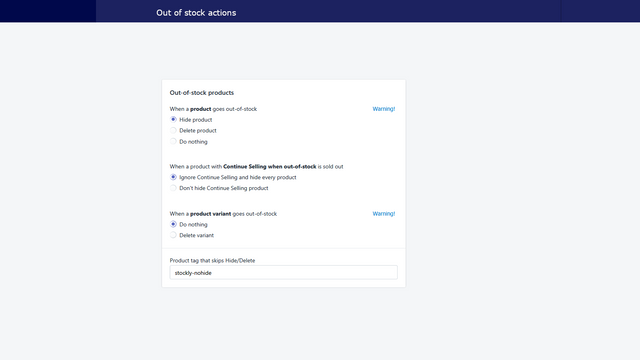
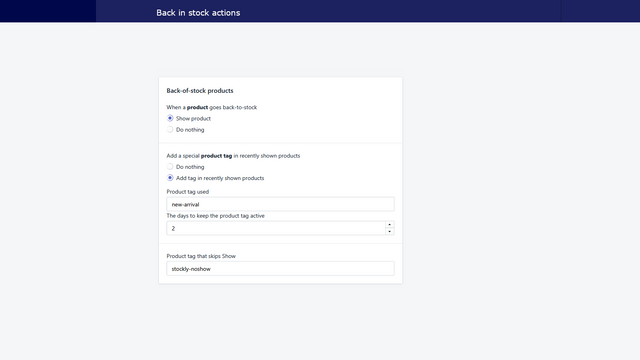
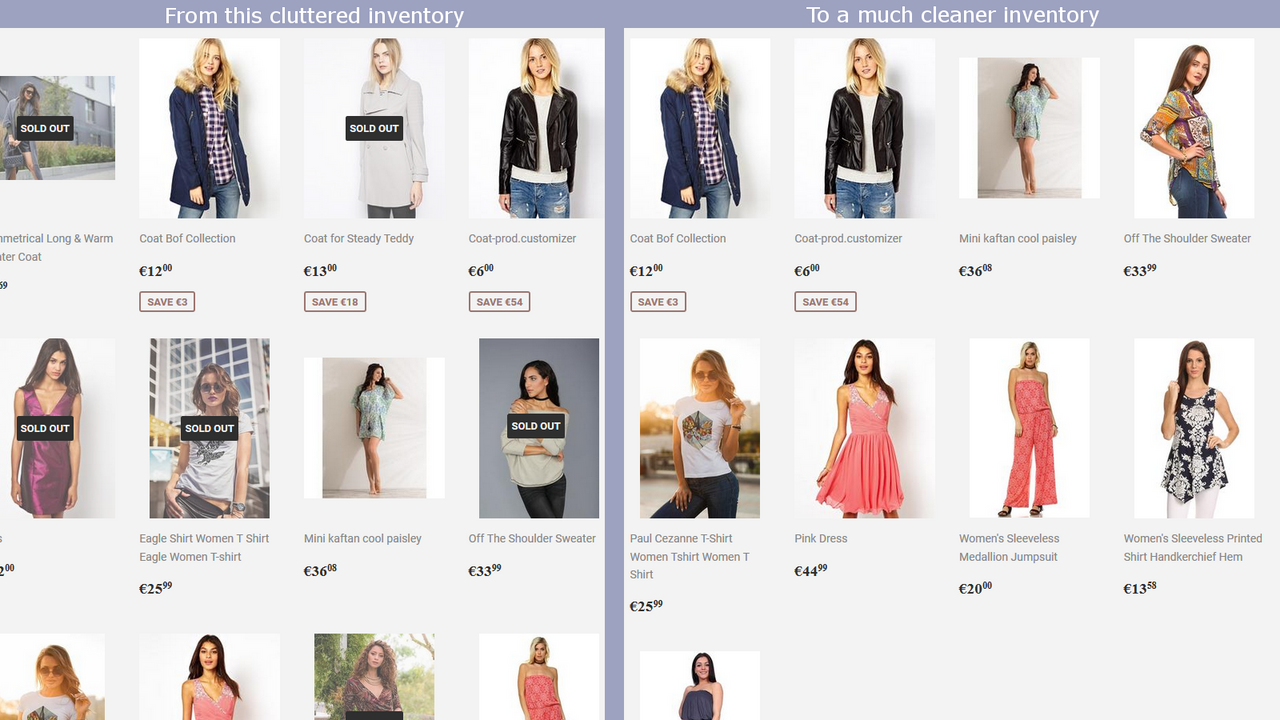
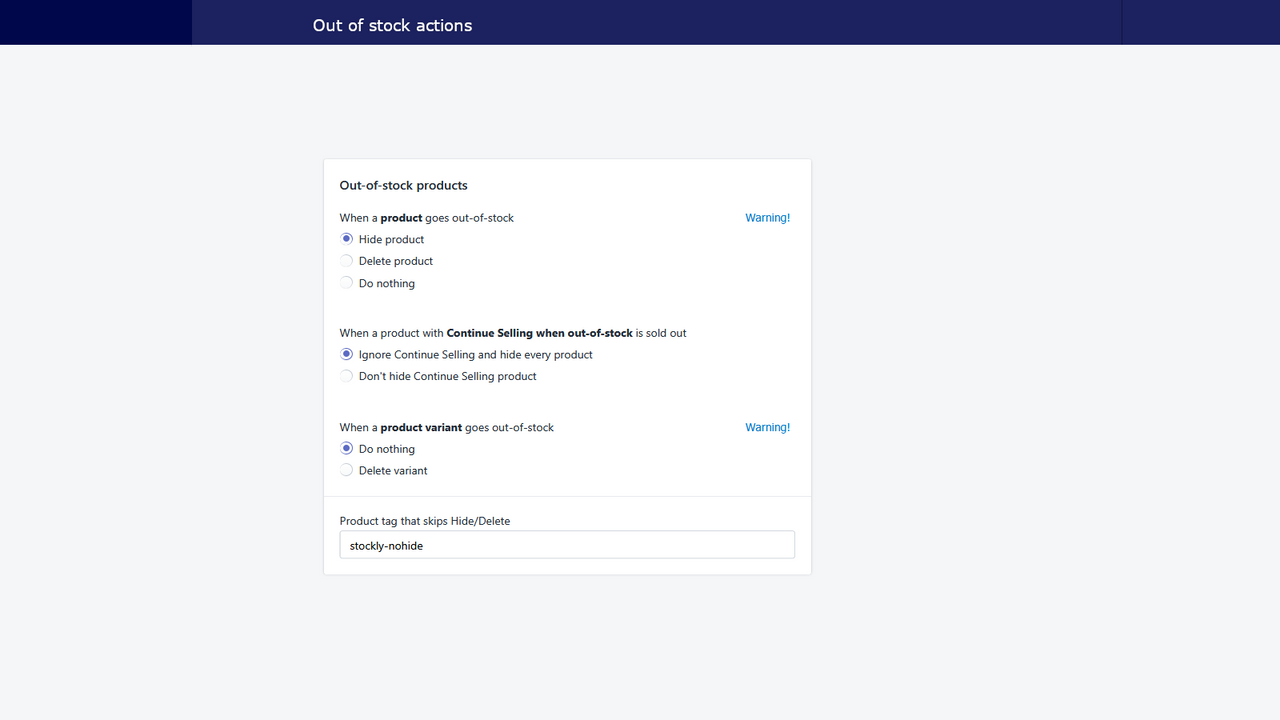
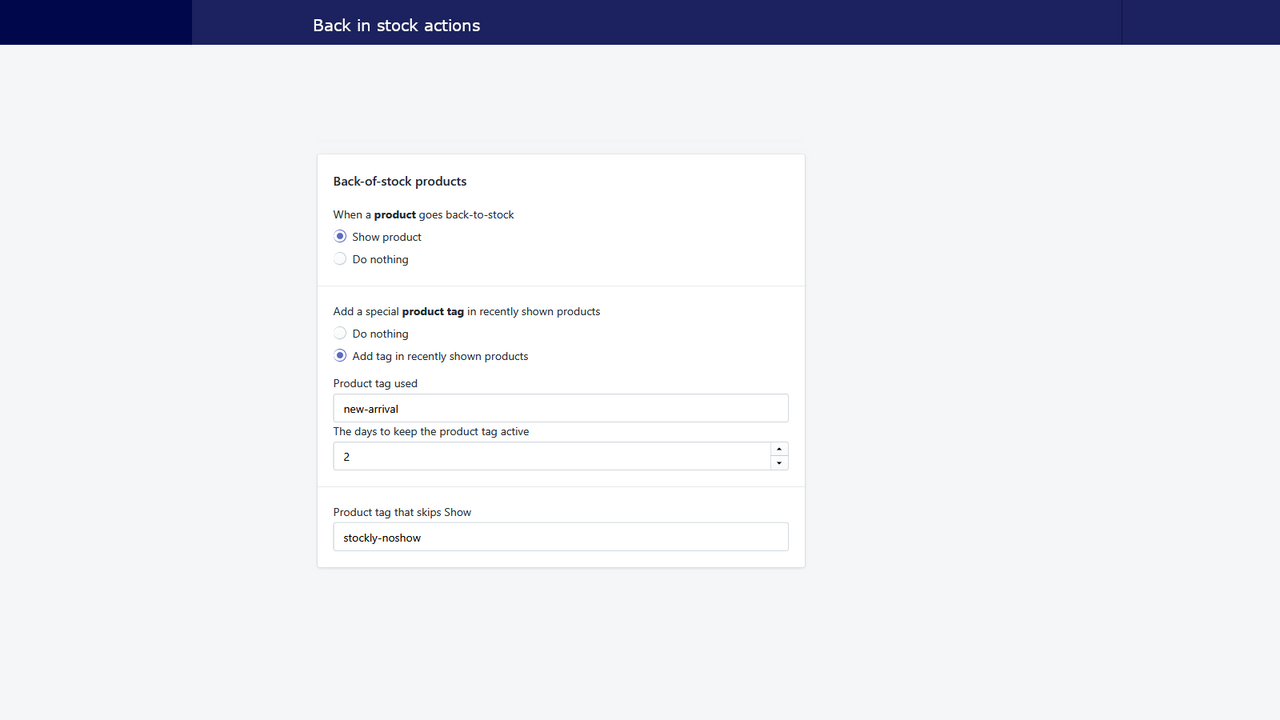
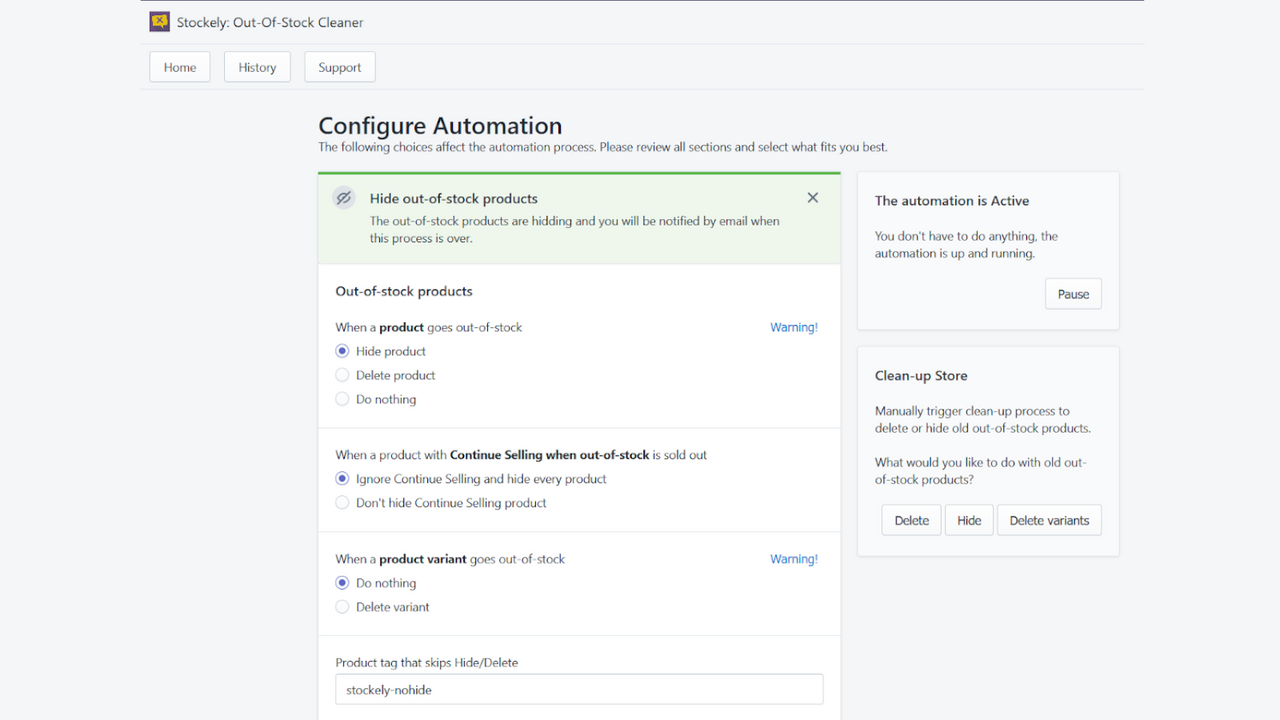

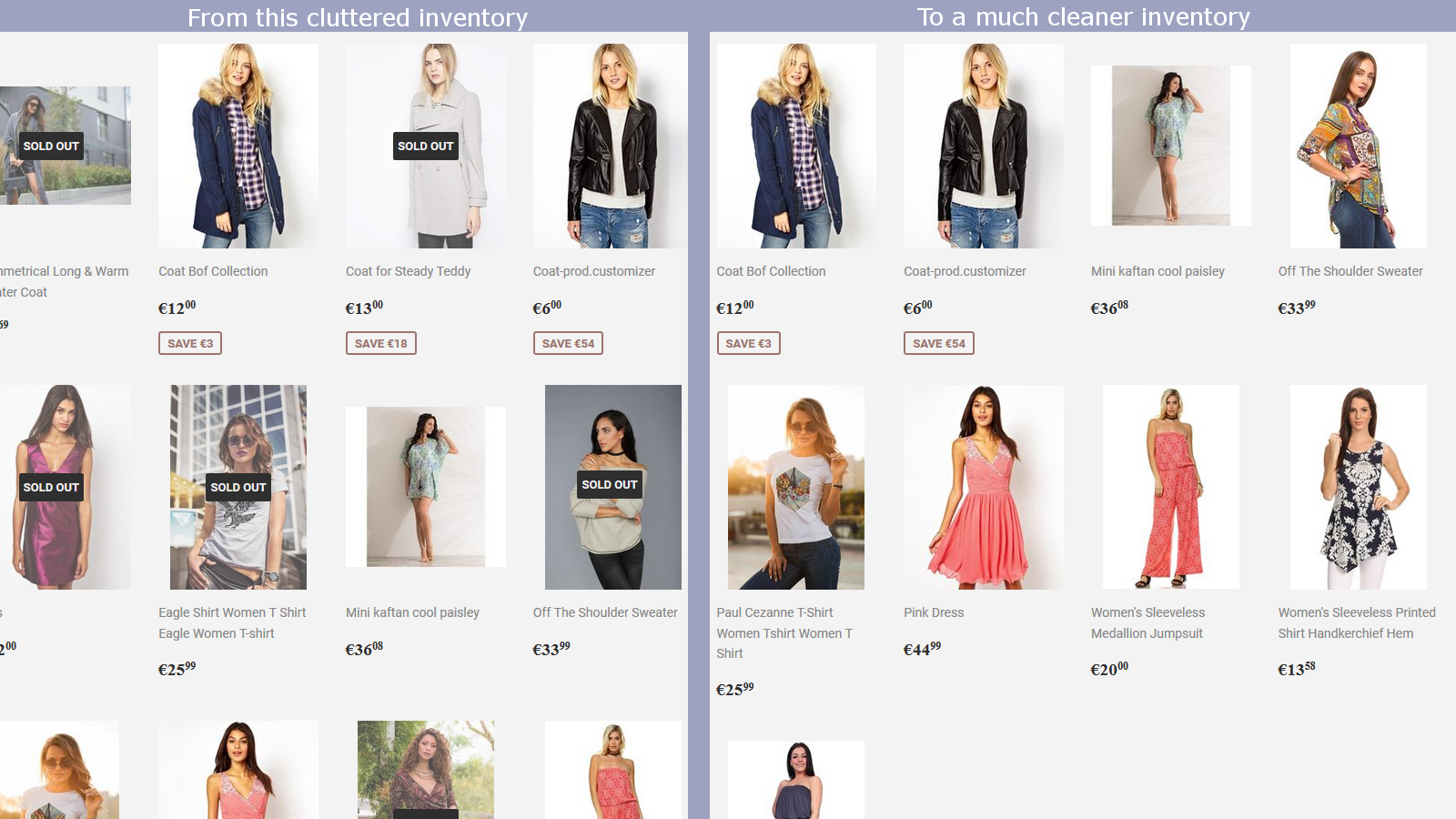
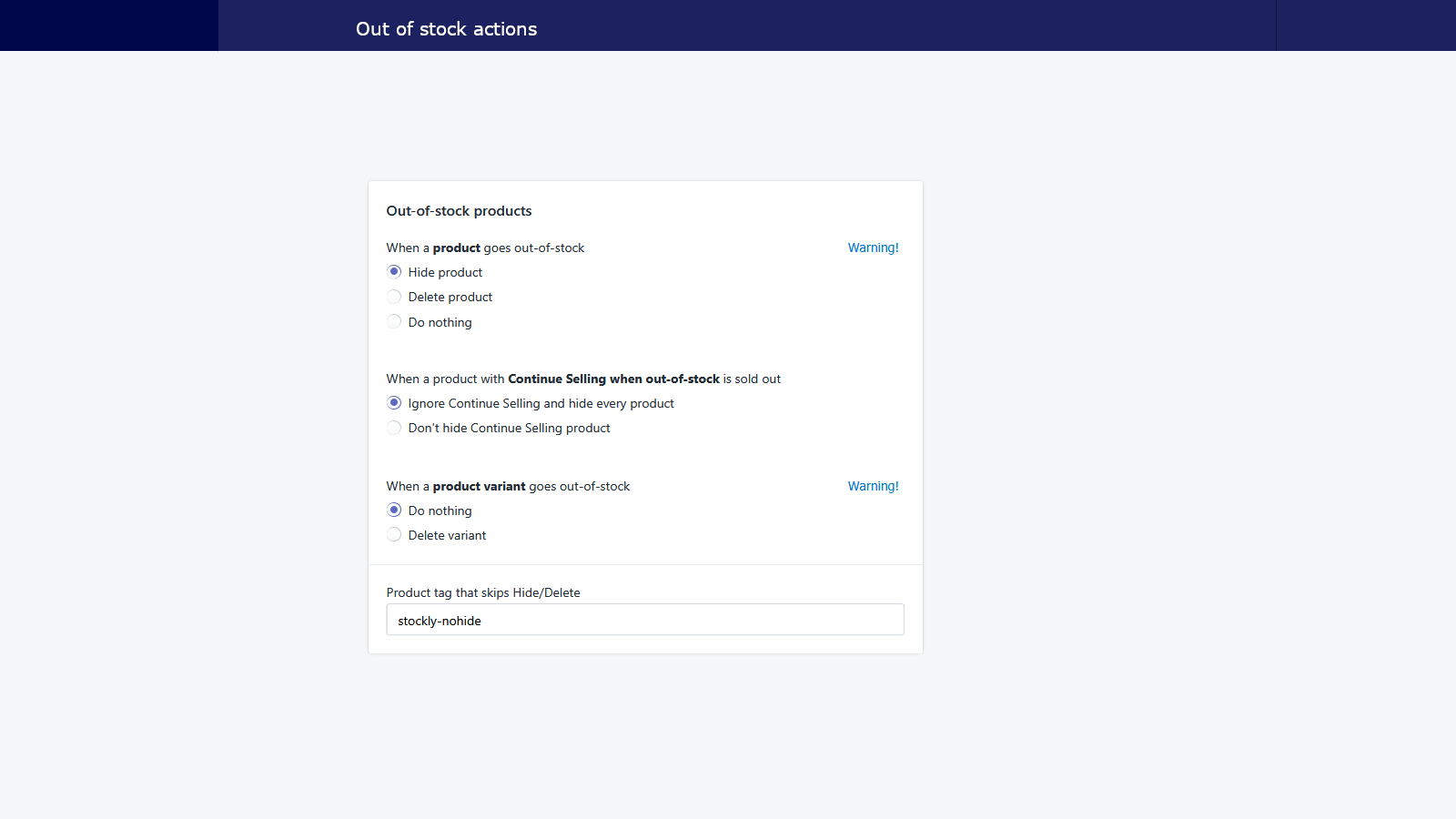
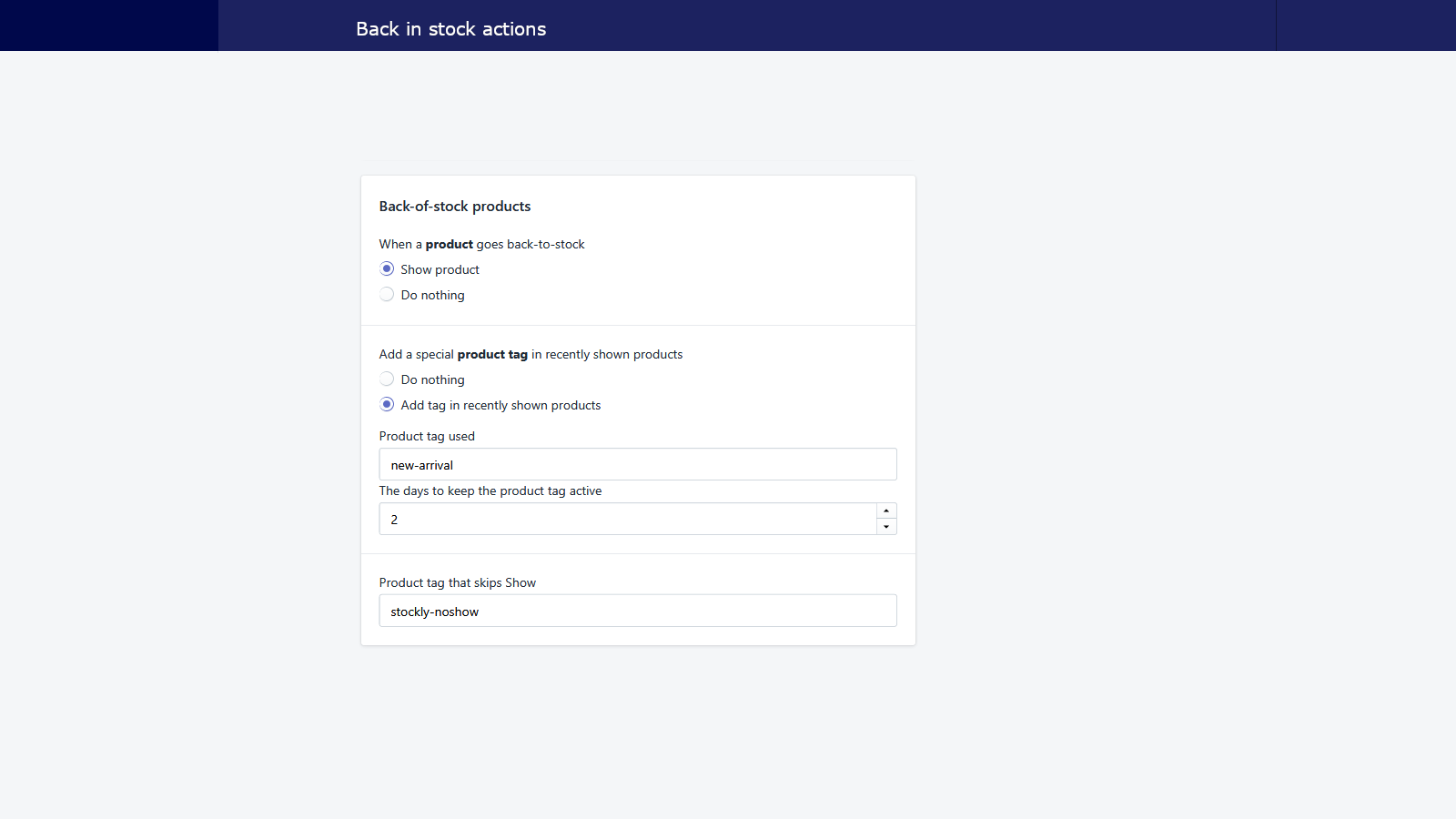
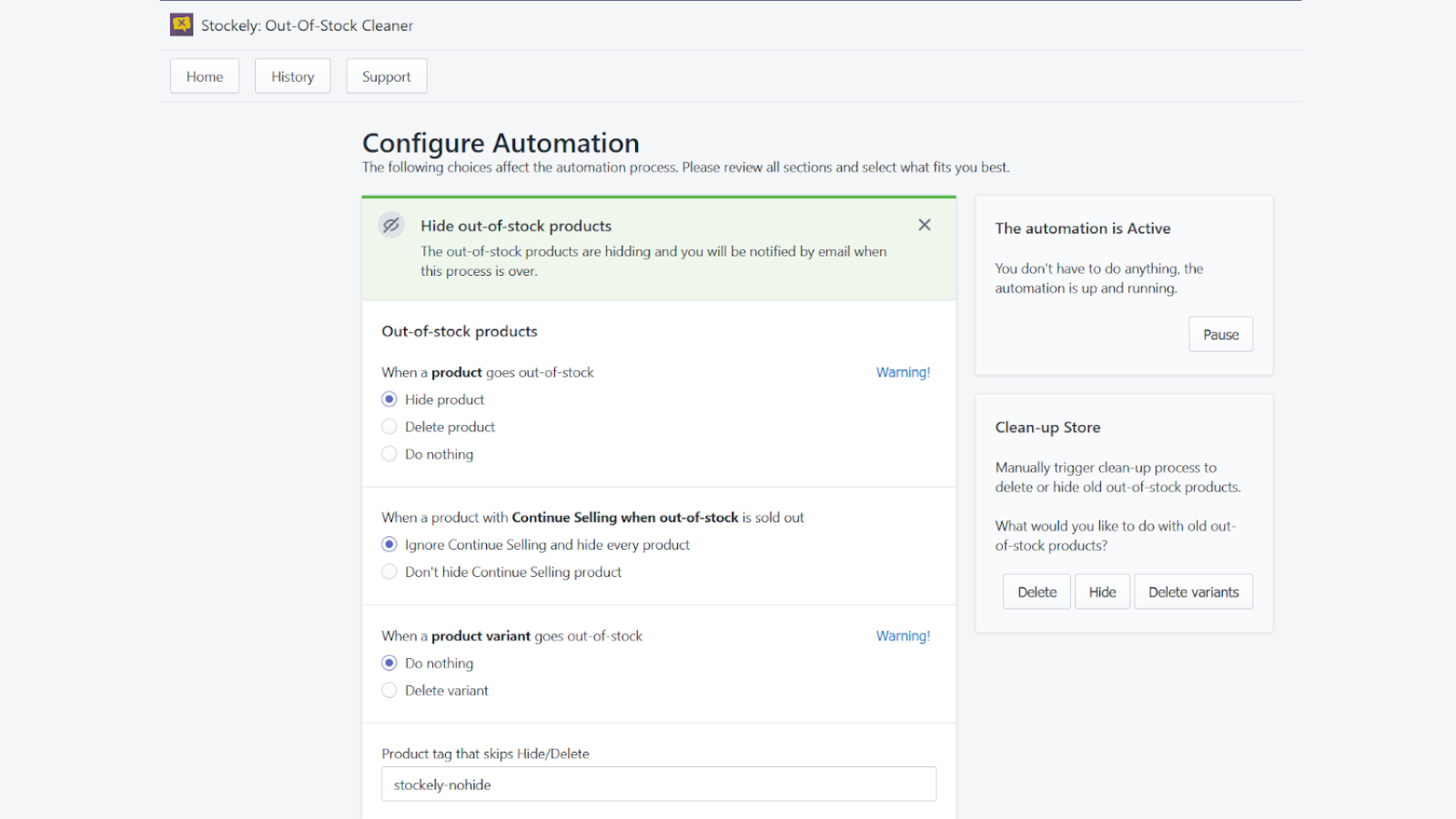
Declutter your store, increase conversions, and generate more sales at the click of a button!
The app automatically removes or hides out-of-stock products, giving your store a more professional look. Out-of-stock products clutter your store and hurt conversions. We give you full control over out-of-stock products, you can hide them, delete them and show them when they are back in stock. Redirect old traffic to homepage to keep the Google traffic happy! “Hands off” and automated enables immediate sales as soon as the out-of-stock products arrive back into stock with One-click Install.
- Hide out-of-stock products and show them when they get back in stock
- Add a special tag for new-arrivals to emphasize and guide conversion
- Increase conversions by only showing products that are in stock
- Simple to set up. One click Install gets the job done, no code required
- Hide, delete, or add special tag to out-of-stock products
語言
英文
這項應用程式尚未翻譯成繁體中文
定價
Keep it tidy
$6 /月
- Automatically check of inventory changes
- Hide/Show products
- Delete products/variants if needed
- Manual Hide/Delete jobs
7 天免費試用
所有費用均以 USD 計價。 定期費用和依使用量計費方案,均以 30 天為週期收費。
I have used this app for probably 3 years. This is a good app and does what it says it can do. The reason for the negative review is because of an integration using Shopify POS. We just moved to Shopify POS, and it does not play well with it. We need to have the inventory online removed and re-added based on when it is in stock or out of stock. This app does that perfectly. The problem is that if an inventory item in the POS goes out of stock and then back into stock, the app will put it online even if it has never been online. The reason this is a problem is that the products that are in the POS only do not have any images, descriptions, etc..., added. So, it makes the site look incomplete. I did reach out to the developer about this, and he was very responsive, but there does not seem to be a way to use both online and POS with this app unless all of the products are online.
Thank you for using Stoclean for the past three years and for sharing your feedback. I truly appreciate your support.
I understand your concern regarding POS-only products being brought online without images or descriptions. When you reached out, I provided a solution: adding the tag "Stoclean-Dont-Show" to POS products that should remain hidden. This allows the app to distinguish between items that should be brought back online and those that should not.
While I strive to make Stoclean as seamless as possible, maintaining a clear way to differentiate online and POS-only products is necessary to ensure the app functions correctly. If you need any further clarification or assistance in implementing this solution, I’d be happy to help.
Thanks again for your continued support!
Very Very Good App Work very well.
This is one of the few apps for this task that actually works.
7/11/25 I came back here to leave a review and I didn't remember that I already left one.
Ignore that 2/5. Nobody cares that he is using POS and he should work out his own problems.
I have a massive inventory. 224,000 items in shopify with about 65,000 live at all times. We get new items all the time and restocks.
Nothing has been consistent. This is the first app I have seen that is really doing what it says it does. I'm always worried if I have things in stock but not showing on the store.
We have been using this app for a couple of years, and it has performed flawlessly! Excellent support.
Simple and works exactly as intended.
Developer replied quick and actually added a feature I needed within a day! Works perfectly right now.
支援服務
應用程式支援由 Menelabs O.E. 提供。