


特集の画像ギャラリー


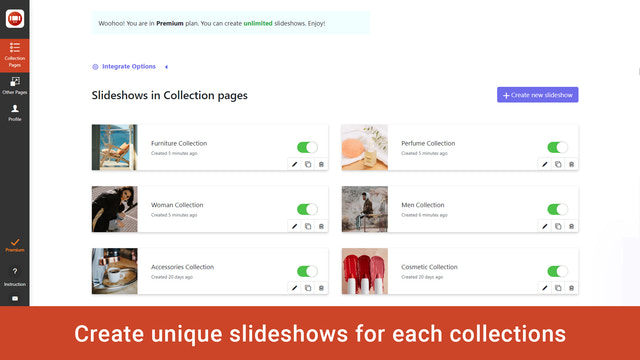


qikify Collection Slideshow - 魅力的な画像スライドショーで最高の商品画像を紹介しましょう
顧客に喜びを与え、売上を向上させるバナースライダーを利用して、より良いショッピング体験を創出しましょう。スライダーはマーチャントのストア内のすべてのページに設定できます。これにより、すばやく簡単に設定できるようになります。各スライダーは、商品やコレクションの紹介など、特定の目的に応じて利用できます。
- コレクションのスライドショー画像スライダーにリンクを追加
- Shopify テーマのバナー向けスライドショー画像スライダー
- すべてのページ向けのバナーコレクションのスライドショー画像スライダー
自動翻訳されたテキストを含む
言語
英語
このアプリは日本語に翻訳されていません
価格設定
ビジネスに最適なプランをお選びください。
永久無料
無料
機能
- スライドショー 1つ
- スライドショーあたりスライド 2枚
- 画像 URL の追加
- すべてのコレクションまたは選択したコレクションに追加
- スタイルのカスタマイズ
- レスポンシブ対応
- 透かしなし
- サポート
ベーシック
$4.99 /月
または$47.87/年で20%お得
Shopify Plus の場合は +20%
機能
- 開発ストアは無料
- 無料プランのすべての機能
- スライドショー 6つ
- スライドショーあたりスライド 3枚
- 画像のアップロード
7日間の無料体験
プレミアム
$9.99 /月
または$95.87/年で20%お得
Shopify Plus の場合は +20%
機能
- 開発ストアは無料
- ベーシックプランのすべての機能
- スライドショー無制限
- スライド無制限
7日間の無料体験
自動翻訳されたテキストを含む
すべての料金はUSDで請求されます。 定期請求と使用料に基づく請求は、30日ごとに行われます。
downloaded the app so I could add a collection slideshow on my homepage. The 'free' version wont let me upload any photos to my collections, making the whole thing useless. Maybe the paid version works better. Didnt get any further.
Hi there,
In Free plan, you can upload an image to get its URL in your Shopify admin / Settings / Files / Upload file. Once the image is uploaded, you will get a URL alongside its entry > Copy that URL and paste into "Background image" field.
If you want to upload directly image to our app, you will need to upgrade to higher plan. Because the image is uploaded to our sever, so it will be a paid feature. Hope you can understand for us.
If you need any other assistance, feel free to contact us at support.qikify.com
サポート
アプリのサポートは Qikify が提供しています。

