



ISBNExpress: Books Importer
Täyttää Shopifyn korkeimmat laatustandardit nopeuden, helppokäyttöisyyden ja kauppiasarvon osalta
- Hinnoittelu
-
Ilmainen sopimus saatavilla
- Kohokohdat
- Käytä suoraan Shopify Adminissa
- Tähtiarvio
- 5,0 (17)
- Kehittäjä
- Dmitri Pavlutin
Esittelykuvagalleria
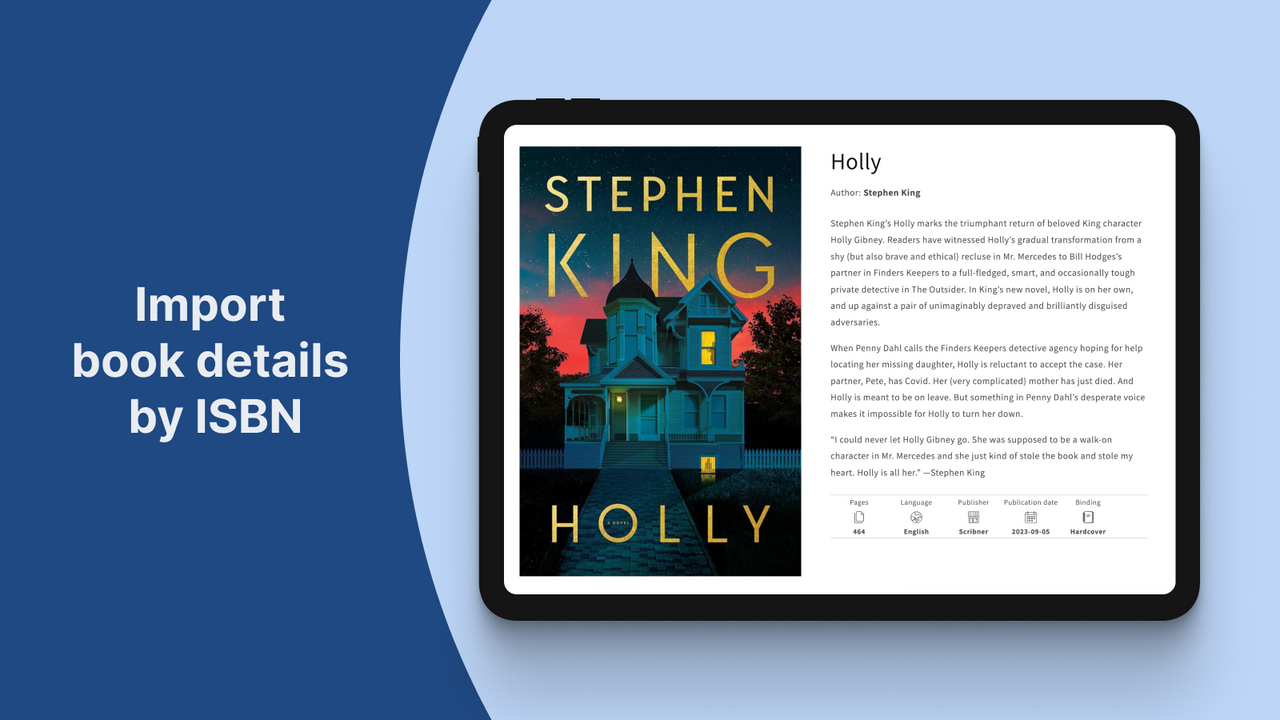
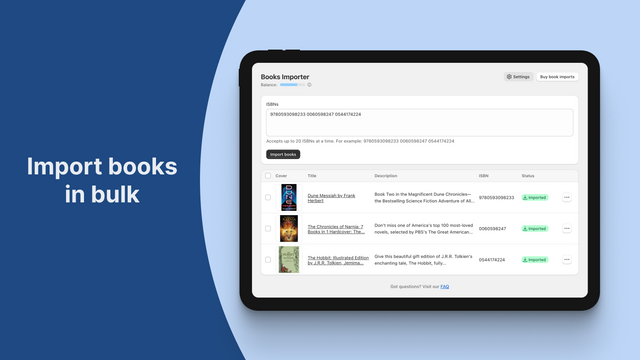
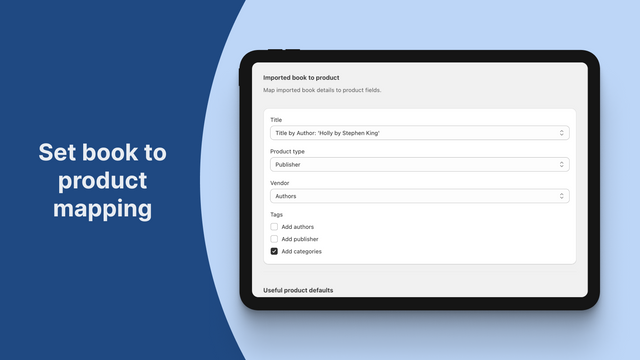
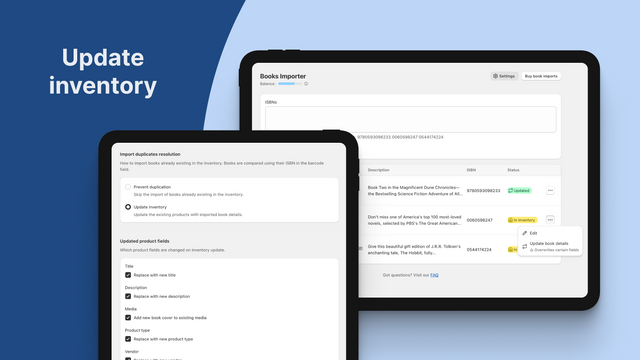
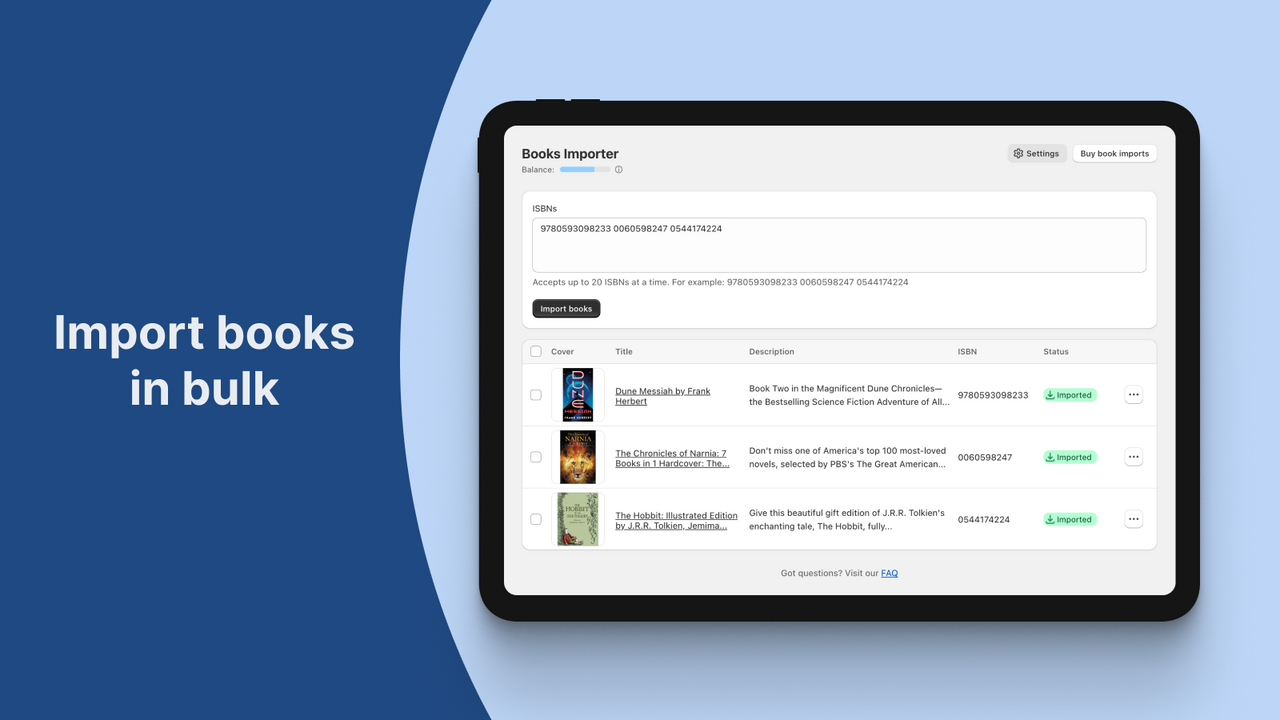
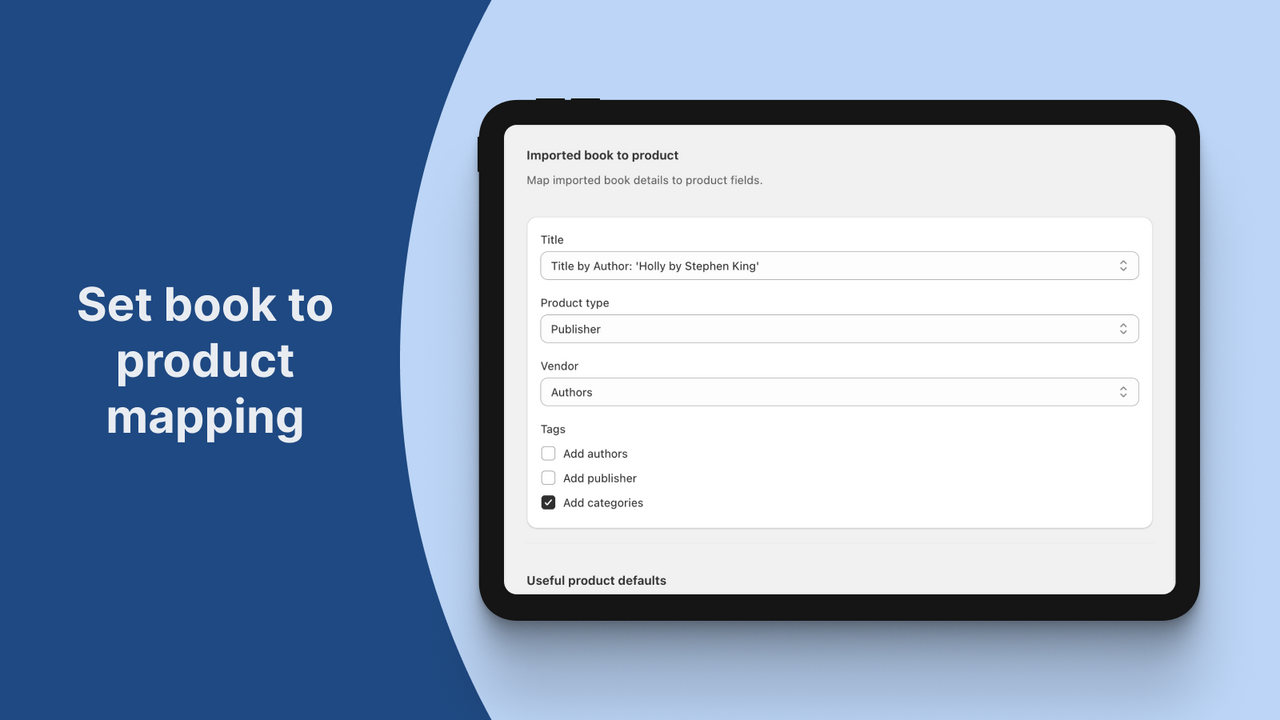
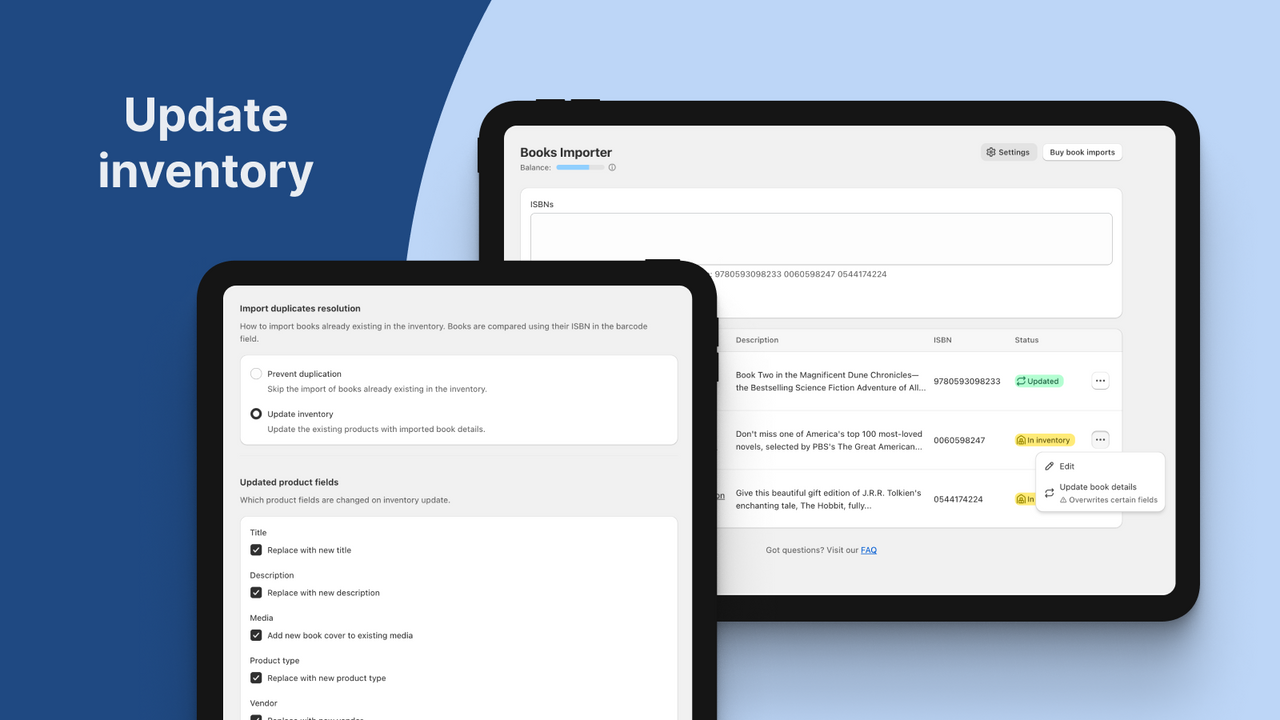
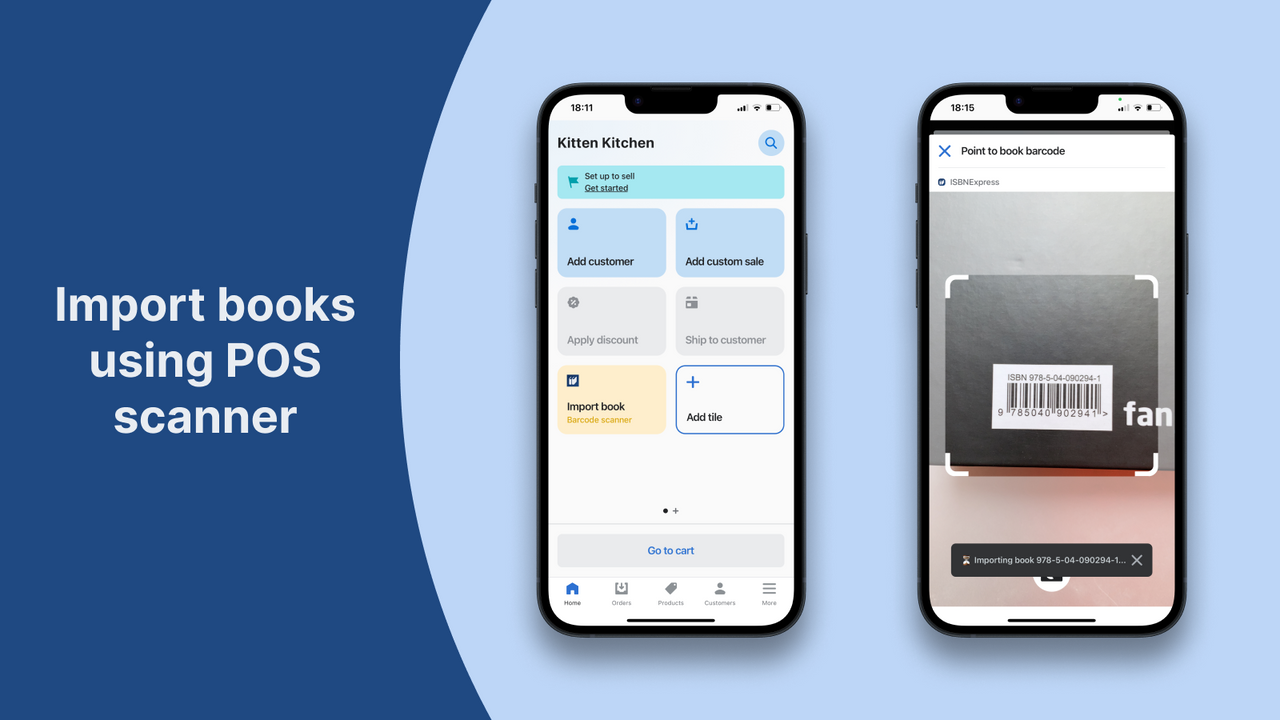
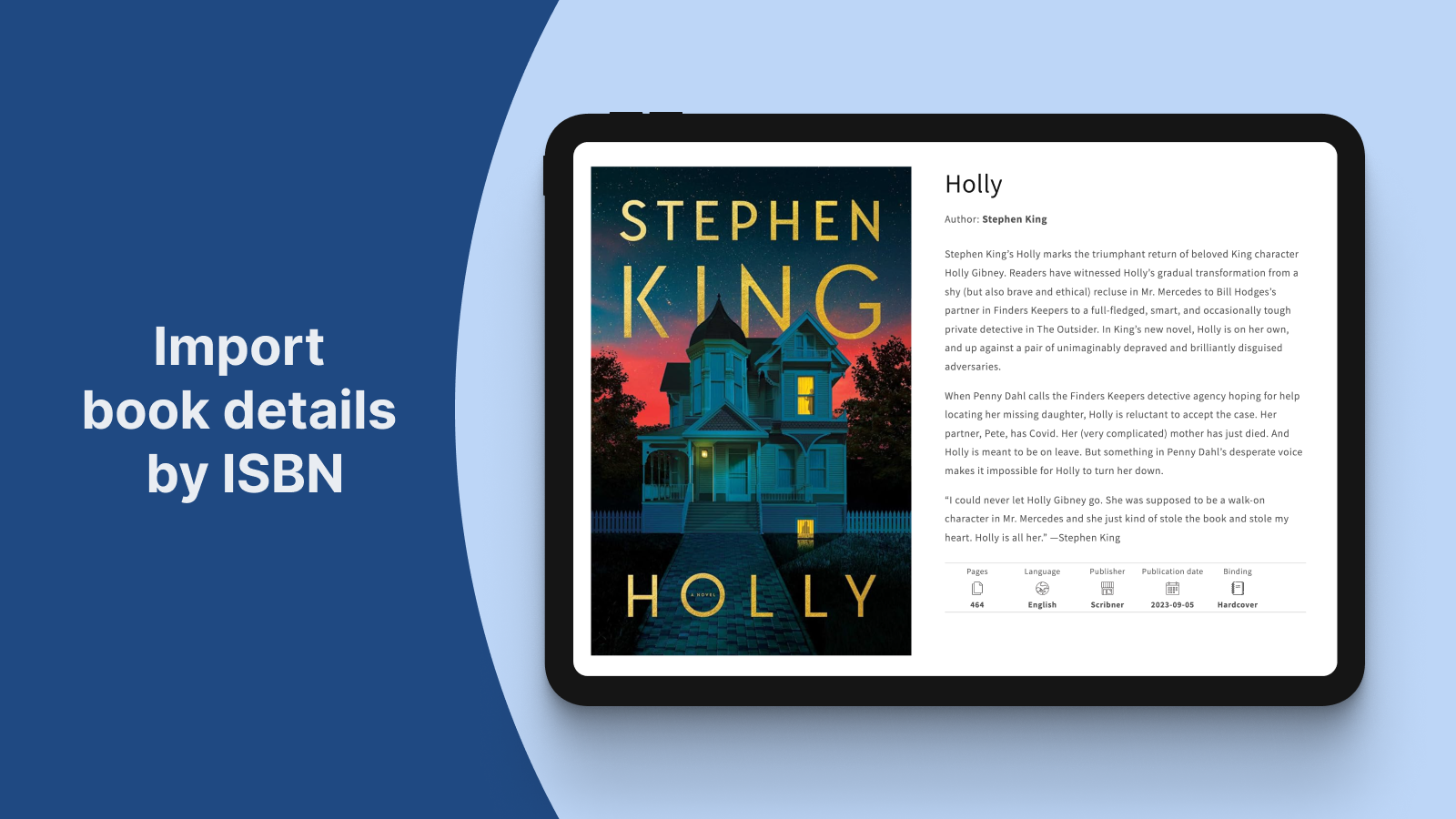
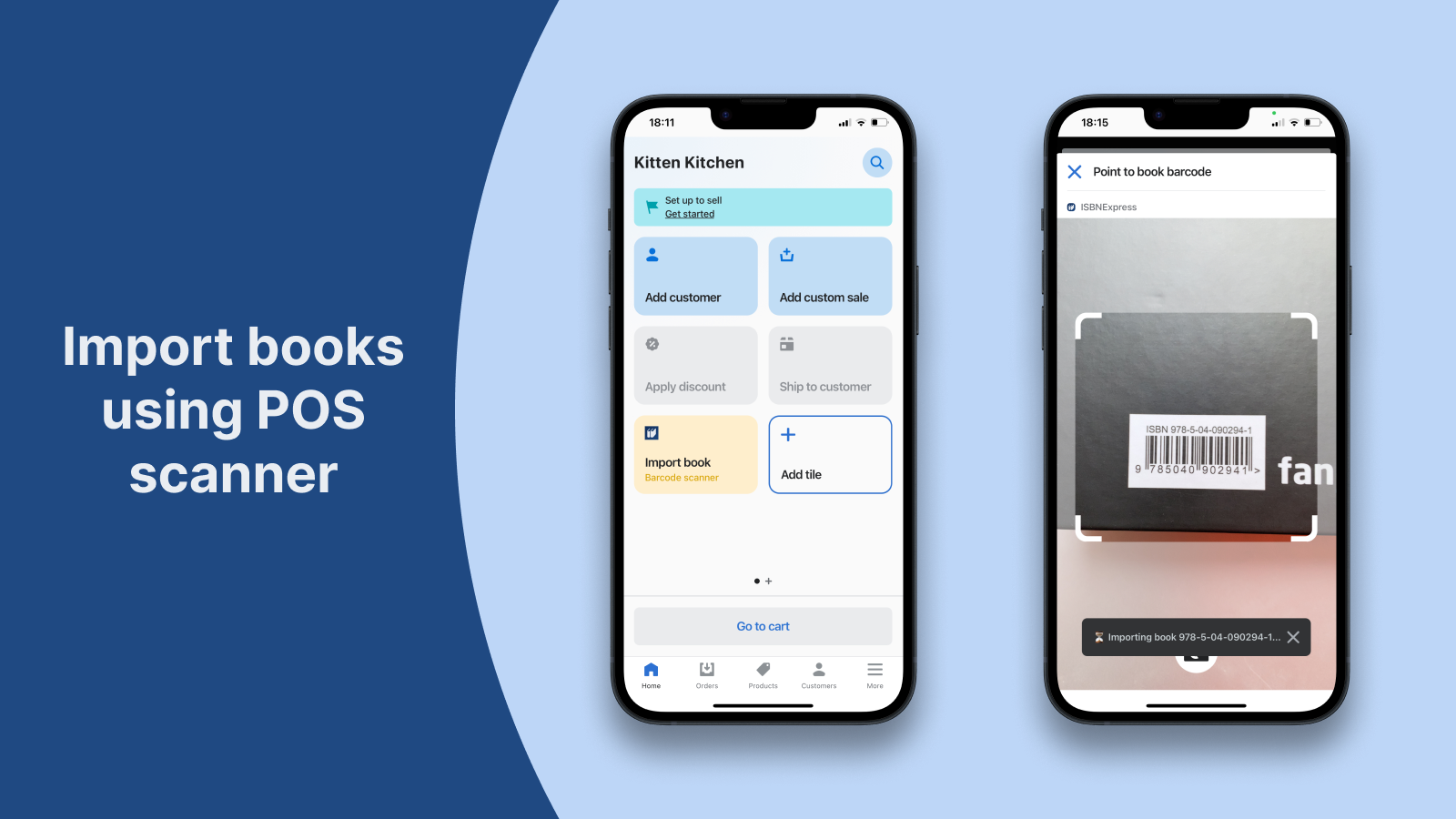
Import book details by ISBN into bookstore. No more time-consuming book data search and manual entry
With just the ISBN, our app automatically imports all the book details you need as a bookseller into your bookstore. Create new products or update existing inventory with the book's title, description, cover image, author, pages, binding, publication date, dimensions, weight, language, and categories. Save valuable time and focus on what you love – running your bookstore.
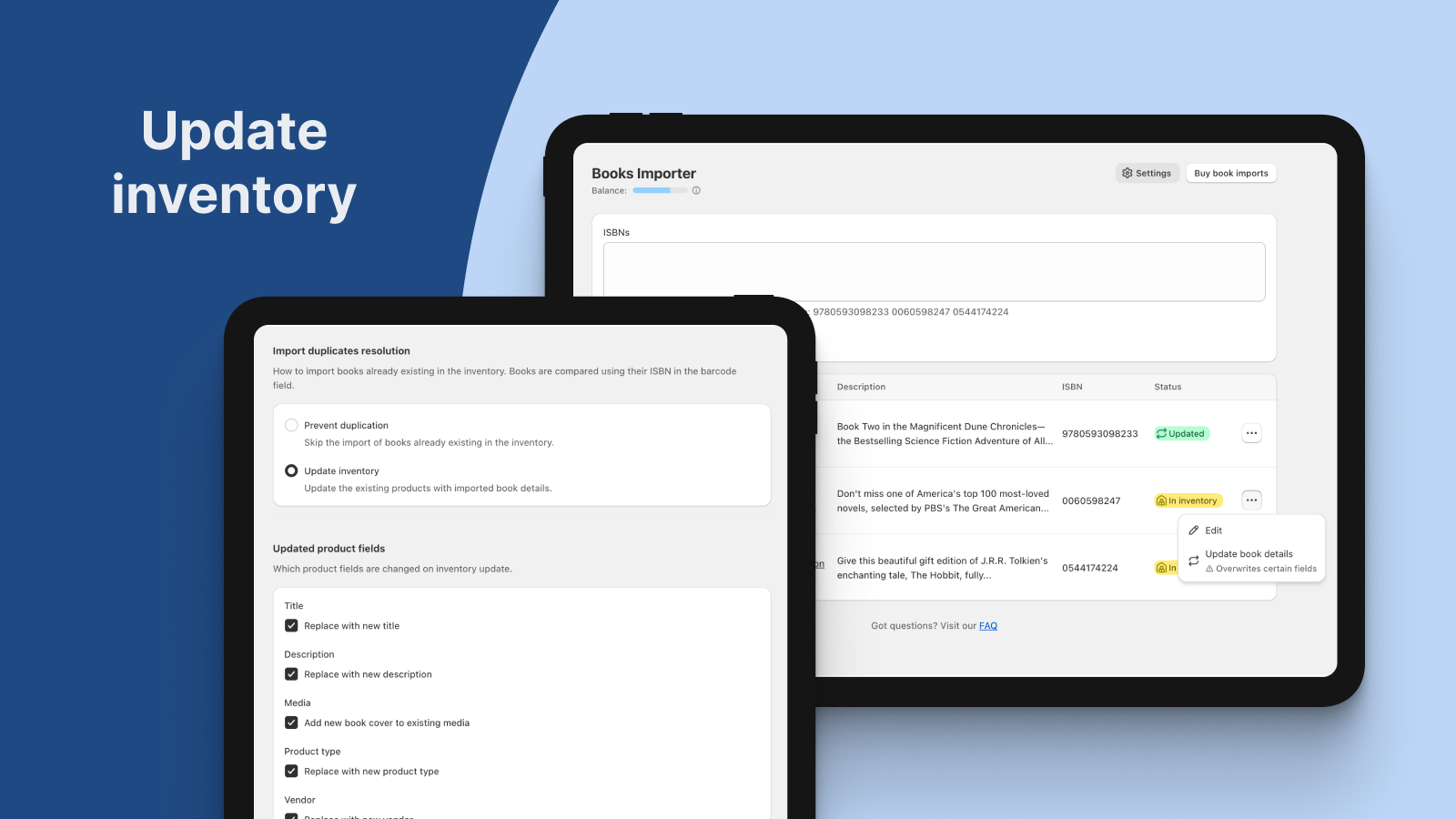
- Import books by ISBN to create new products or update existing inventory
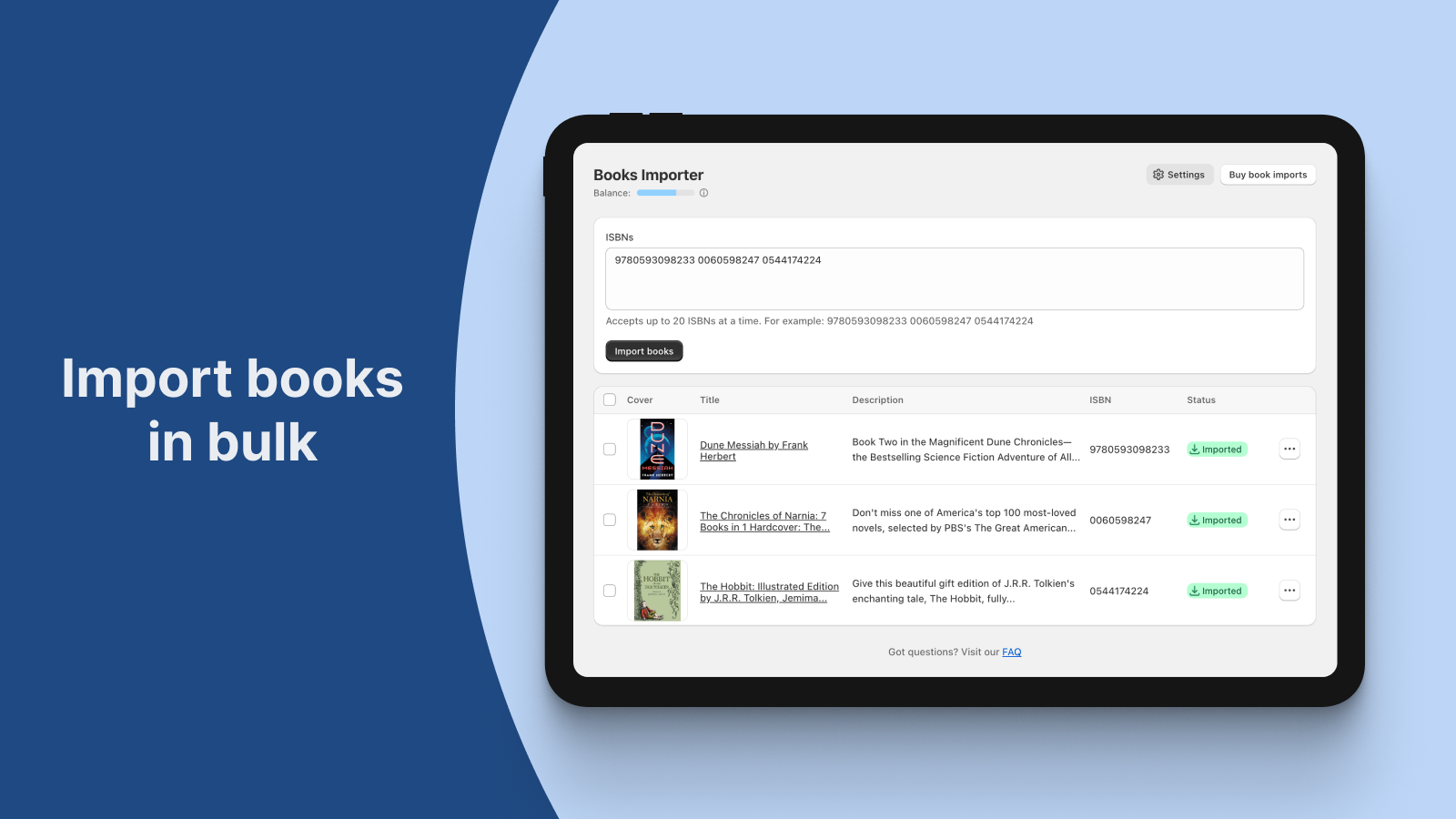
- Enter multiple ISBNs to import books in bulk
- Import books by scanning physical book ISBN using the POS integration
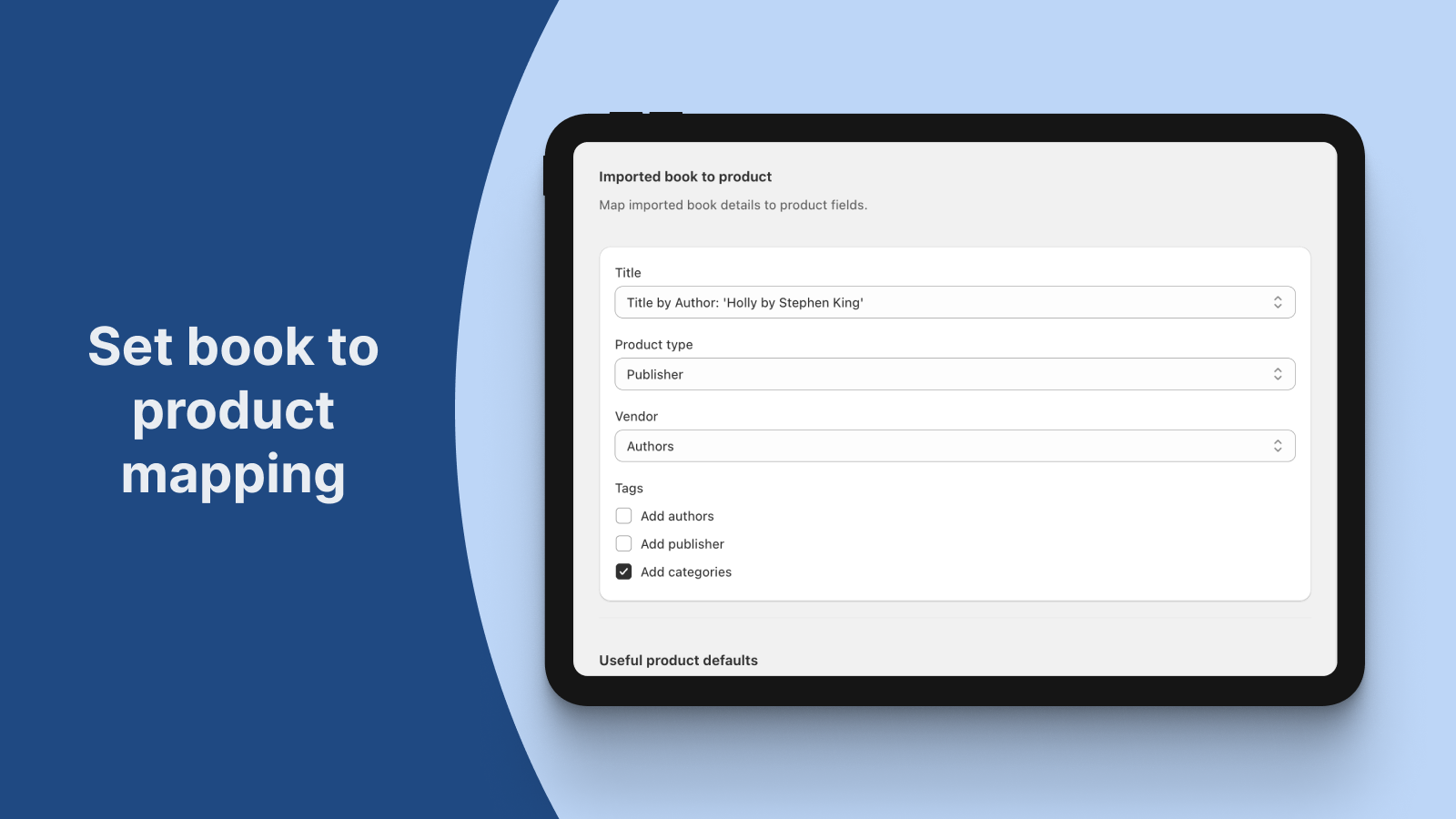
- Customize book-to-product mapping
- Works with English, French, Spanish, German, Dutch, and Arabic books
- Kohokohdat
- Käytä suoraan Shopify Adminissa
Kielet
Englanti
Tätä sovellusta ei ole käännetty kielelle Suomi
Toimii seuraavan kanssa:
Shopify POS, POS Barcode ScannerLuokat
Tietojen synkronointi
Tietojen siirto
Sisältötyypit
Hinnoittelu
Free
Ilmainen
- 25 book imports on install
- Bulk importer
- POS scanner importer
- Inventory updater
- Book-to-product customization
Bookshelf
$6 /kuukausi
- 100 book imports per month
- Bulk importer
- POS scanner importer
- Inventory updater
- Book-to-product customization
Book corner
$9 /kuukausi
- 250 book imports per month
- Bulk importer
- POS scanner importer
- Inventory updater
- Book-to-product customization
Bookcase
$14 /kuukausi
- 500 book imports per month
- Bulk importer
- POS scanner importer
- Inventory updater
- Book-to-product customization
Kaikki maksut laskutetaan valuutassa USD. Toistuvat ja käyttöperusteiset maksut laskutetaan 30 päivän välein. Näytä kaikki hinnoitteluvaihtoehdot
Arvostelut (17)
- 100 % arvioista on 5 tähteä
-
0 % arvioista on 4 tähteä
-
0 % arvioista on 3 tähteä
-
0 % arvioista on 2 tähteä
-
0 % arvioista on 1 tähteä
I LOVE THIS APP! I'm so grateful for the people that created it. I wish it had been around when we first opened, but it's way better late than never. If you're a bookstore and you're on the fence about this app, just DO IT.
Thank you so much for the kind review!
Hands down, this has been the single most useful app in building the inventory for my used-and-new bookstore. Plus, when I needed more ISBNs beyond the highest monthly package, the developers made me a custom package that suited my needs exactly. Can't recommend it highly enough.
Thank you so much for your feedback!
I am so glad that our app is helpful in building your bookstore inventory and it was a pleasure to create a custom monthly plan that matched your needs.
Kind regards,
Cristina.
This app is great. I only wish that I would have found it sooner. It's easy to use, I've only had a couple of books that weren't found. The process is quick and I was able to import over 1600 books in a matter of a couple of hours. It works if you copy and paste directly from Excel and will tell you which ones it couldn't find so you can go back and flag them.
Thank you for the great feedback!
We're happy to hear you find the app easy to use and efficient. We'll keep working to improve book detection.
Just amazing!
Thank you for the review! We're so glad you find our app useful.
This is THE app to be using if you're a bookseller! Such great metadata. Such clear photos. A fabulous working team!
Thanks for your great feedback!
We're glad to hear that our app is meeting your needs as a bookseller.
Your support means a lot to us!
Tuki
Dmitri Pavlutin voi vastata kaikkiin sovellusta ISBNExpress: Books Importer koskeviin kysymyksiin.
Kehittäjä
Resurssit
Lanseerattu
15. syyskuu 2023
Tietojen käyttöoikeus
Tämän sovellus tarvitsee seuraavien tietojen käyttöoikeuden, jotta se voi toimia kaupassasi. Katso kehittäjän tietosuojakäytäntö.
Tarkastele henkilötietoja:
Kaupan omistaja
-
Kaupan omistaja
Nimi, sähköpostiosoite, puhelinnumero, fyysinen osoite
Tarkastele ja muokkaa kaupan tietoja:
Tuotteet
-
Muokkaa tuotteita
Tuotteet, tuotteiden julkaisut myyntikanavilla, or kokoelmat
Esittelyt

Lisää tämänkaltaisia sovelluksia