


Featured images gallery


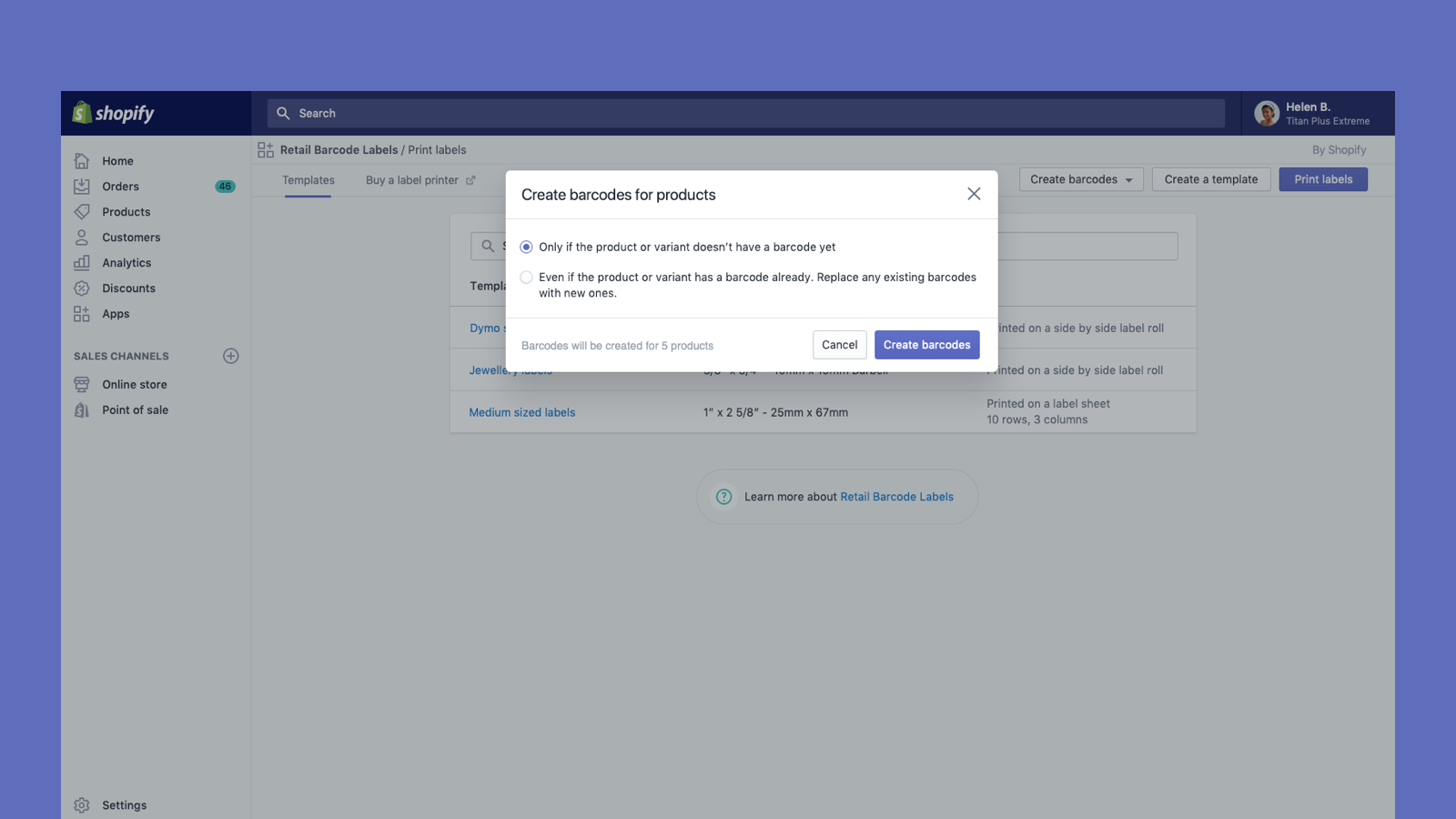

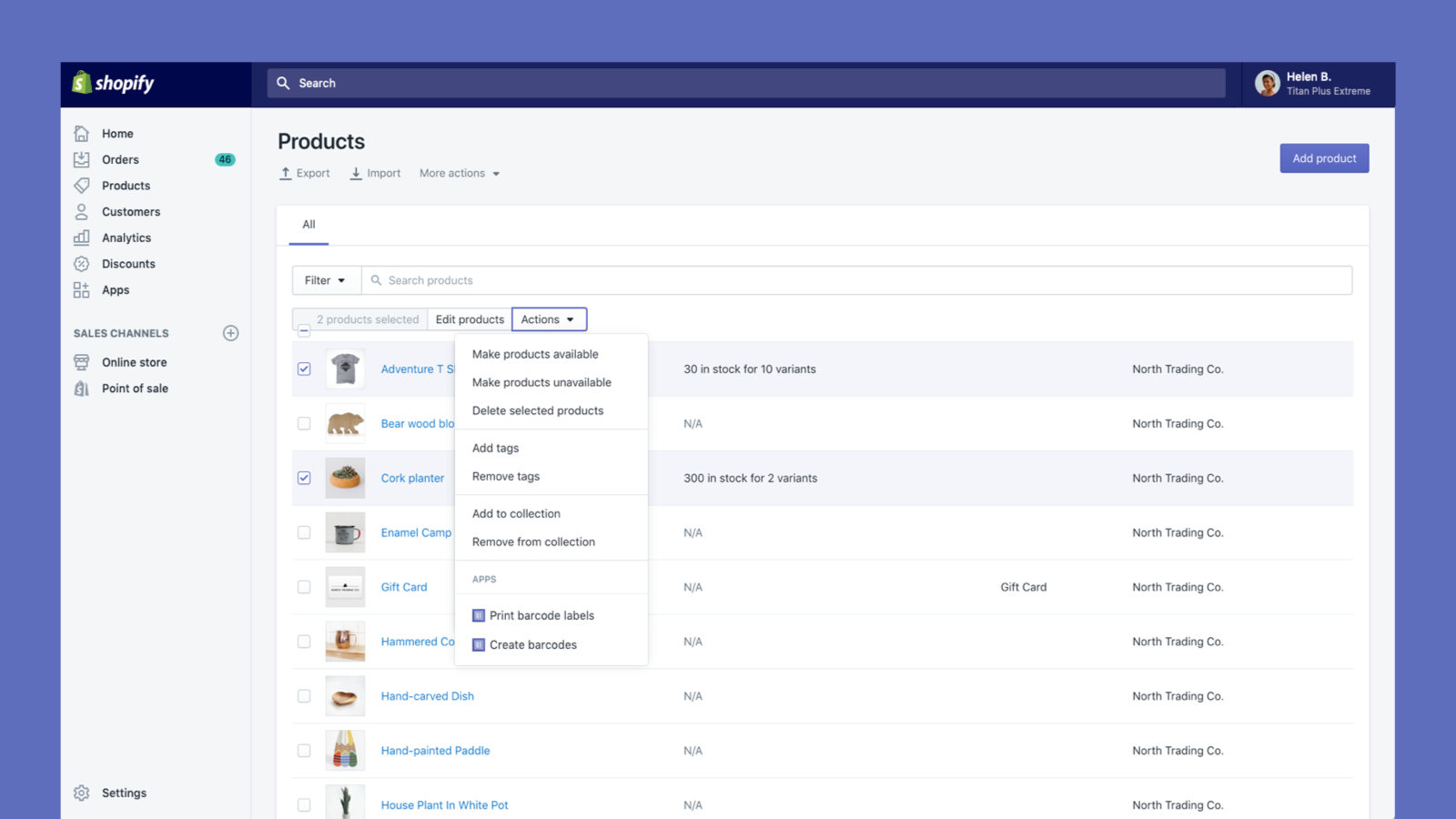
Create and print barcode labels for your products
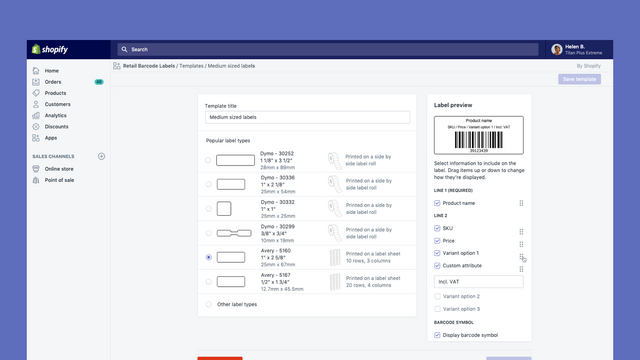
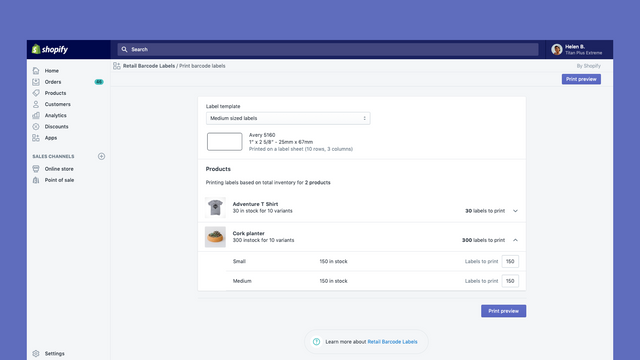
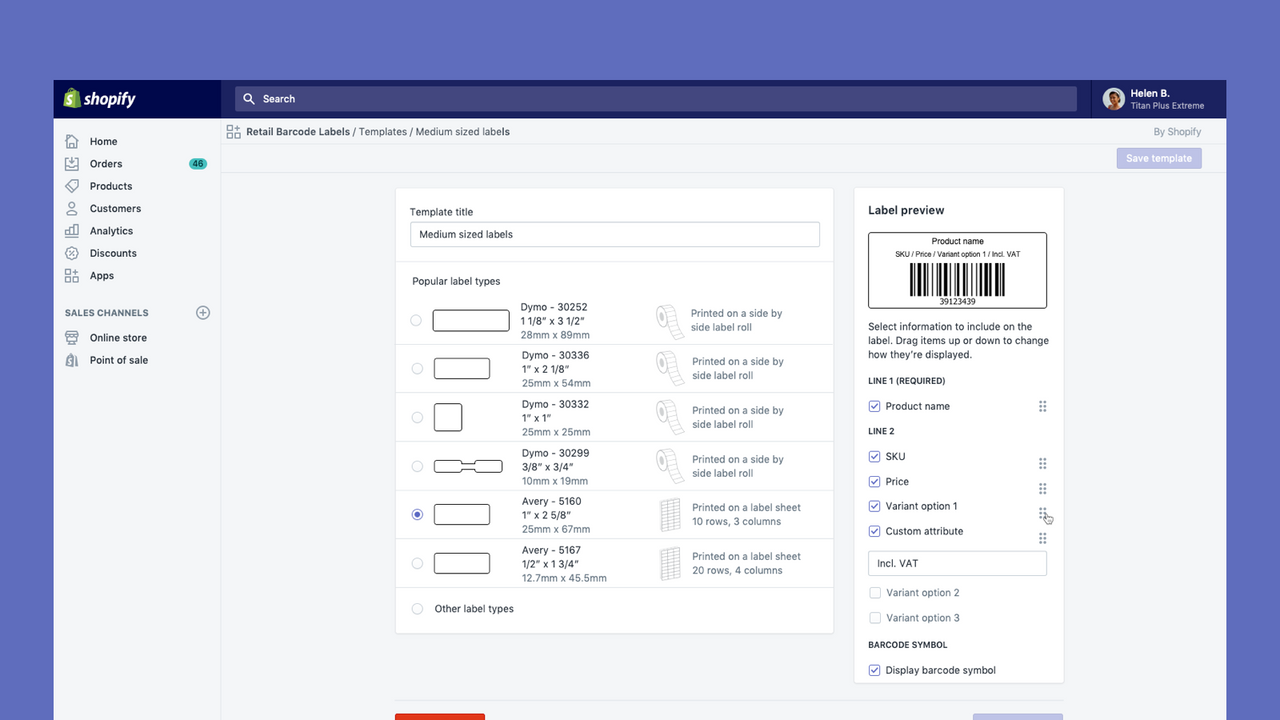
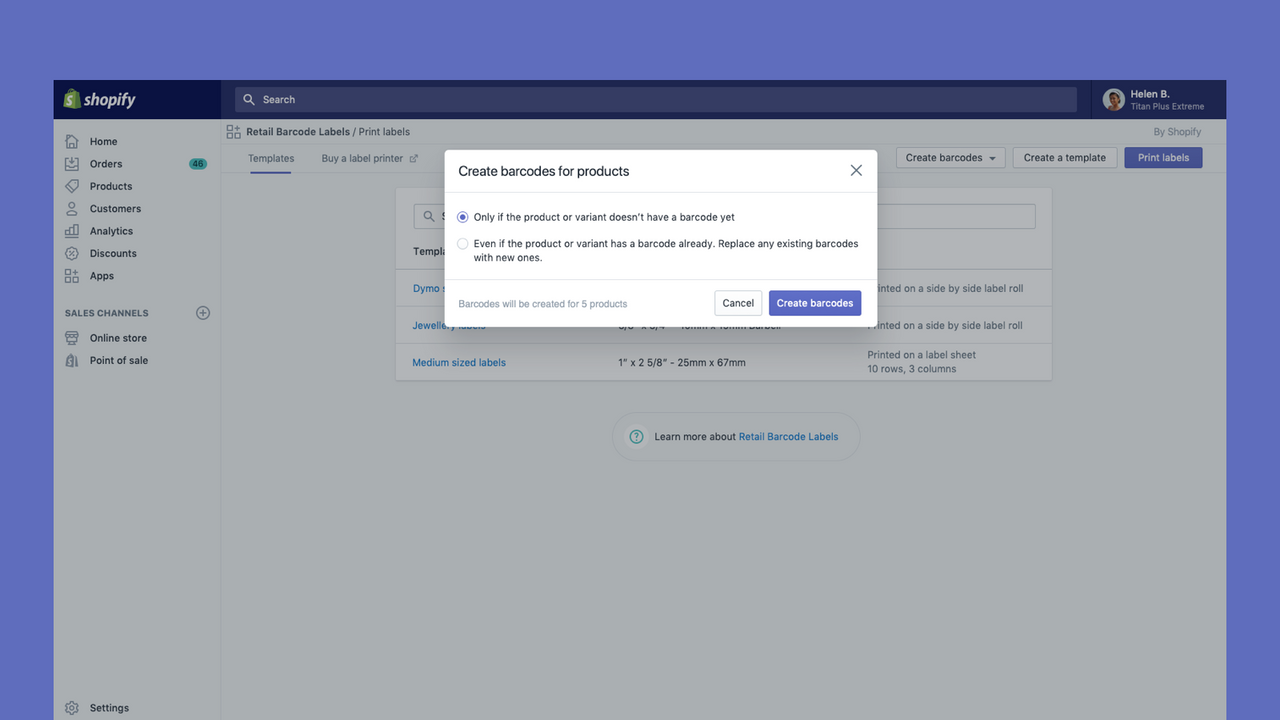
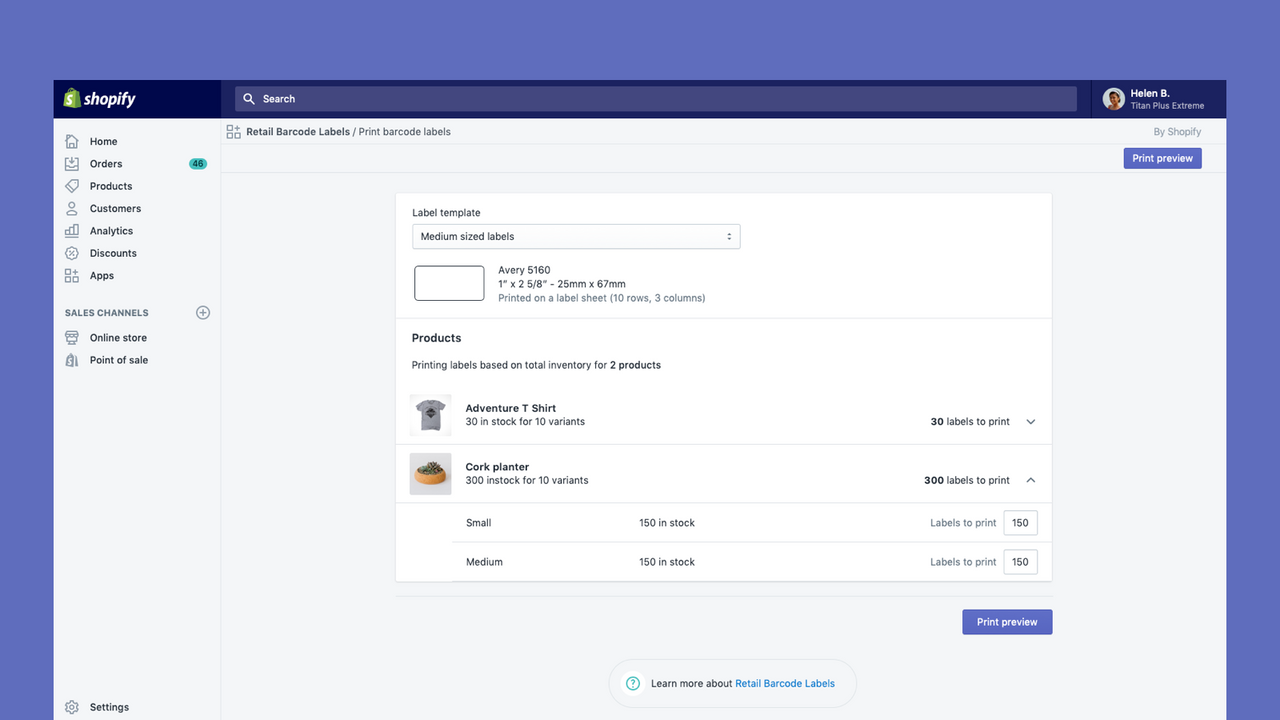
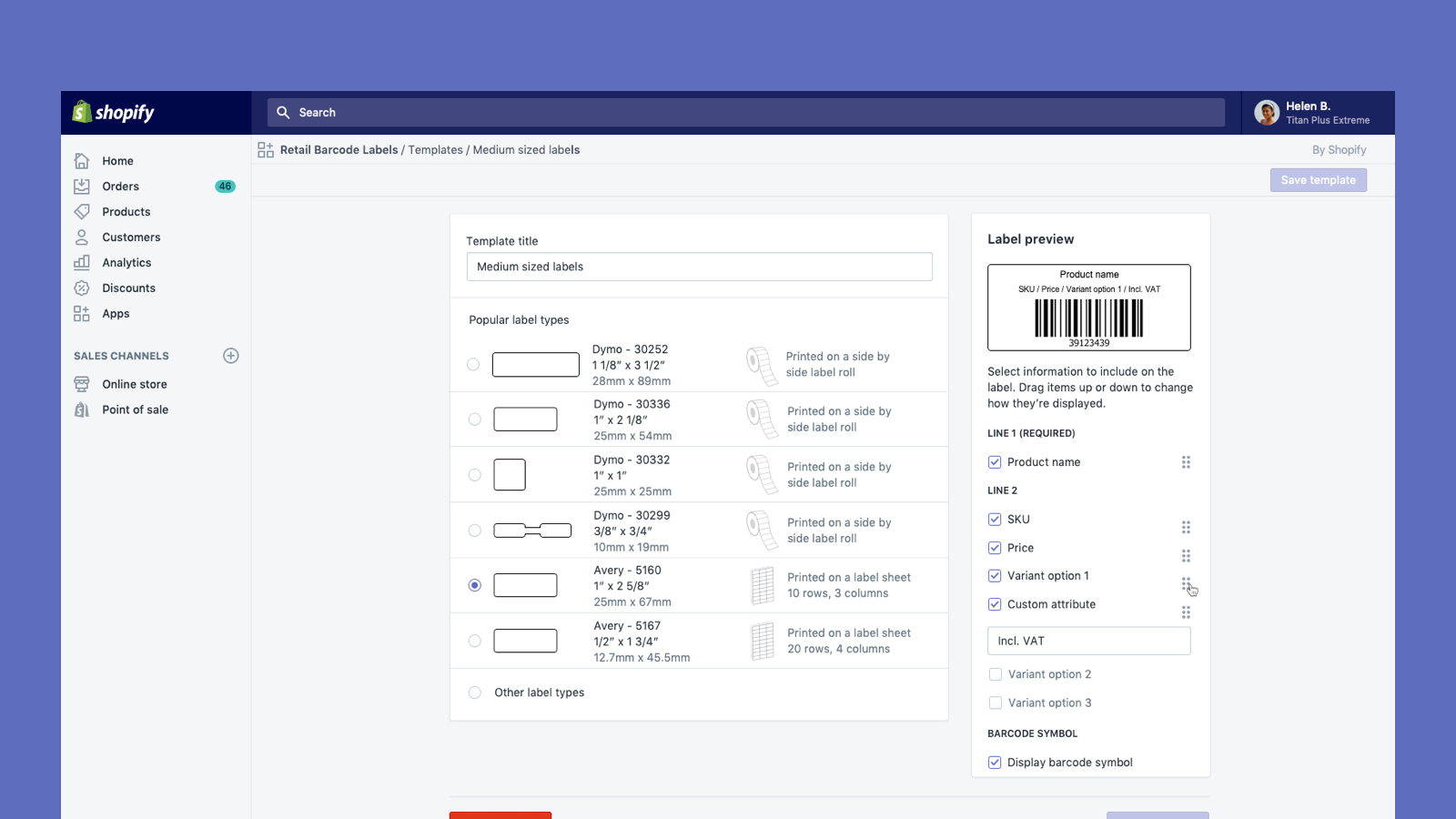
Retail Barcode Labels allows you to easily generate and print barcode labels for your products. Use the app to create label templates to suit your different products and applications. Create templates and print labels on popular paper types from Avery, Dymo, and Zebra’s ranges, including label sheets. Retail Barcode Labels supports any printer currently installed on your computer or network, including secure air-printing from mobile devices. Print labels in bulk with ease and improve your stock
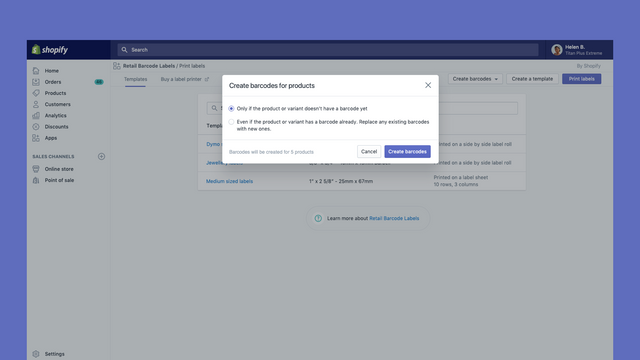
- Automatically generate Code-128 barcodes for any or all of your products.
- Create custom barcode labels with prices, SKUs, variants, and much more.
- Works with Dymo Label, Zebra printers or laser/inkjet printer with Avery Labels.
- Popular with stores like yours
- Based in United States
Languages
English, Danish, German, Finnish, French, Italian, Japanese, Korean, Dutch, Norwegian, Polish, Portuguese (Brazil), Portuguese (Portugal), Swedish, Thai, Turkish, Vietnamese, Chinese (Simplified), Chinese (Traditional), Spanish, and Czech
Works with
- Shopify Admin
Categories
Editable resources
Actions
Reviews (461)
The app works great but I would like for a specific feature. I would like for the dymo price tags to be editable. I do not want the price to show since my products are dynamic. Please let me edit it please.
```
Dymo - 30299 Price Tag
3/8" x 3/4" - 10mm x 19mm
```
If you give me access to yalls codebase for this app I'll do it myself too for free, just give me this feature for my store. Thank you!
- Abraham
Hey Abraham. Thanks for the 3 stars and the enthusiasm! On the smallest Dymo size (3/8" x 3/4"), the in-app template has limited fields, so dropping the price isn't always possible there. For full control, you can design a custom layout in the standalone Dymo Label software: start with a blank layout, add just the barcode and text fields you want (leaving price off), then merge your exported product CSV. The Dymo Label software guide on help.shopify.com walks through it.
WORKS GREAT FOR SIMPLE LABELS AND WILL ASSIGN BARCODE SKU #'S FOR YOU IF YOU HAVENT ALREADY ASSIGNED YOUR OWN. JUST CONNECT YOUR THERMAL PRINTER AND SELECT THE PRODUCTS YOU WANT TO PRINT THE TAGS FOR AND BAM...YOU GOT TAGS!! WITHOUT HAVING TO DO ALL THE WORK ON YOUR OWN.
Works great if only needing to print a barcode here or there.
There is no way to print barcodes from Purchase orders, making large PO's almost impossible to manage if there are a lot of products without barcodes. I now have to go into over 200 variants by hand and print individual barcode labels. Rather than being able to pull data from a PO.
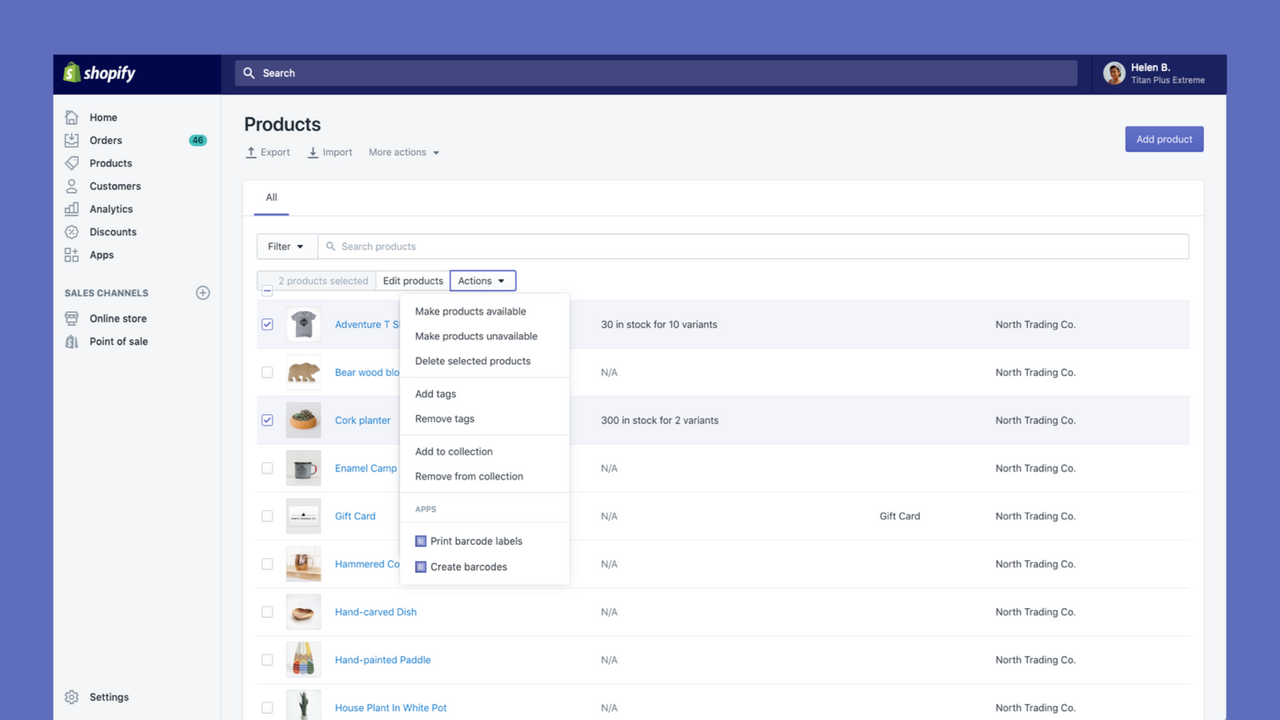
Thanks for the detailed feedback. Labeling 200+ variants one at a time is a lot of manual work. Two things that may help now: in Retail Barcode Labels you can bulk-select multiple products from the product list and print their labels in one batch, instead of opening each variant. The app can also auto-generate barcodes for products missing one. Pulling labels straight from a PO isn't available today, but this feedback helps us prioritize future improvements. We appreciate you flagging it.
Support
App support provided by Shopify.
Resources
Launched
December 3, 2018
Data access
This app needs access to the following data to work on your store. Learn why in the developer's privacy policy .
View staff and contributor data:
Store owner
-
Store owner
Name, email address, phone number, physical address
View and edit store data:
Products
-
Edit products
Inventory, products, collections
-
View other data
Locales, Shopify Markets settings, translations
Featured in


More apps like this

Meets our highest standards for performance, design, and integration. Learn moreOpens in new window

Meets our highest standards for performance, design, and integration. Learn moreOpens in new window


