

qikify Collection Slideshow
Öne çıkan görsel galerisi


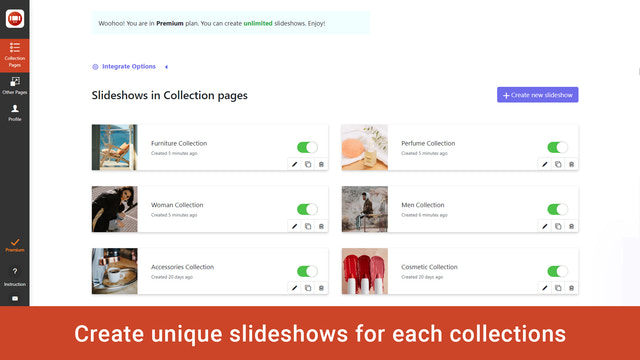


qikify Collection Slideshow - En iyi ürün görsellerinizi çarpıcı görsel slayt gösterilerinde sergileyin
Müşterilerinizi memnun edip satışlarınızı artıracak banner kaydırıcılarıyla daha iyi alışveriş deneyimleri oluşturun. Kaydırıcılar, satıcının mağazasındaki tüm sayfalar için ayarlanabilir. Bu da hızlı ve kolay bir şekilde kurulum yapmanıza olanak tanır. Her bir kaydırıcı, ürün ve koleksiyonların sunumu gibi belirli bir amaca hizmet eder.
- Koleksiyon slayt gösterisi görsel kaydırıcısına bağlantı ekleme
- Shopify temaları banner'ı için slayt gösterisi görsel kaydırıcısı
- Tüm sayfalar için banner koleksiyonu slayt gösterisi görsel kaydırıcısı
Otomatik çeviri içerir
Diller
İngilizce
Bu uygulama şu dile çevrilmedi:Türkçe
Kategoriler
Görsel optimizasyonu
Toplu düzenleme
Galeri türleri
Özelleştirme
Fiyatlandırma
İşletmenize en uygun planı seçin.
Ömür boyu ücretsiz
Ücretsiz
Özellikler
- 1 slayt gösterisi
- Slayt gösterisi başına 2 slayt
- Görsel URL'si ekleme
- Tüm koleksiyonlara veya seçili koleksiyonlara ekleme
- Stili özelleştirme
- Duyarlı tasarım
- Filigransız
- Destek
Temel
$4.99 /ay
veya yılda $47.87 ödeyin ve %20 tasarruf edin
Shopify Plus için +%20
Özellikler
- Geliştirme mağazaları için ücretsiz
- Ücretsiz plandaki her şey
- 6 slayt gösterisi
- Slayt gösterisi başına 3 slayt
- Görsel yükleme
7 günlük ücretsiz deneme
Premium
$9.99 /ay
veya yılda $95.87 ödeyin ve %20 tasarruf edin
Shopify Plus için +%20
Özellikler
- Geliştirme mağazaları için ücretsiz
- Temel plandaki her şey
- Sınırsız slayt gösterisi
- Sınırsız slayt
7 günlük ücretsiz deneme
Otomatik çeviri içerir
Tüm ücretler USD cinsinden faturalandırılır. Yinelenen ve kullanıma dayalı ücretler 30 günde bir faturalandırılır.
Değerlendirmeler (1)
-
Puanların %0 oranındaki bölümü, 5 yıldıza sahip
-
Puanların %0 oranındaki bölümü, 4 yıldıza sahip
- Puanların %100 oranındaki bölümü, 3 yıldıza sahip
-
Puanların %0 oranındaki bölümü, 2 yıldıza sahip
-
Puanların %0 oranındaki bölümü, 1 yıldıza sahip
downloaded the app so I could add a collection slideshow on my homepage. The 'free' version wont let me upload any photos to my collections, making the whole thing useless. Maybe the paid version works better. Didnt get any further.
Hi there,
In Free plan, you can upload an image to get its URL in your Shopify admin / Settings / Files / Upload file. Once the image is uploaded, you will get a URL alongside its entry > Copy that URL and paste into "Background image" field.
If you want to upload directly image to our app, you will need to upgrade to higher plan. Because the image is uploaded to our sever, so it will be a paid feature. Hope you can understand for us.
If you need any other assistance, feel free to contact us at support.qikify.com
Destek
Uygulama desteği Qikify tarafından sağlanmaktadır.
Kaynaklar
Geliştirici
Yayınlanma
16 Eylül 2019

