


Stocky
Vorgestellte Bildergalerie
Inventarverwaltung für Shopify POS Pro
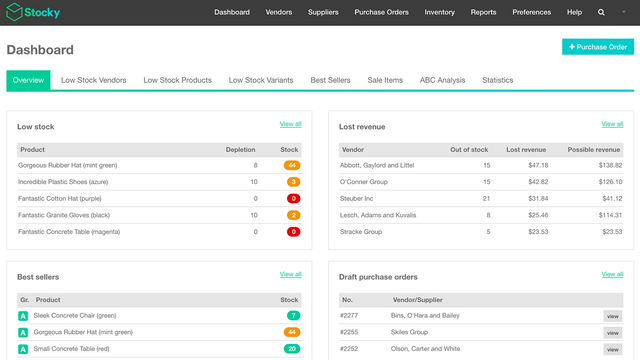
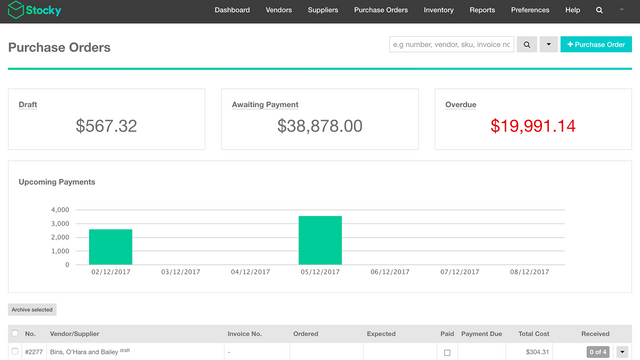
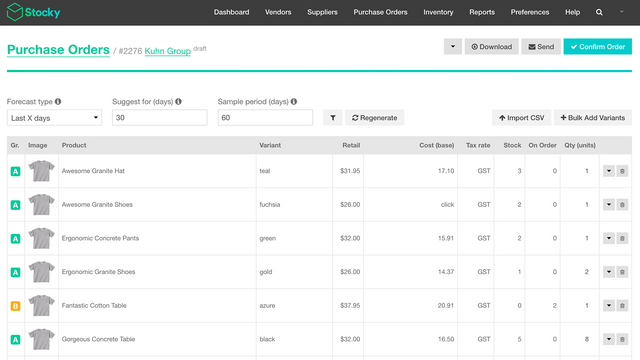
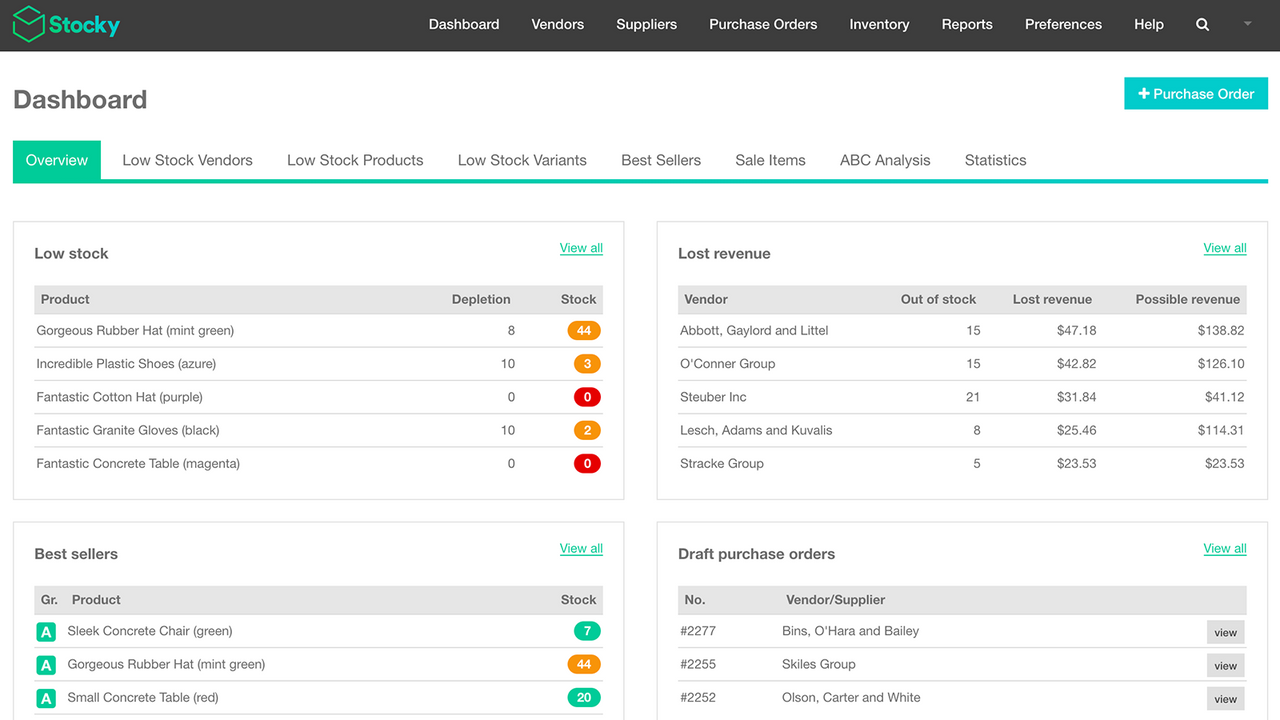
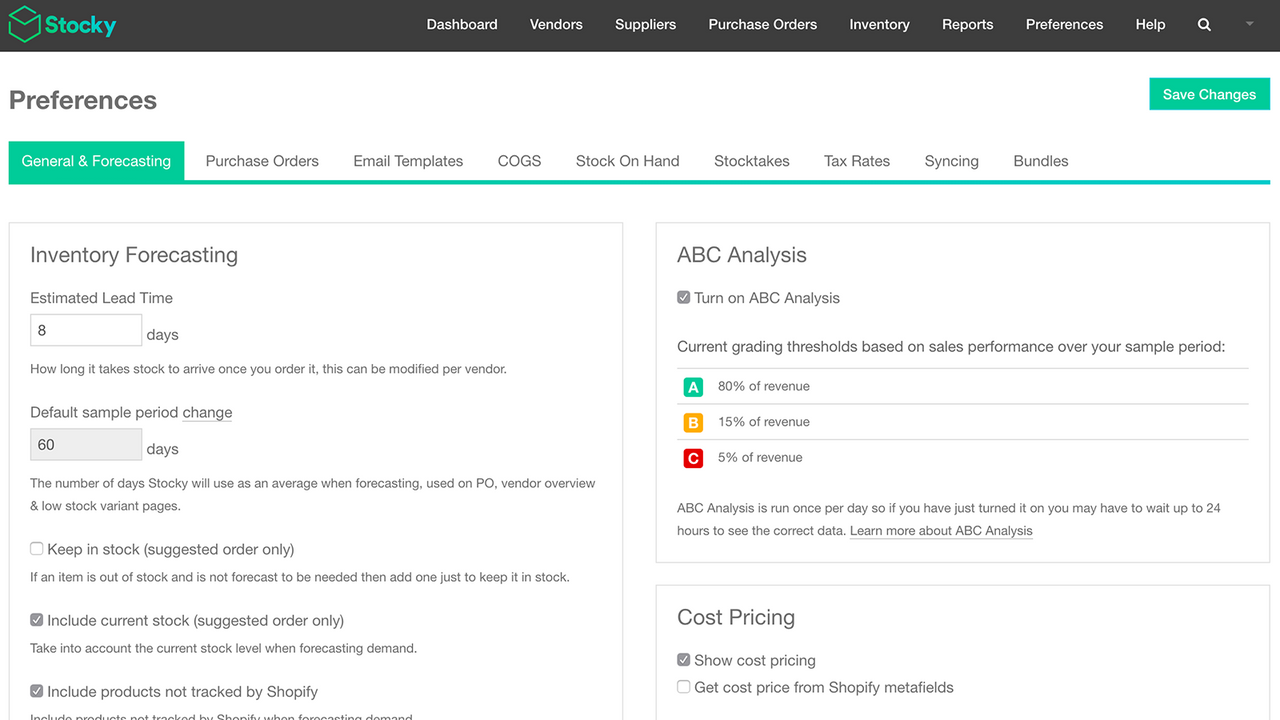
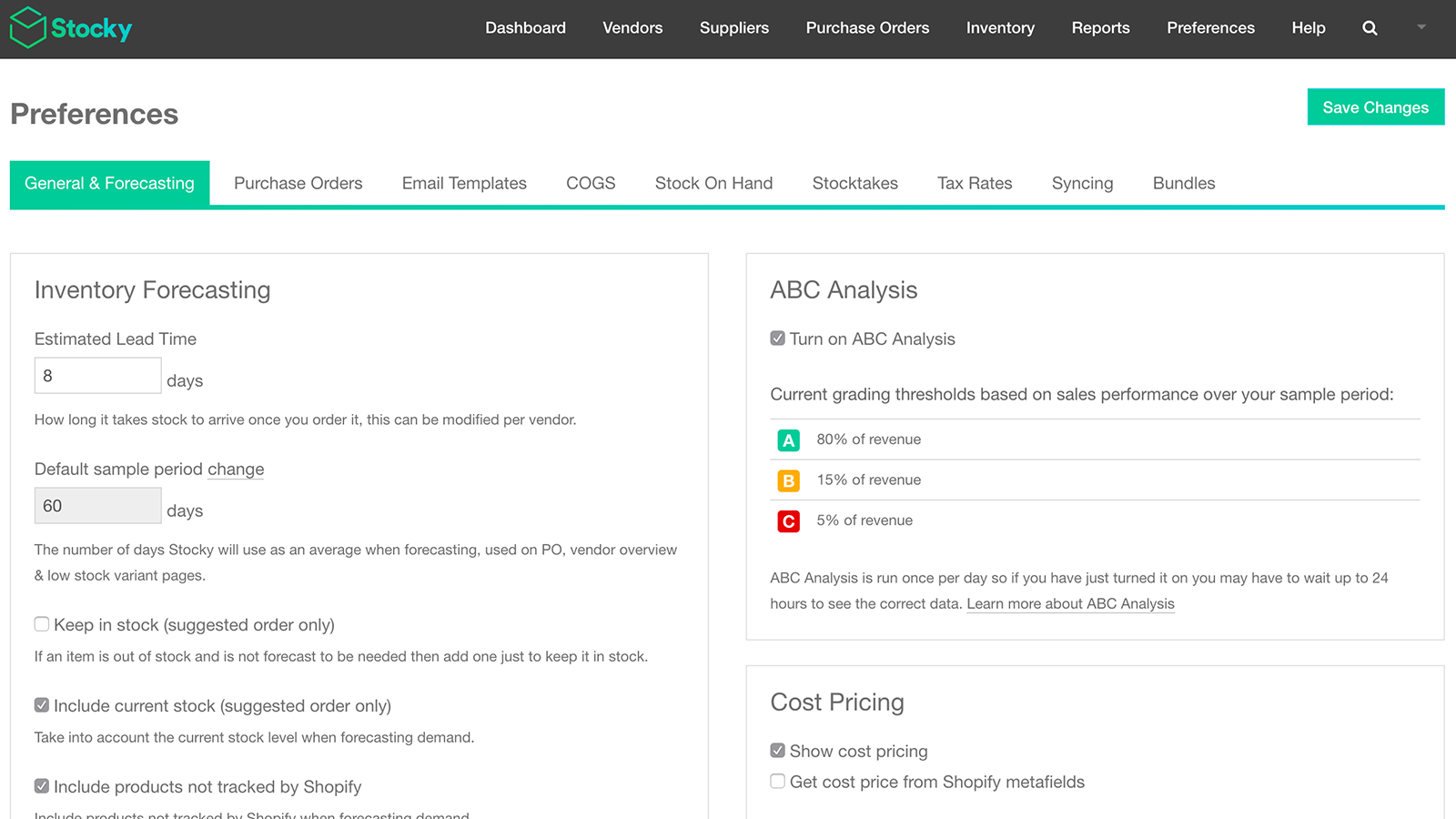
Effektive Inventarverwaltung ist ein strategischer Vorteil für dein stationäres Einzelhandelsgeschäft. Wenn stark gefragte Produkte ausverkauft sind, kann das deinen Umsätzen schaden – aber zu viel Inventar vorrätig zu haben, kann deine Ressourcen belasten. Nutze Stocky von Shopify, um deine Inventarentscheidungen zu optimieren. Verbringe weniger Zeit damit, dir Gedanken über die Produktbeschaffung zu machen, und maximiere stattdessen deine Gewinne mit dem besten Produktmix für dein Unternehmen. Unterstütze zudem dein Verkaufspersonal im Geschäft mit integrierten Shopify POS-Workflows.
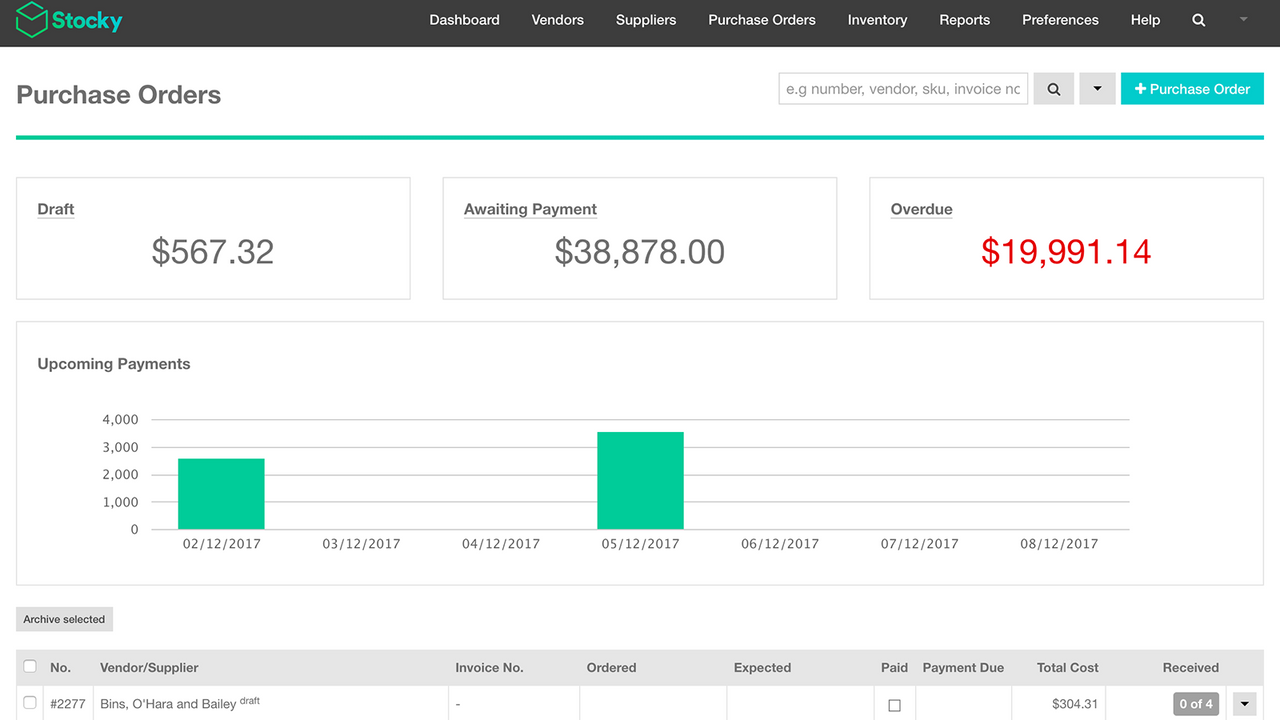
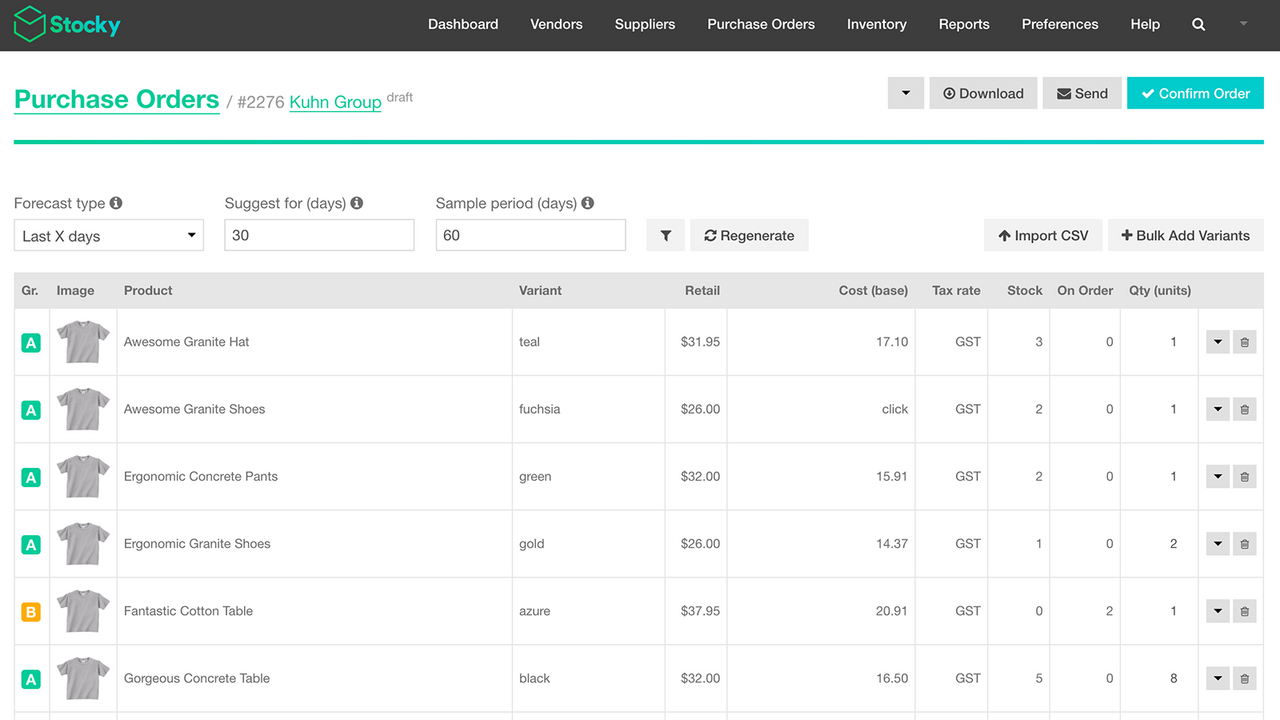
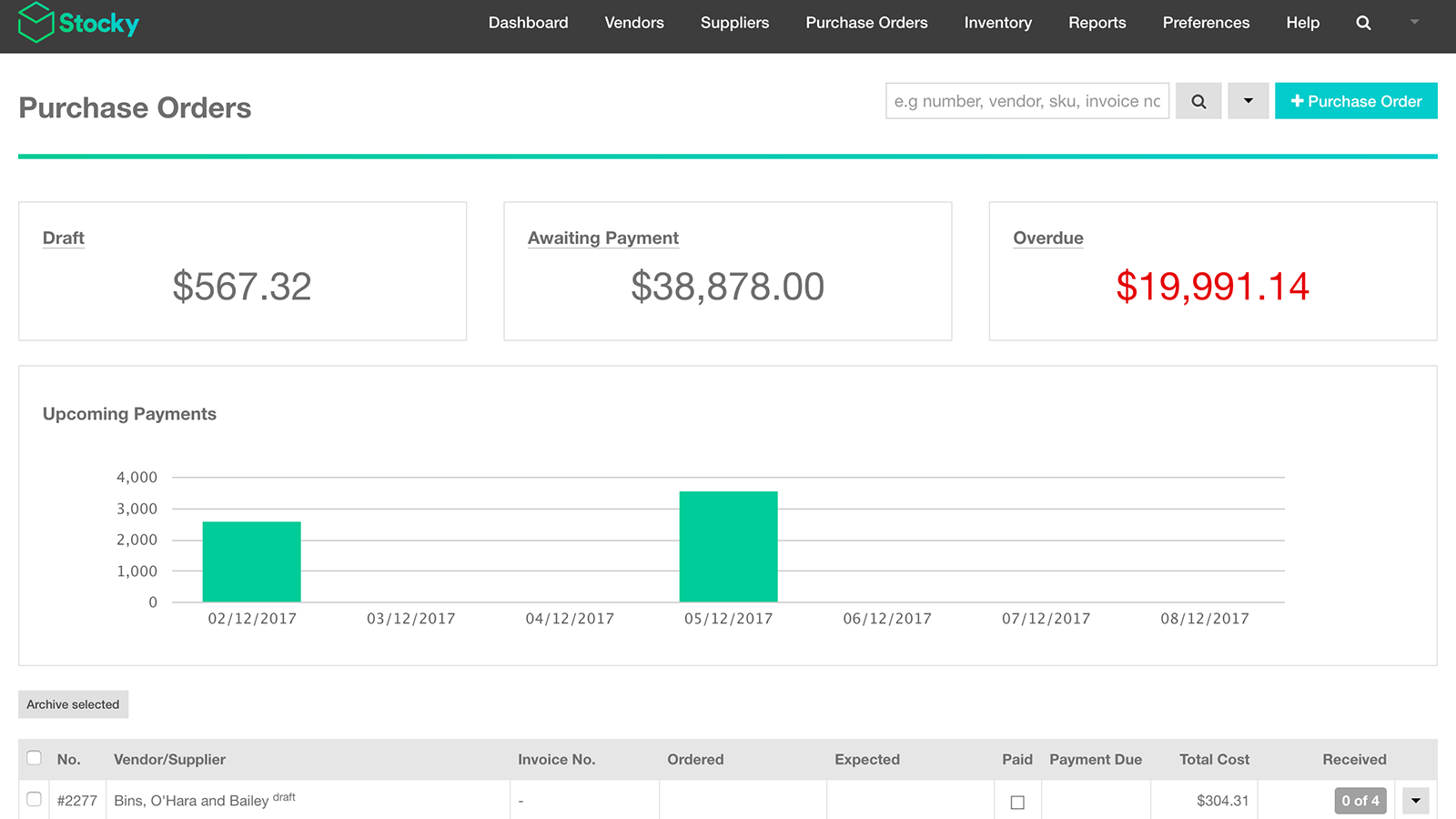
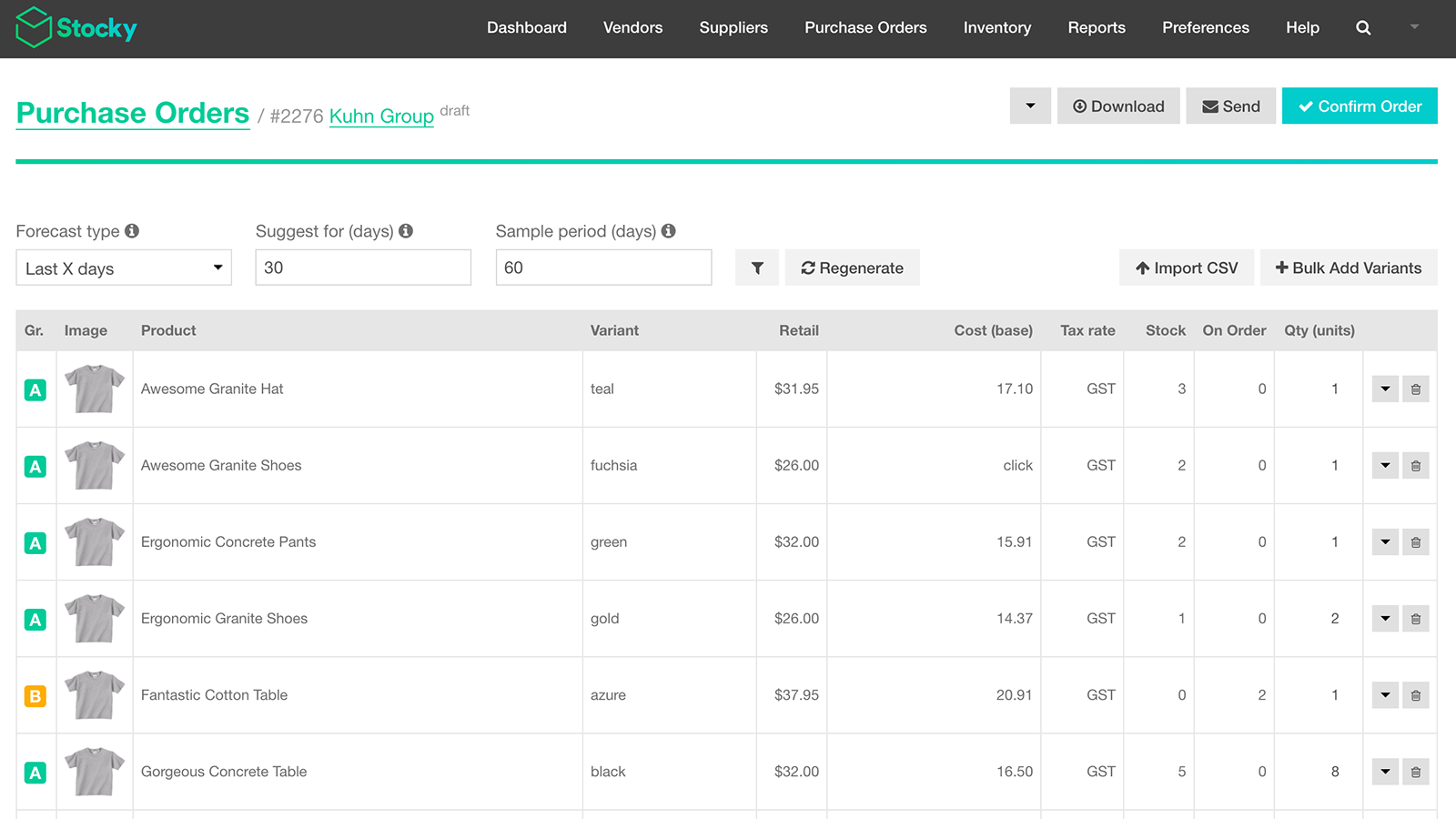
- Bestellaufträge erstellen und verwalten und mit Lieferanten kommunizieren.
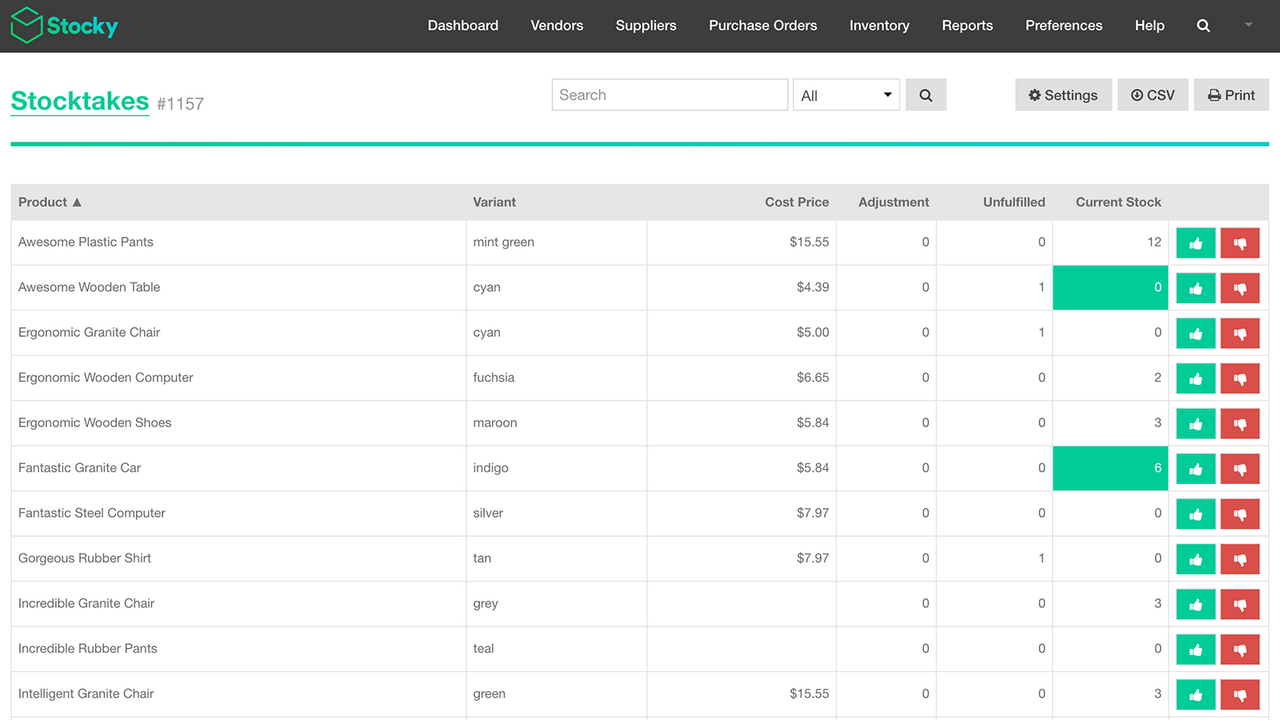
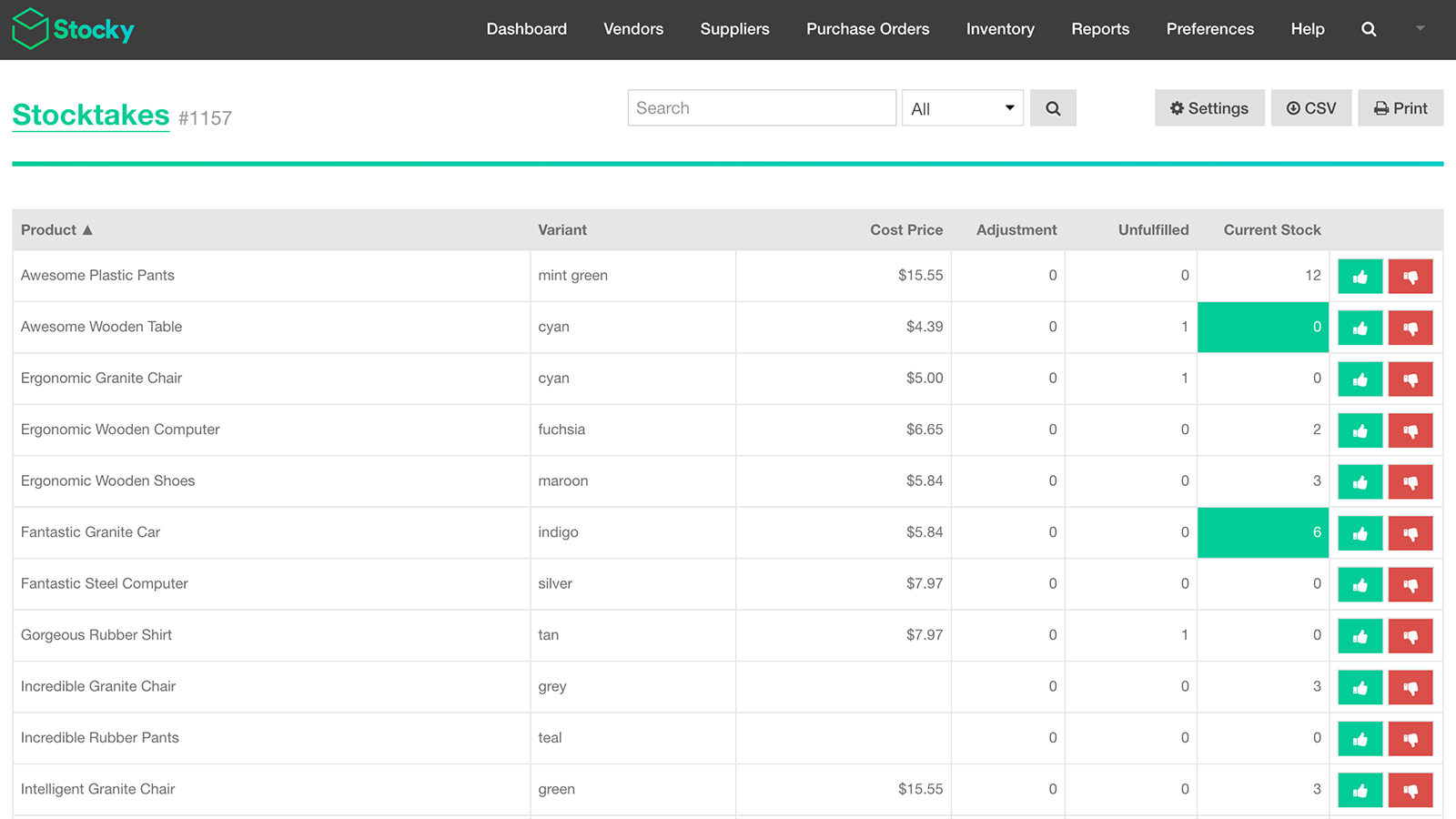
- Inventuren durch Zählen oder Scannen des vorhandenen Bestands durchführen und Anpassungen vornehmen.
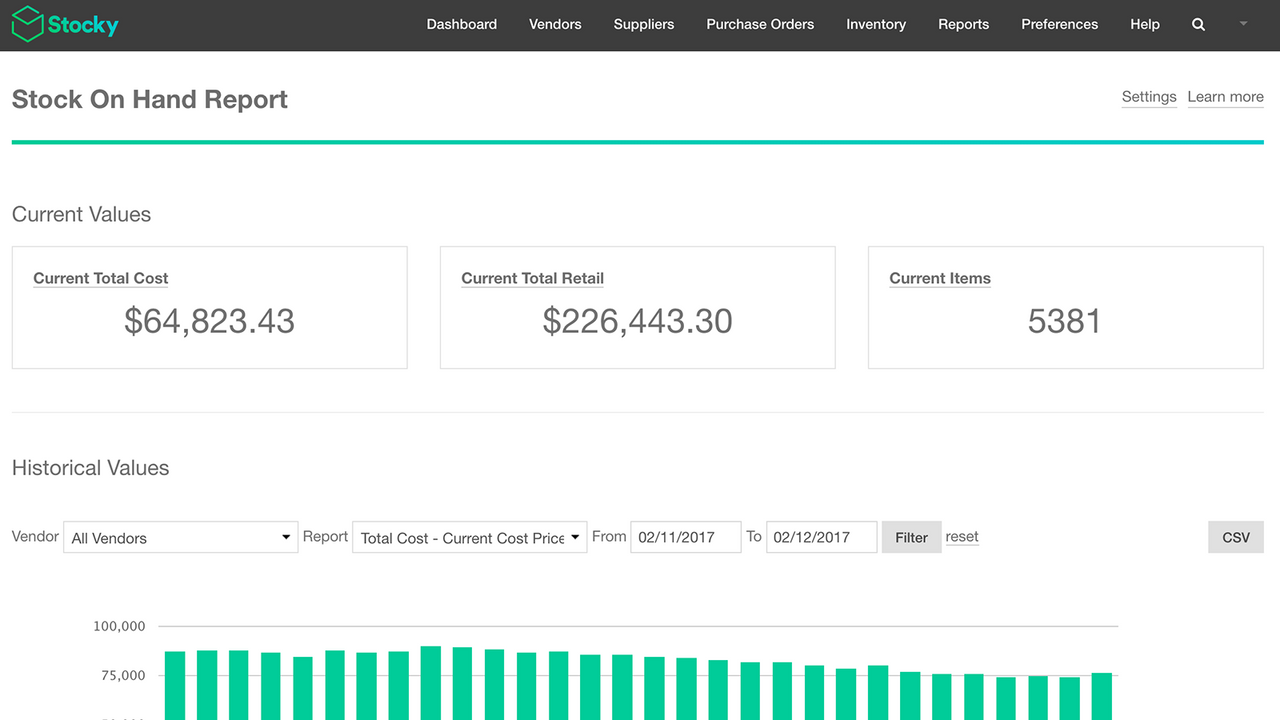
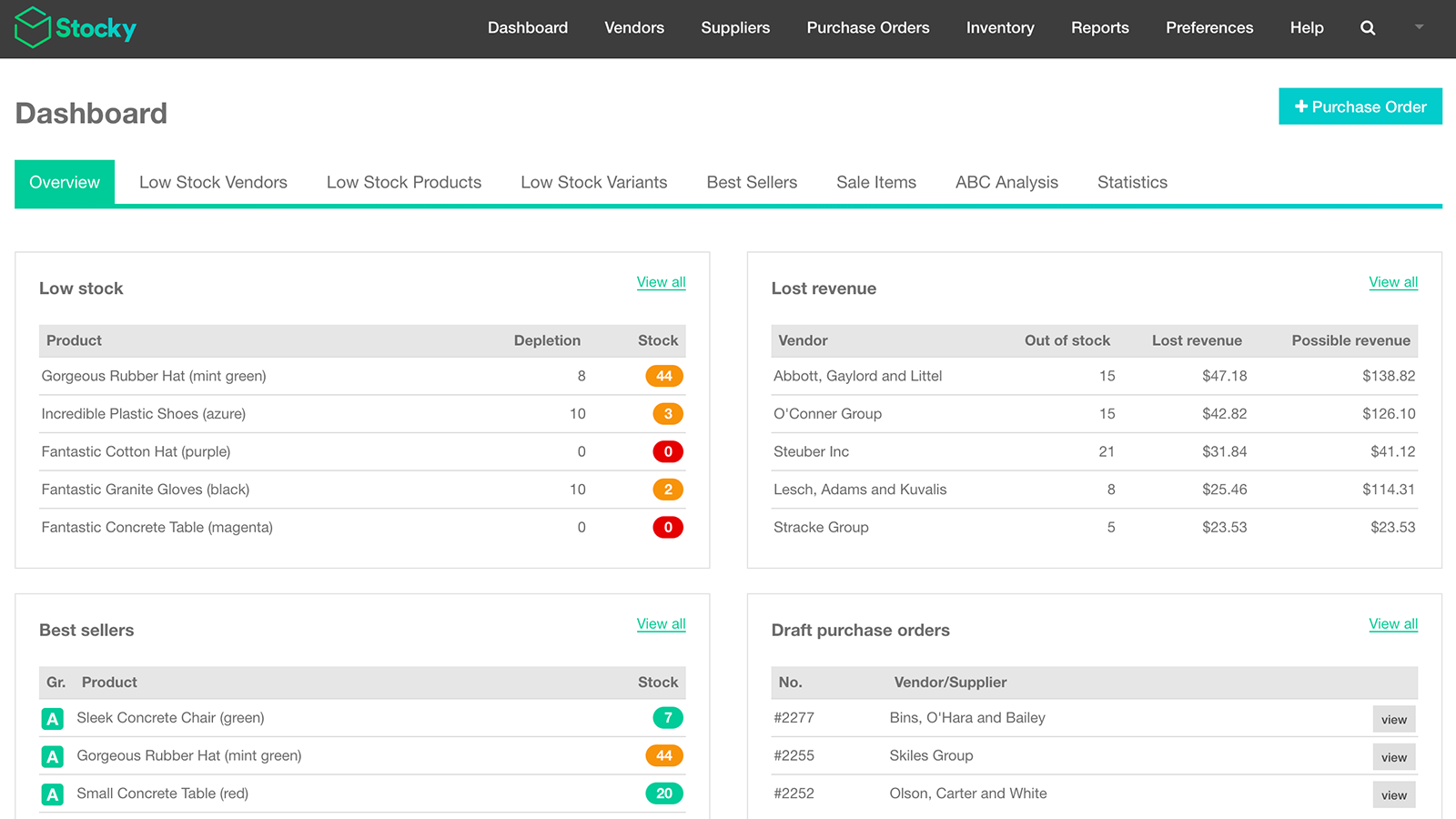
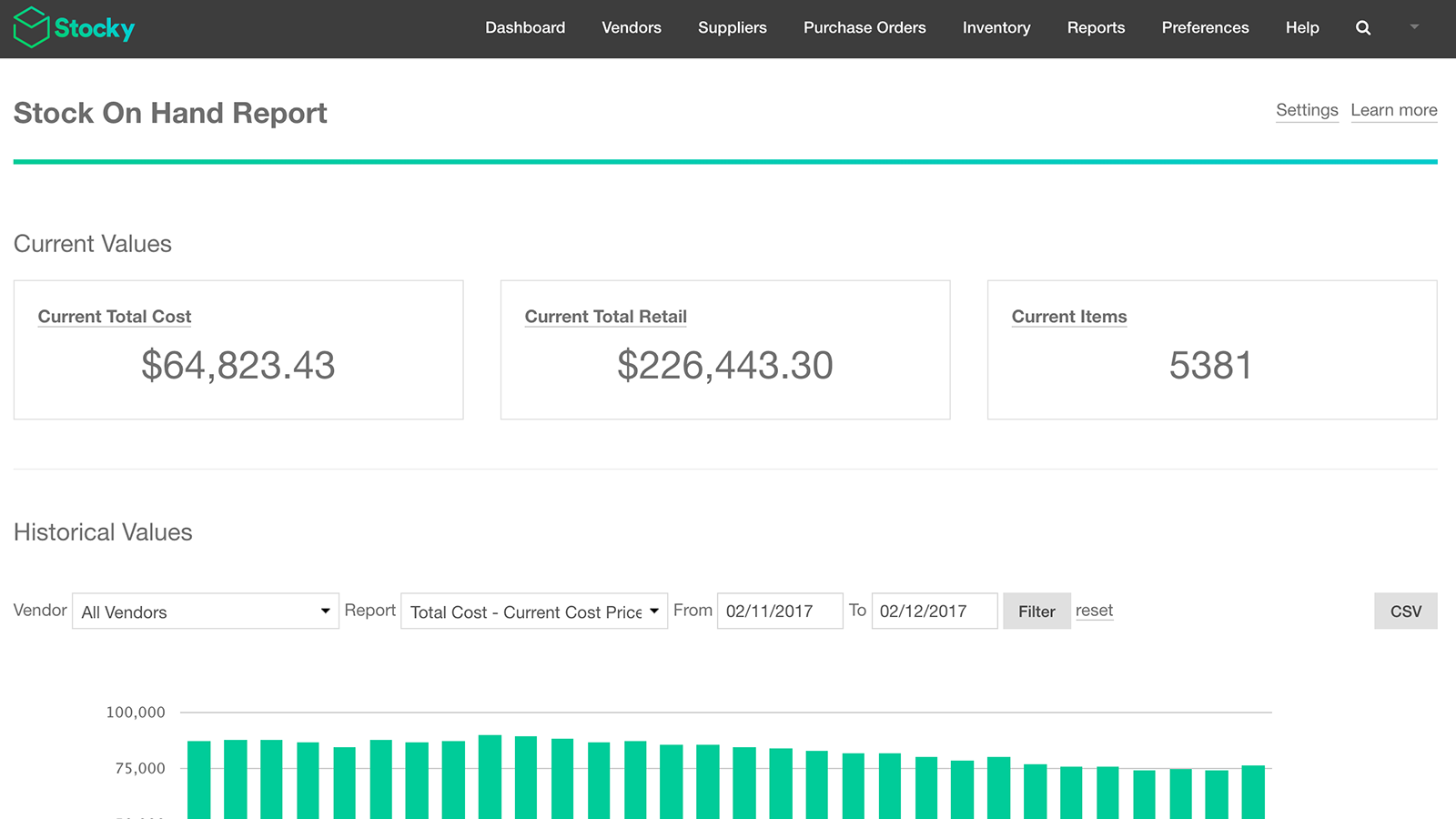
- Detaillierte Berichte nutzen, um durch Bestandsanalysen fundierte Inventarentscheidungen zu treffen.
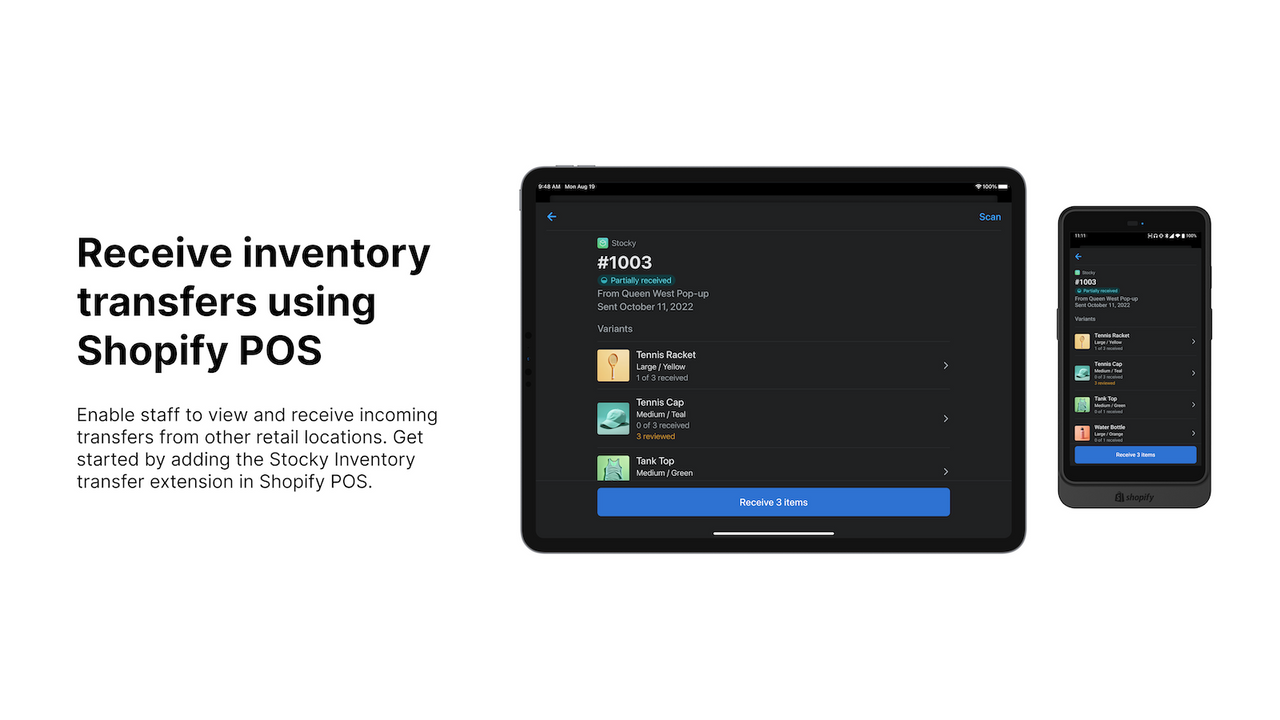
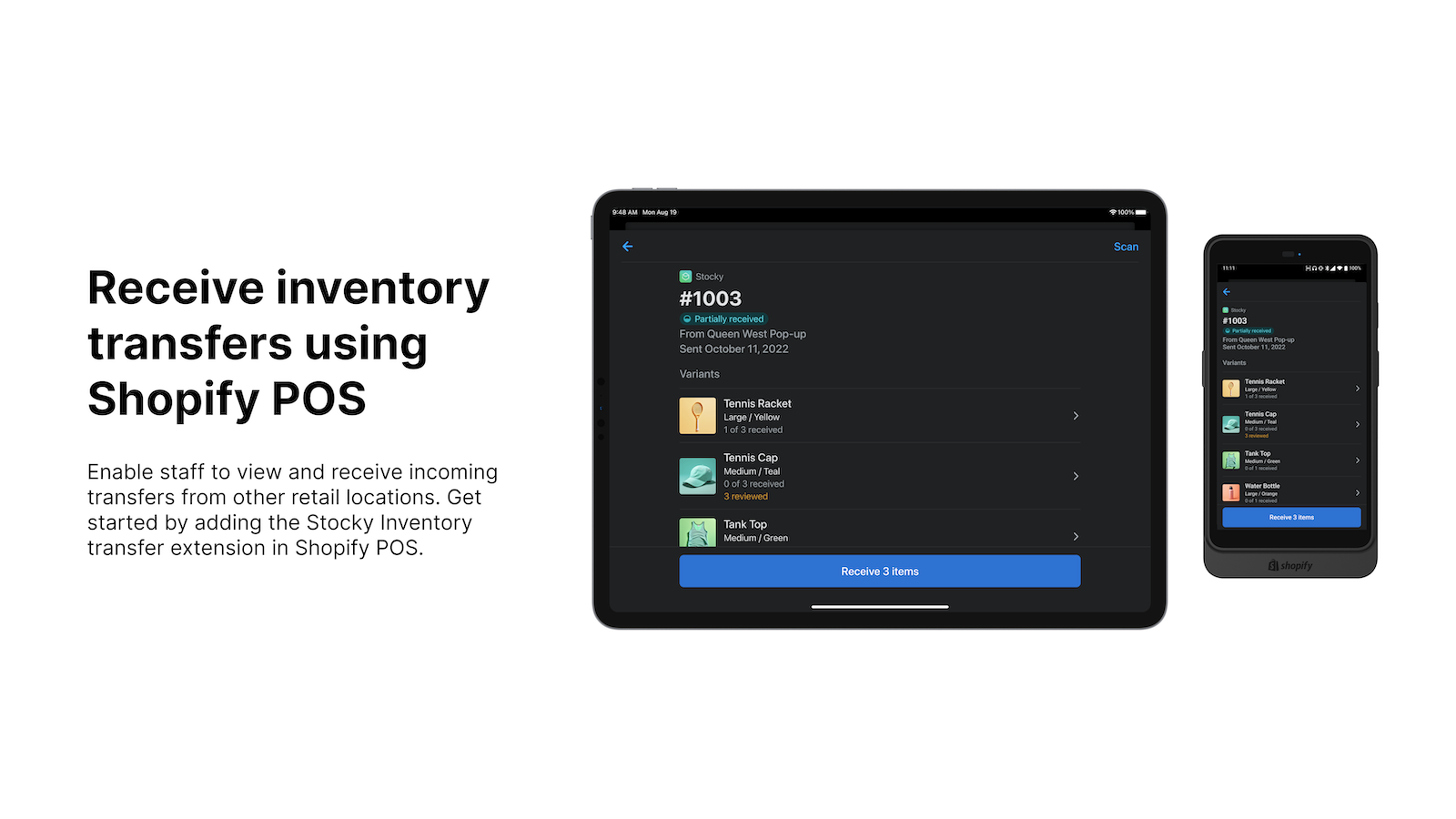
- Eingehendes Inventar in Shopify POS überprüfen und empfangen.
- Barcode-Scans nutzen, um den Empfang von Inventar in Shopify POS zu beschleunigen.
Enthält automatisch übersetzten Text
- Beliebt bei Shops wie deinem
- Sitz in den USA
Sprachen
Englisch
Für diese App ist keine Übersetzung auf Deutsch vorhanden.
Kompatibel mit
Kategorien
Inventarmanagement
Bestellverwaltung
Benachrichtigungen und Analysen
Preisgestaltung
Wähle den Plan, der am besten zu deinem Unternehmen passt.
Kostenlos
Kostenlose Installation
Im Shopify POS Pro-Abonnement enthalten
Enthält automatisch übersetzten Text
Alle Gebühren werden in USD berechnet. Alle Preisoptionen anzeigen
Rezensionen (207)
I have been using Stocky for over 2 years and it has met many of my inventory control needs. I just read somewhere that it will be no longer available as of August of 2026. Is this true? And If so, what is recommended as a replacement? I need to be able to track inventory, run summary with activity reports, make adjustments, create pos, etc.
Stocky has been an extremely valuable tool for us, and we used the transfer feature on a daily basis.
Thanks to our predefined min/max stock levels for each location, we were able to take full advantage of the replenish function.
With the Easy Scan app, we even generated barcode labels for all products within a transfer – a real productivity boost.
If this functionality is truly no longer supported in Shopify, it will create a significant additional workload for us.
That’s a major concern.
Hi there! Thank you so much for letting us know and sharing your feedback!
I completely understand that the previously available Transfer in the Stocky app was useful and the deprecation may have impacted some aspects of your workflow. Our development team are constantly trying to improve the app to be more efficient and sync better with the admin, which is why sometimes changes like these are necessary. However, I will absolutely relay your feedback to the development team so they are aware of the impact that these changes may have for our merchants. If you have any further feedback you'd like to share, or if you'd like some guidance on how to streamline your Transfer process, please do feel free to reach out via https://shopify.link/vRnL and we can take a look for you. Thanks so much!
- Natasha, Shopify Support
As others mentioned: Stocky is getting worse with every update.
Unfortunately, in the last "update" they removed the functionality "receive without syncing". As our logistics work separately from our management, Stocky is basically unusable without this feature. We can't mark orders as delivered without totally blowing up our Stocktakes in Shopify. Without being able to remove our delivered purchase orders, most of the reports are filled with wrong data too.
Good job, Stocky team
Thank you so much for taking the time to submit your review and feedback. We understand it's important to be able to receive your purchase orders while completing a stocktake, so I've passed on your feedback to our developers. If you've decided that Stocky is not the right app for your store, you can take a look at some third-party inventory apps here: https://apps.shopify.com/search?q=inventory%20management
Support
App-Support wird von Shopify bereitgestellt.
Datenzugriff
Damit diese App in deinem Shop funktioniert, benötigt sie Zugriff auf die folgenden Daten. Die Gründe dafür findest du in der Datenschutzerklärung des Entwicklers bzw. der Entwicklerin.
Kund:innendaten einsehen:
Sensible Daten, Geräte- und Aktivitätsdaten
-
Sensible Daten
Name, E-Mail-Adresse, Telefonnummer, Physische Adresse
-
Geräte- und Aktivitätsdaten
Geolokalisierung, IP-Adresse, Browser und Betriebssystem
Daten von Mitarbeiter:innen und Beitragenden einsehen:
Shop-Inhaber
-
Shop-Inhaber
Name, E-Mail-Adresse, Telefonnummer, Physische Adresse
Shop-Daten anzeigen und bearbeiten:
Kunden, Produkte, Bestellungen
-
Kunden anzeigen
Kundendaten
-
Produkte bearbeiten
Inventar, Produkte, Kollektionen
-
Bestellungen anzeigen
Gesamte Bestellhistorie
-
Andere Daten bearbeiten
Inventarlieferungen, empfangene Artikel von Inventarlieferungen, Inventartransfers, Standorte
Mehr Apps wie diese



Erfüllt unsere höchsten Standards für Leistung, Design und Integration. Weitere Informationen Wird in einem neuen Fenster geöffnet

Erfüllt unsere höchsten Standards für Leistung, Design und Integration. Weitere Informationen Wird in einem neuen Fenster geöffnet

