


Addify ‑ Approve New Customers
Featured images gallery
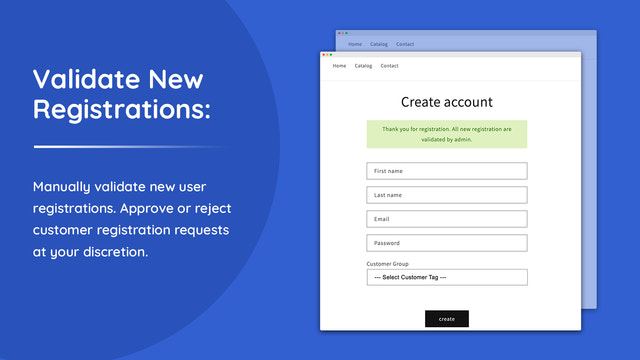
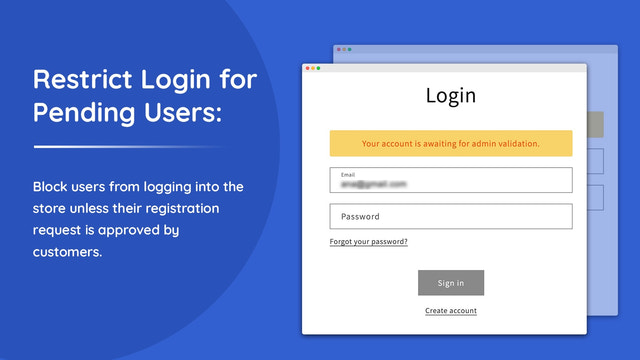
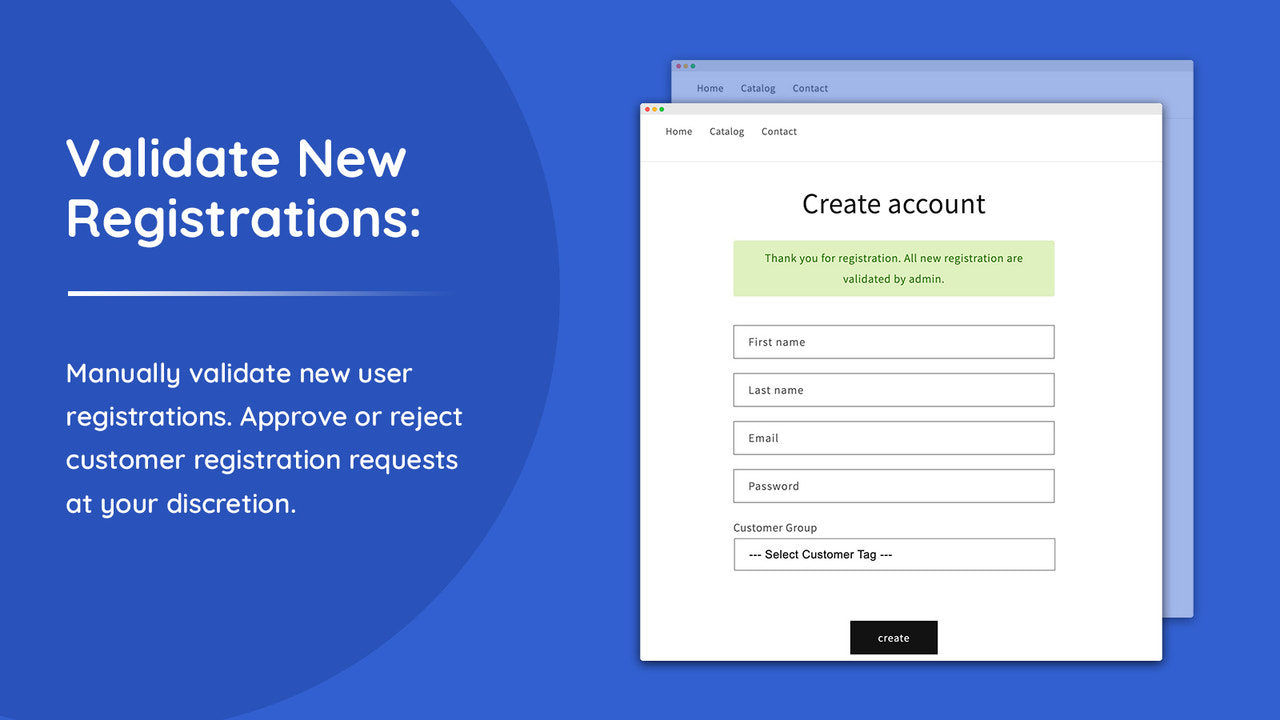
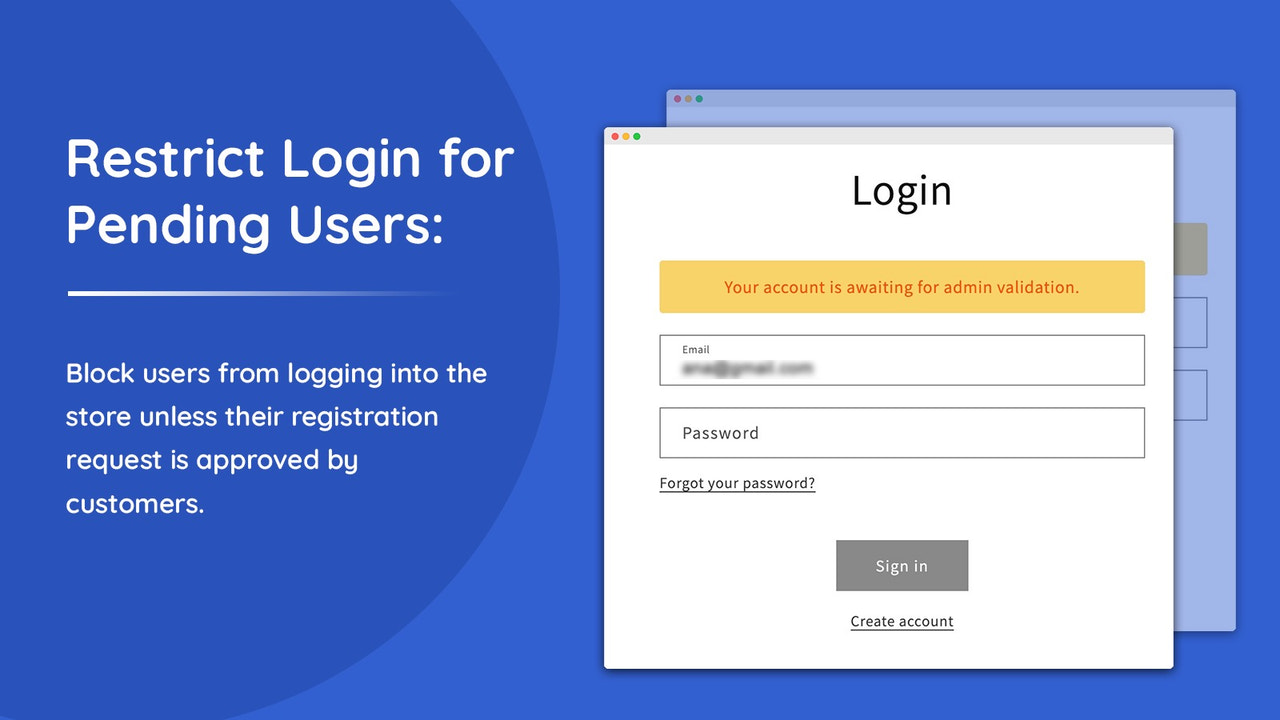
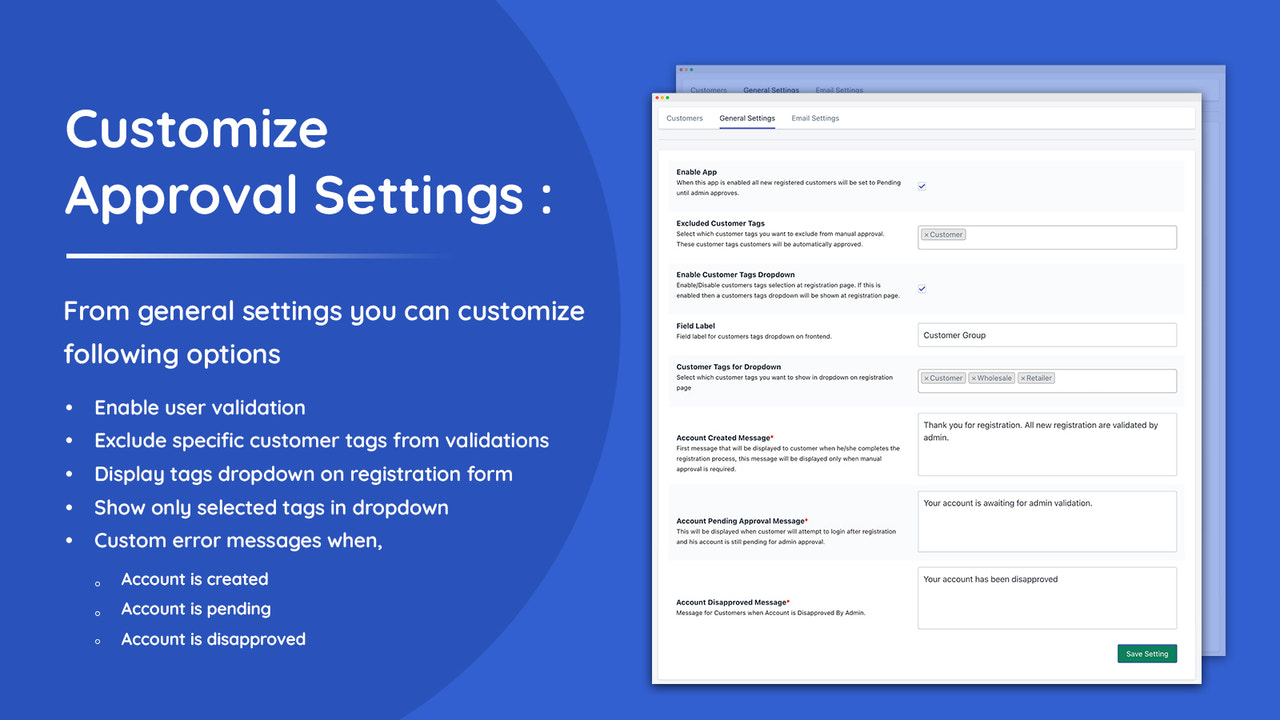
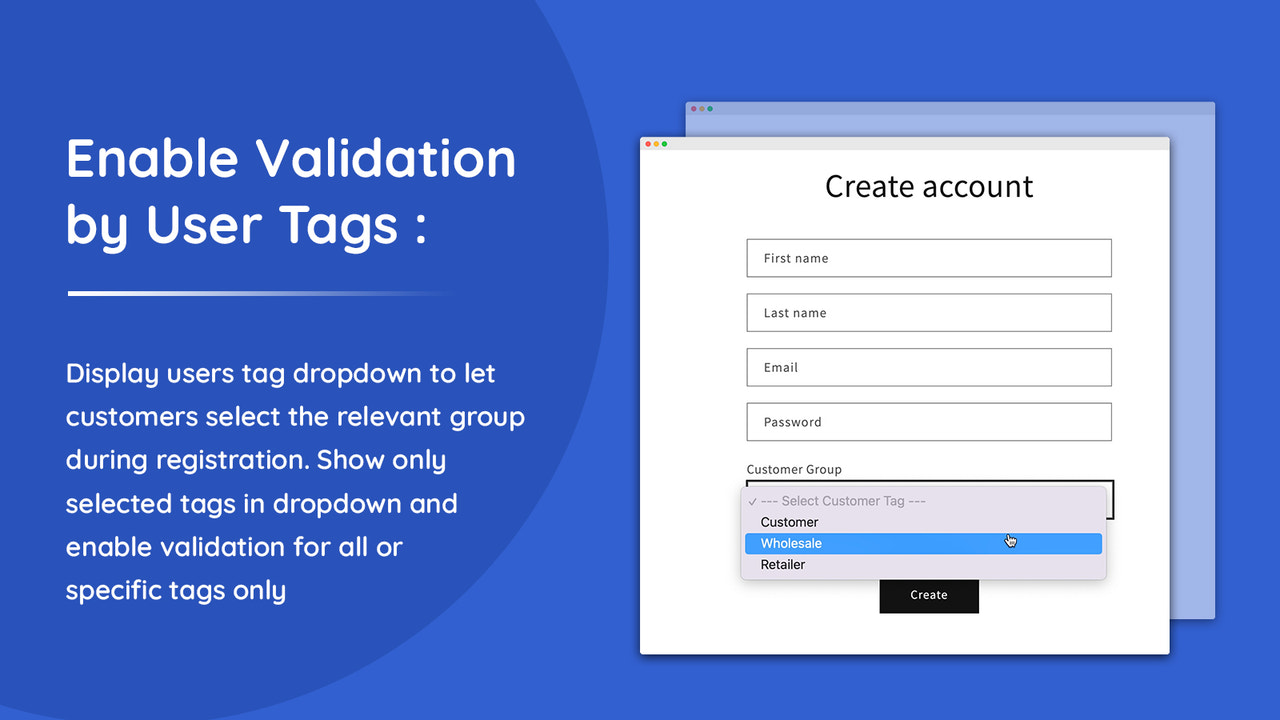
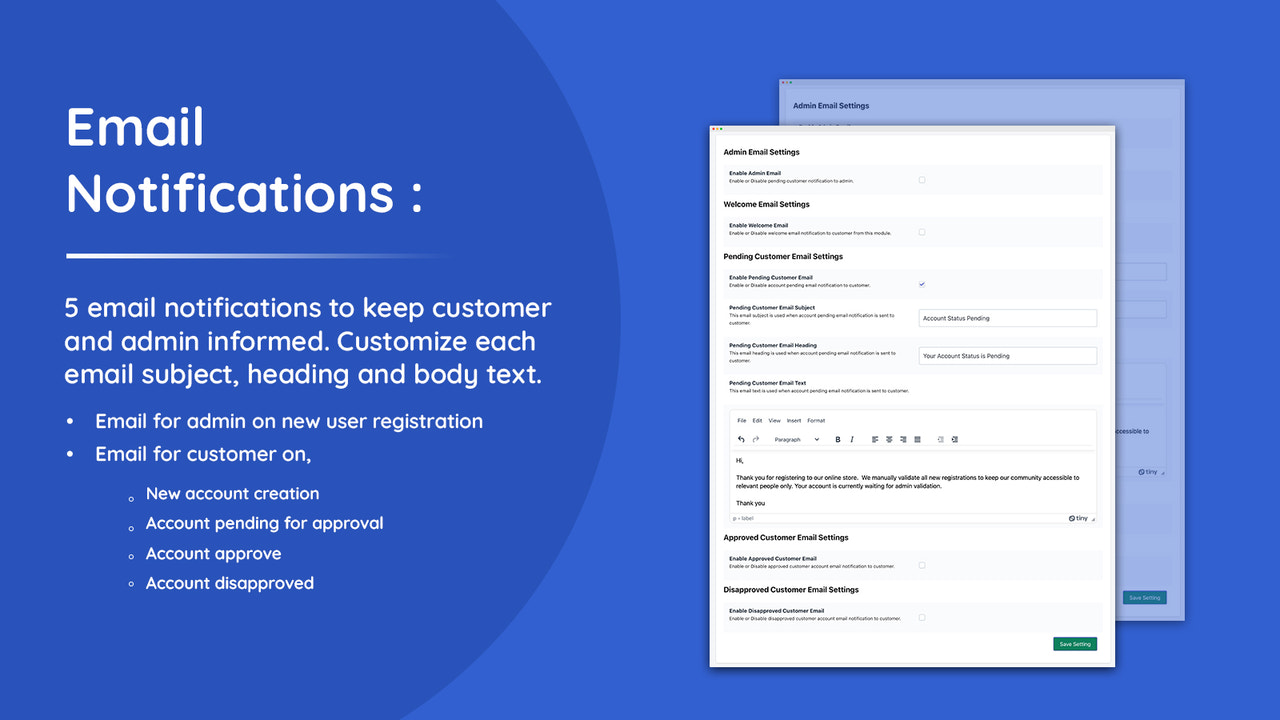
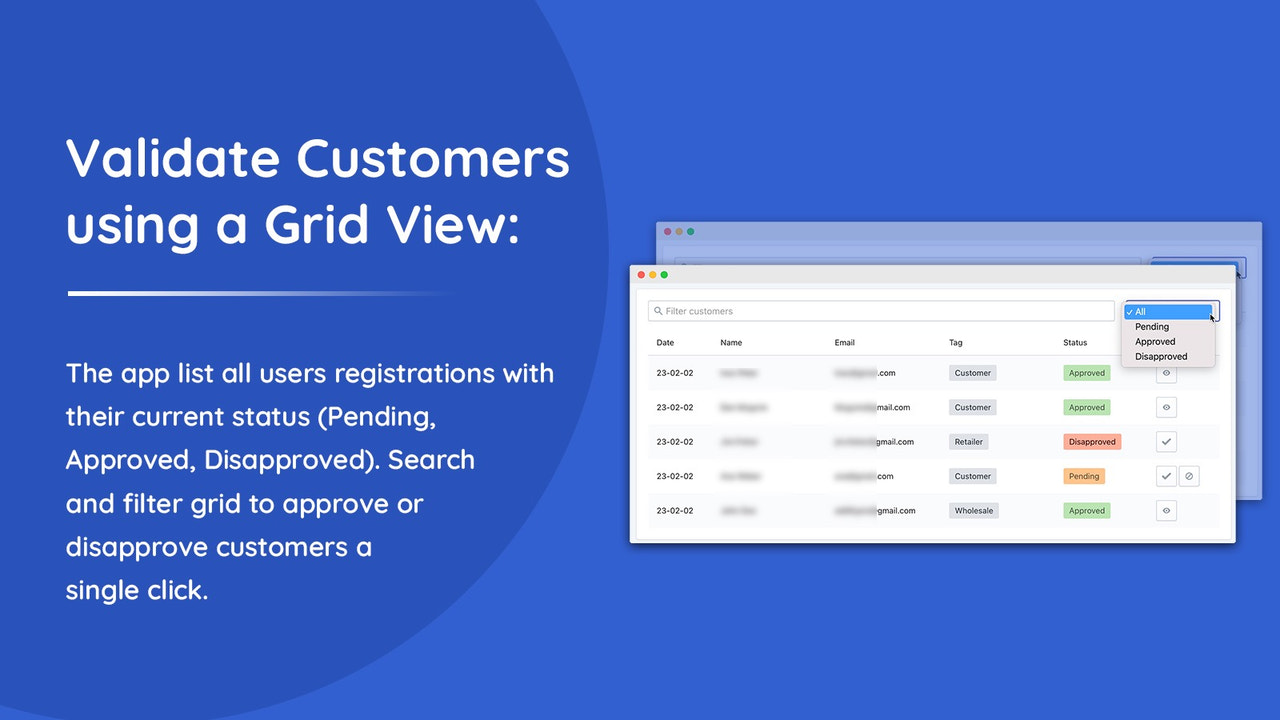
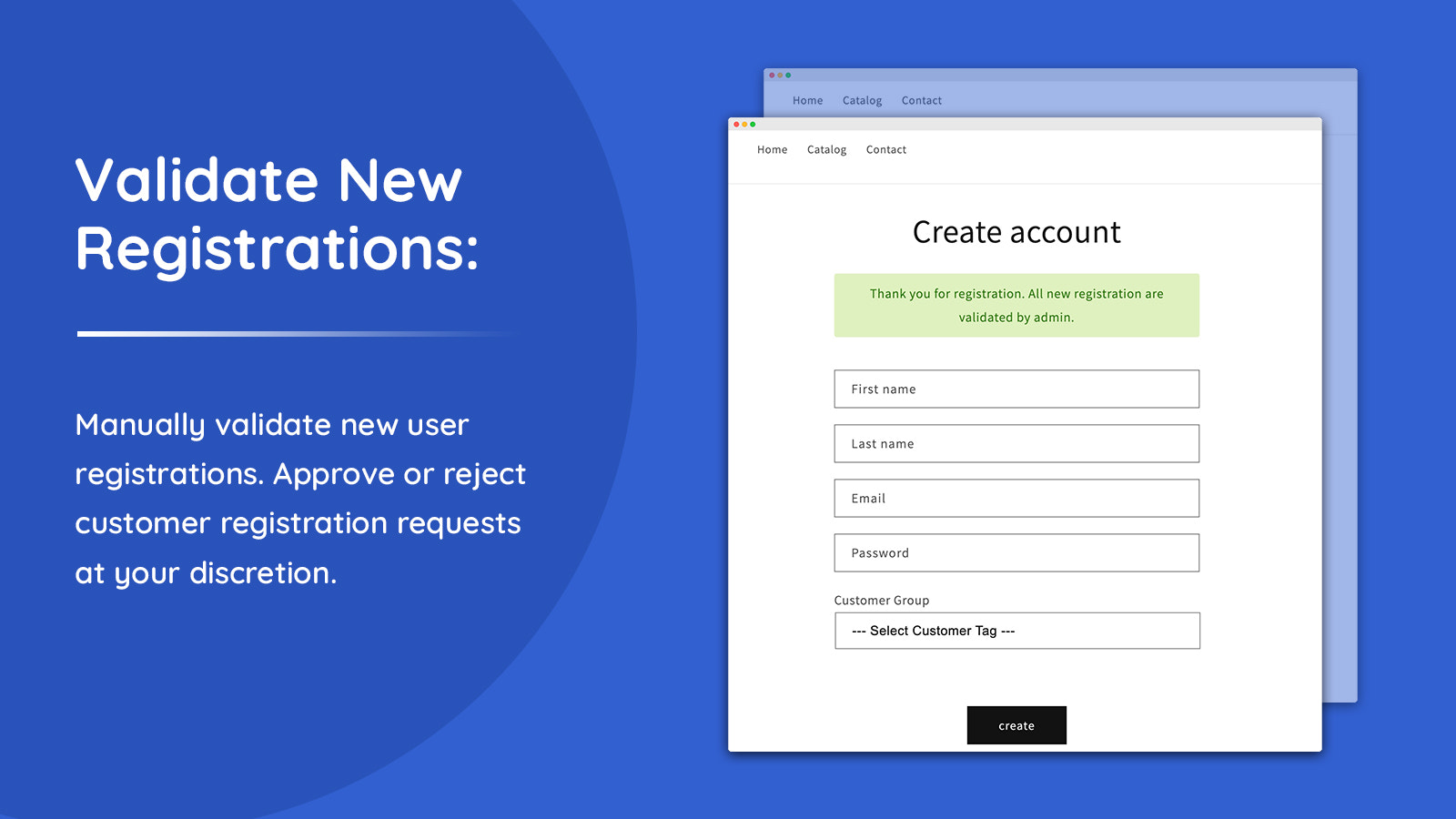
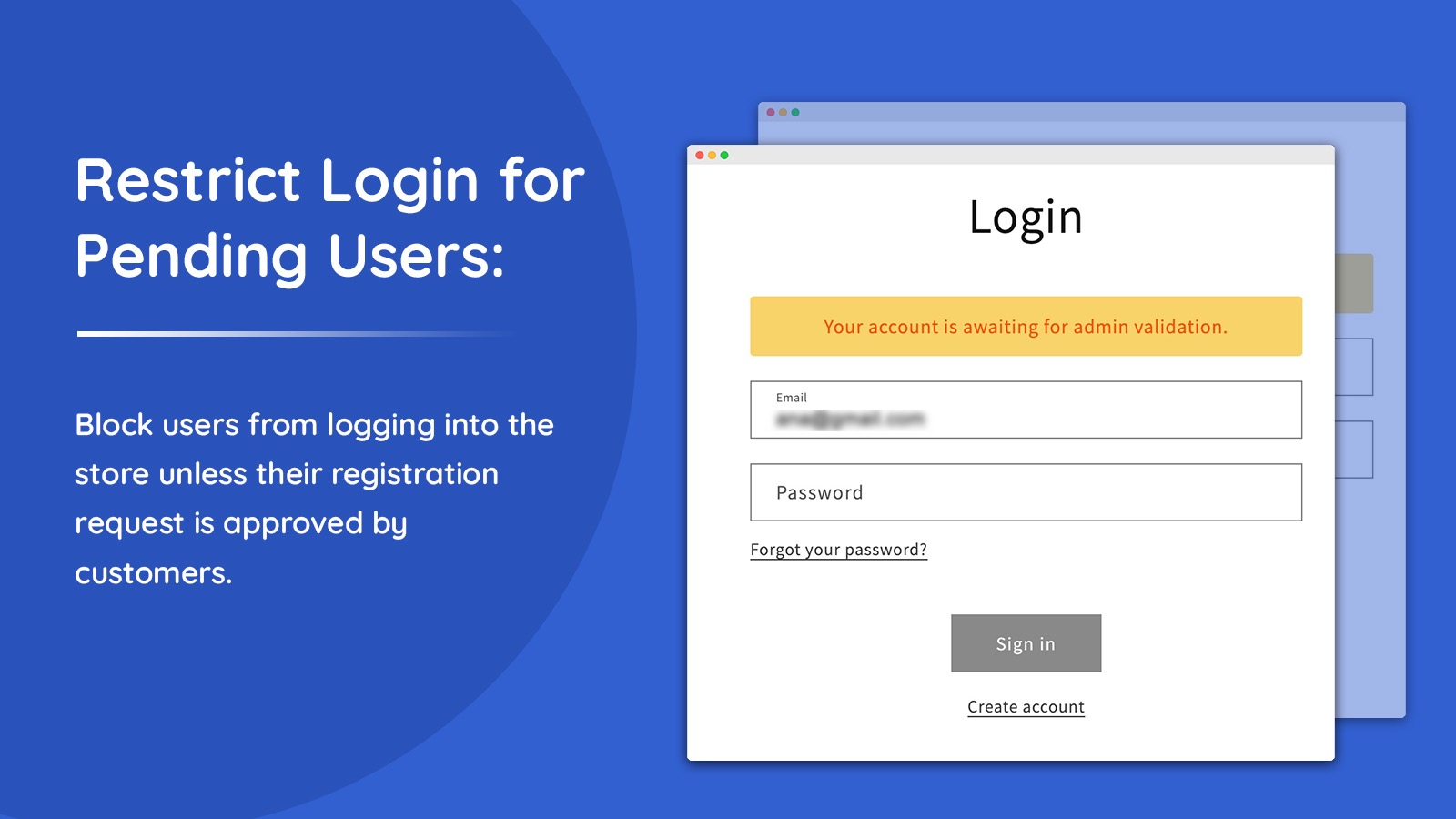
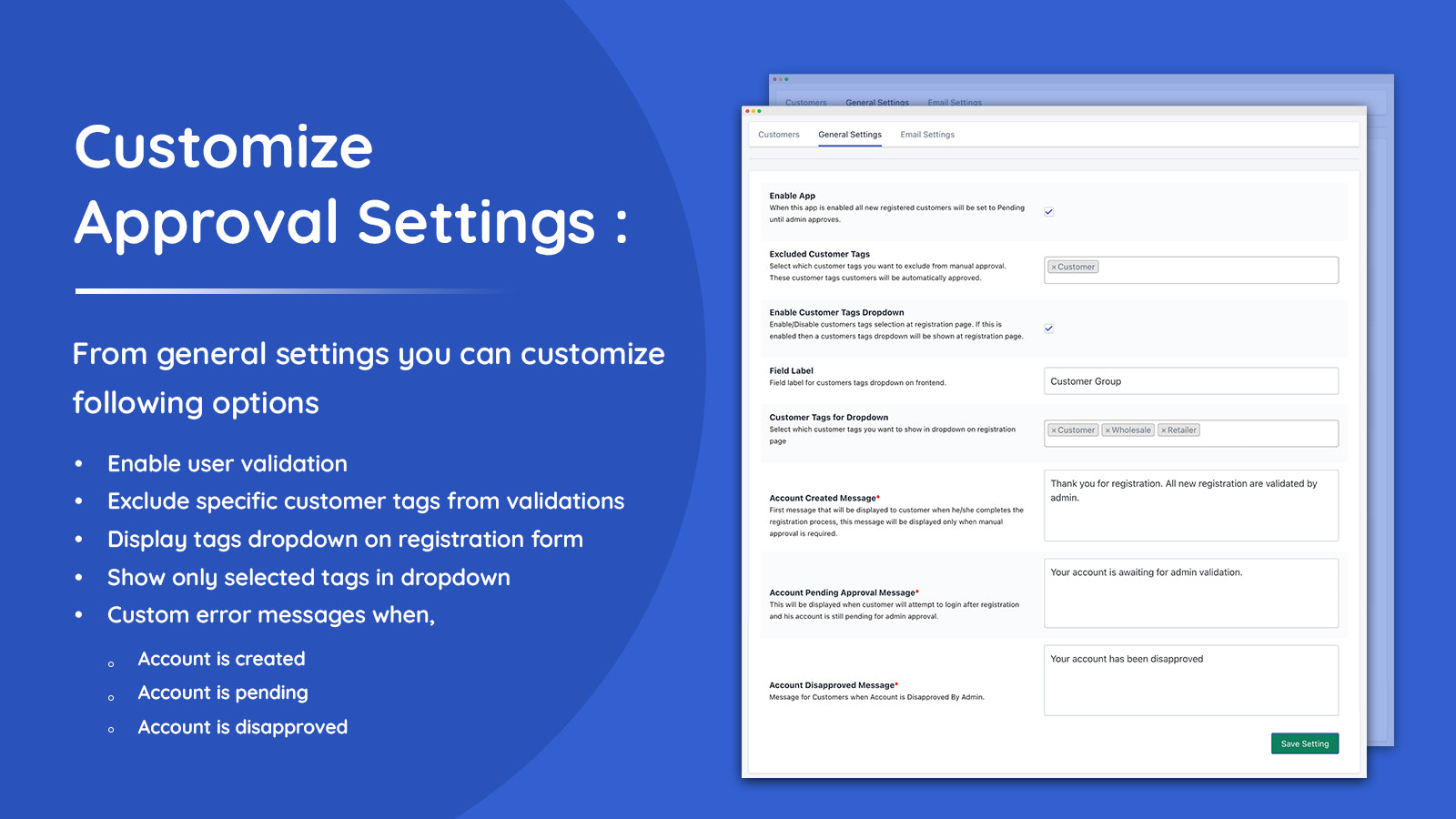
Manually approve new customer registrations. Ability to add validation based on customer-tags.
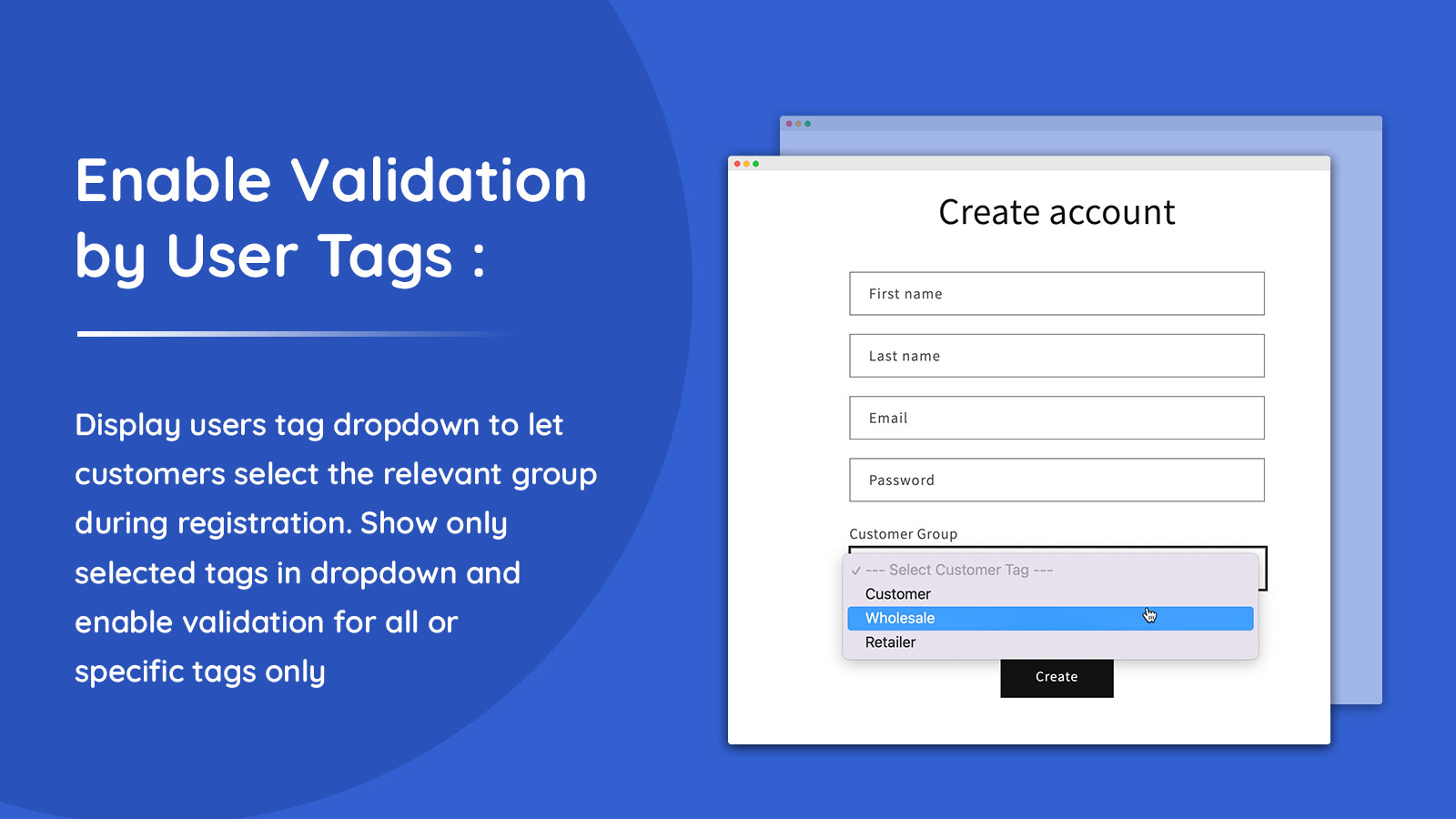
Approve New Customers app by Addify enables you to manually review and approve new registrations. Built an exclusive community by manually reviewing new customer accounts. You can also enable validation for based customer tags by showing a dropdown to let customers choose to relevant tag/group during registration. This help merchants to enable validation for specific user types only like B2B, wholesalers, retailers and other customers type who might have special products, promotions and more.
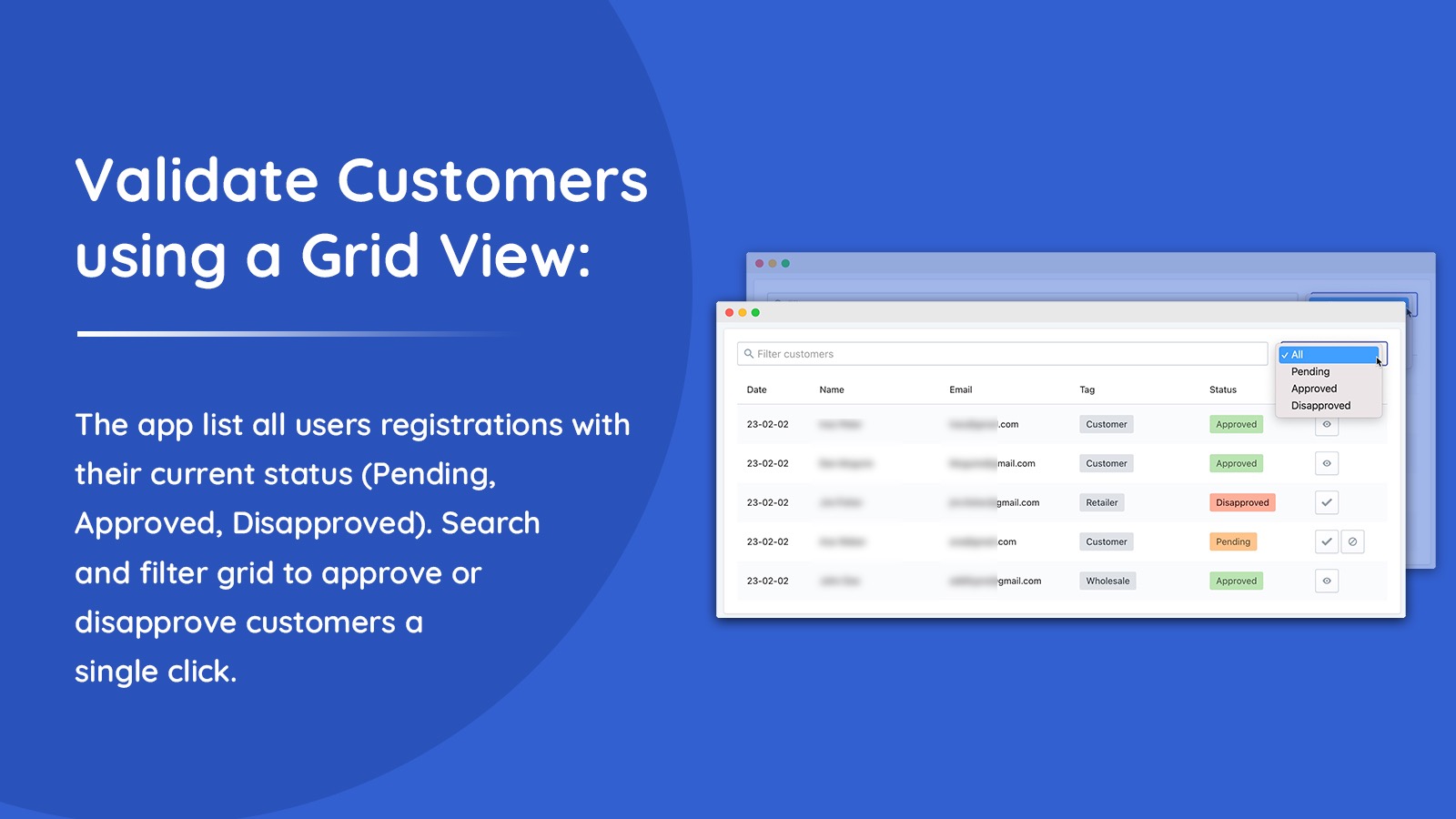
- Manually approve or disapprove new customer registration requests
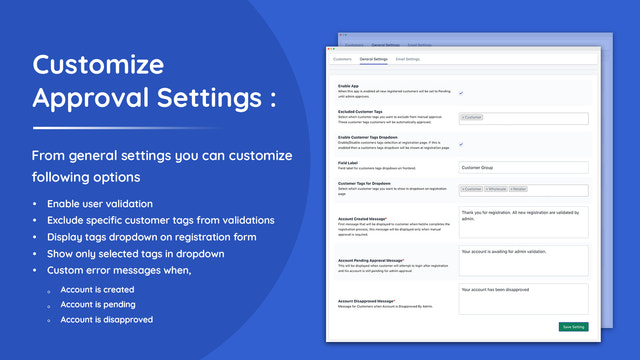
- Enable manual approval for specific customer tags/group only
- Display dropdown on signup form to let user select relevant customer tag/group
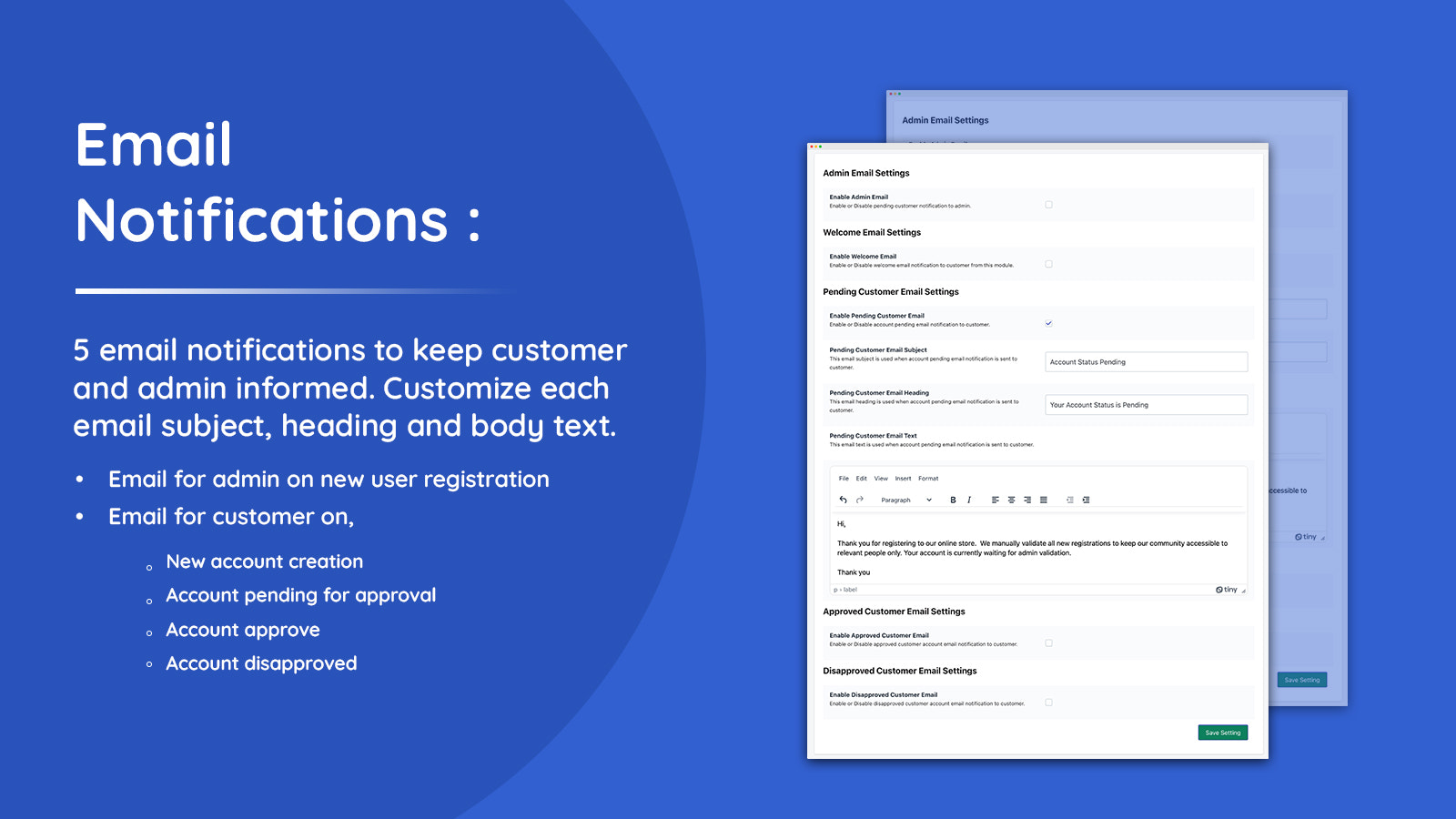
- Keep customers informed about their account status via notices and emails
- Customizable email notifications for both store admin and customers
Languages
English
Works with
- Shopify Admin
Categories
Access control
Pricing
Choose the plan that best fits your business.
Basic
$2.99 / month
or $29.99/year and save 16%
Features
- Applicable to Basic Shopify plan.
7-day free trial
Standard
$3.99 / month
or $39.99/year and save 16%
Features
- Applicable to Standard Shopify plan.
7-day free trial
Advanced
$4.99 / month
or $49.99/year and save 17%
Features
- Applicable to Advanced Shopify plan.
7-day free trial
Plus
$5.99 / month
or $59.99/year and save 17%
Features
- Applicable to Shopify Plus plan.
7-day free trial
All charges are billed in USD. Recurring and usage-based charges are billed every 30 days.
Reviews (10)
Went above and beyond to address my concerns, very professional.
We're glad we could resolve the billing issue and get things sorted to your satisfaction. We truly appreciate your patience and your review!
Thank you for choosing Addify!
Too basic - no way to define custom forms with details such as company name, company numbers, company address, company web page, business type etc. Not suitable for businesses
We’re sorry to hear about your experience and apologize for any inconvenience caused. It seems you haven’t contacted our support team, as we would have been glad to guide you. While this app may not cover advanced custom forms, we do offer another app — Customer Fields Manager — which fully supports the features you are looking for.
With Customer Fields Manager, you can:
Add 14 different types of custom registration fields (e.g., company name, registration number, address, website, business type, etc.)
Enable manual account validation for all or specific customers by tags
Make fields optional or mandatory, and display customer tags dropdown on the form
We kindly ask you to reconsider your review, as we’re confident our solution can meet your requirements. You are welcome to contact us , and our team will assist you right away to ensure everything works as needed.
Contact us @
Email = addifysup@gmail.com
WhatsApp = +92 317 3171995
This is exactly the app I needed and I installed it exactly as instructed (installation instructions and process are easy) but it does not seem to be working. I am not getting any emails for new customers which i set up an account for and there is nothing coming up on the Approve New Customers page on the shopify app. I messaged customer service and am waiting to see if help will come. Until then one star using the logic that its not working but if it works the way it says it will, 5 stars for sure.
Update, 10/16: Shaheer has been communicating and working with me every day and have resolved the issues. They work very hard to resolve all issues. App works and I am very happy. This is real 5 stars.
Support
App support provided by Addify.
Resources
Developer
Premises # 001 - 35527, DSO-IFZA, IFZA Properties, Dubai Silicon Oasis, Dubai, DU, 341041, AE
Launched
March 29, 2023
More apps like this



Meets our highest standards for performance, design, and integration. Learn moreOpens in new window

Meets our highest standards for performance, design, and integration. Learn moreOpens in new window

