


CS ‑ Smart Bulk Image Upload
Meets our highest standards for performance, design, and integration. Learn moreOpens in new window
- Pricing
-
Free plan available
- Popular with stores like yours
- Based in United States
- Rating
- 5.0 (111)
- Developer
- Craftshift
Featured images gallery

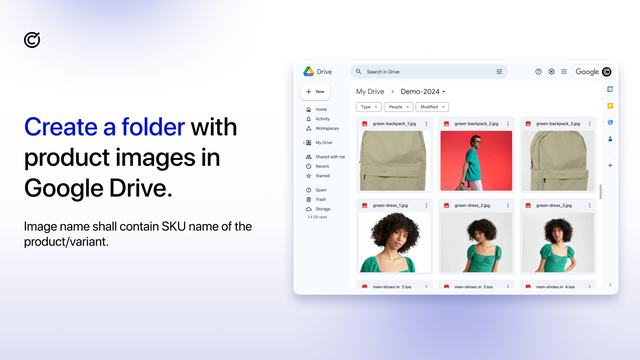
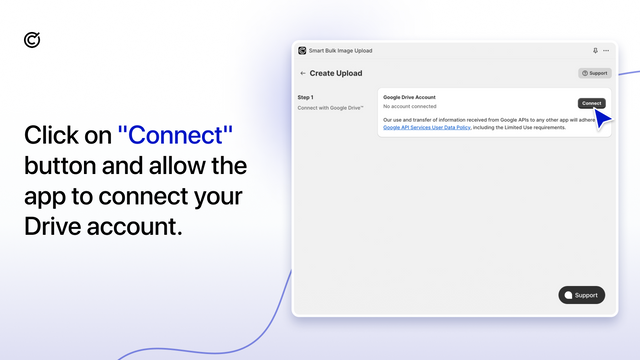

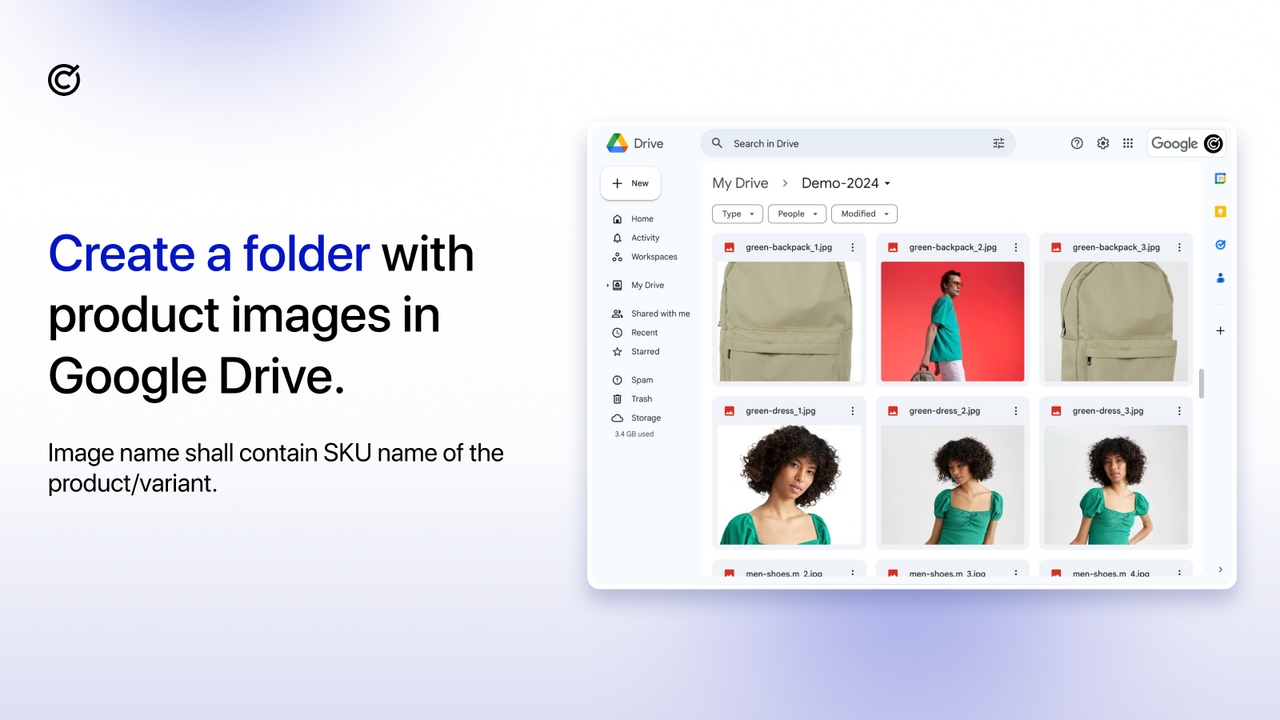
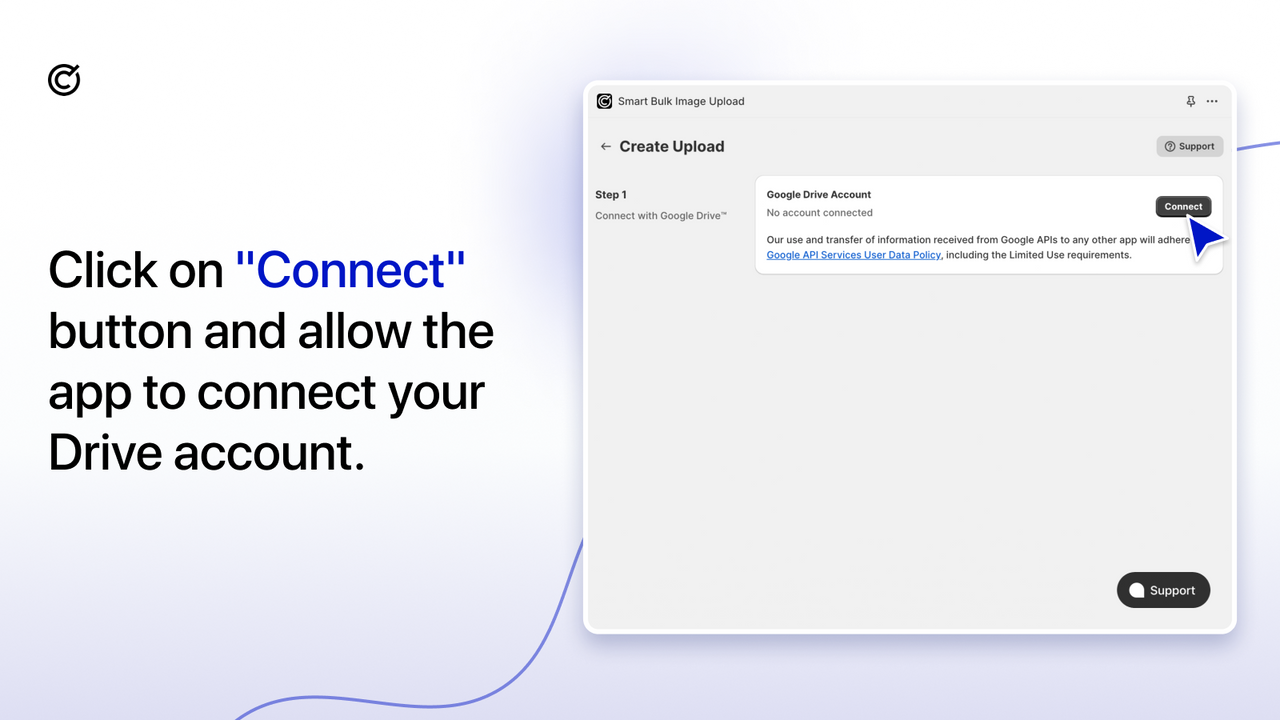


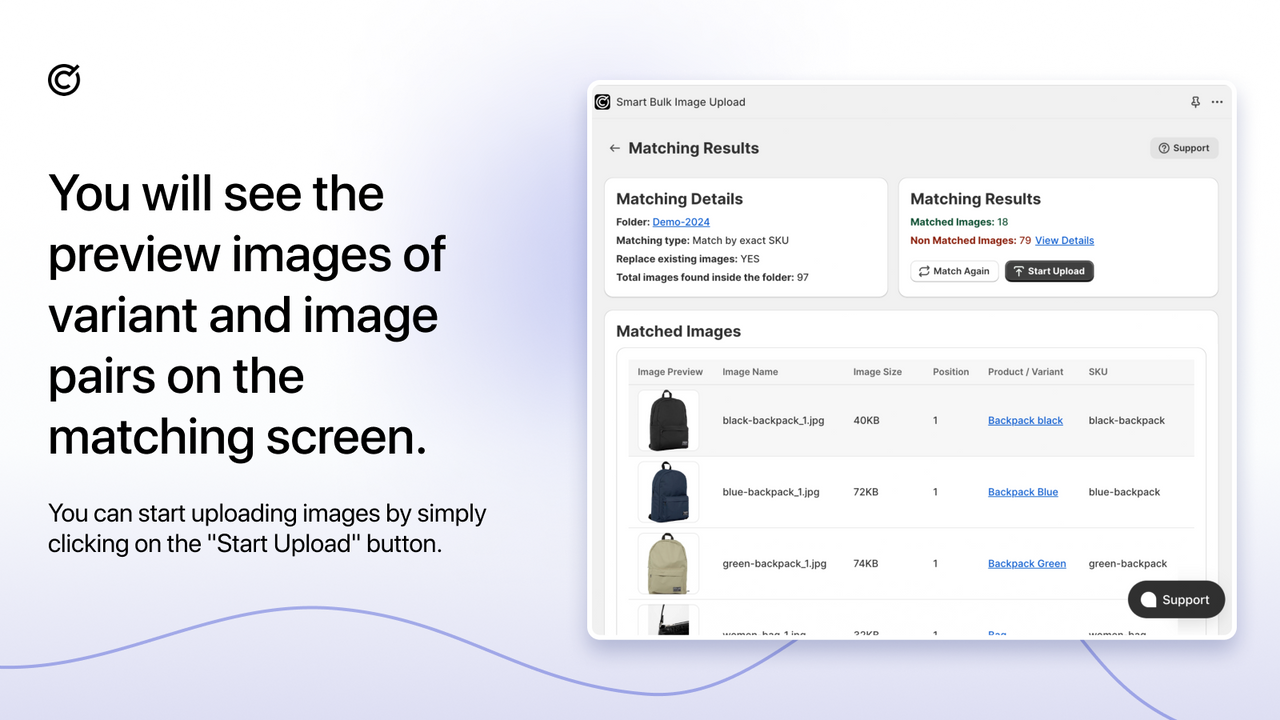


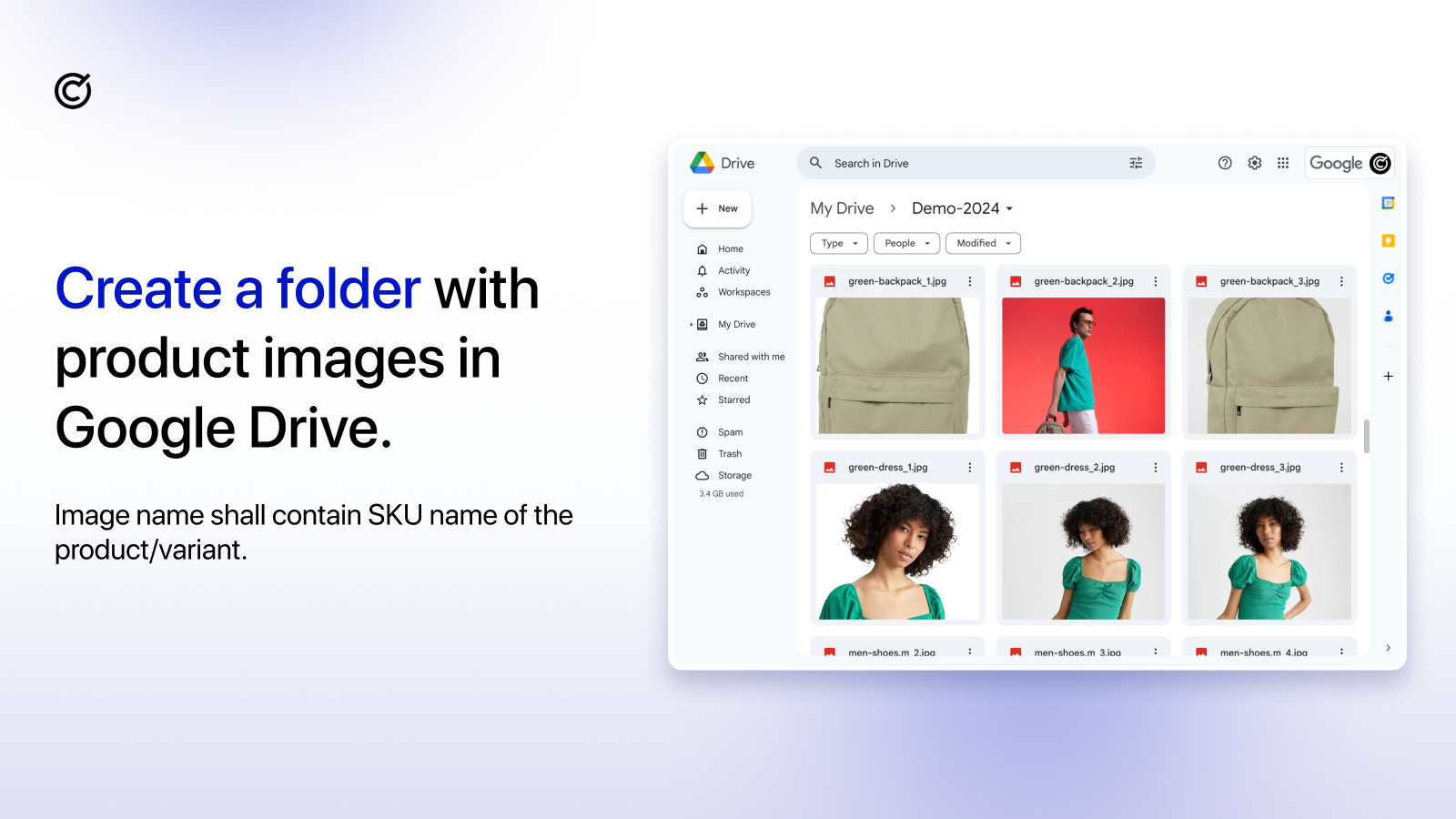
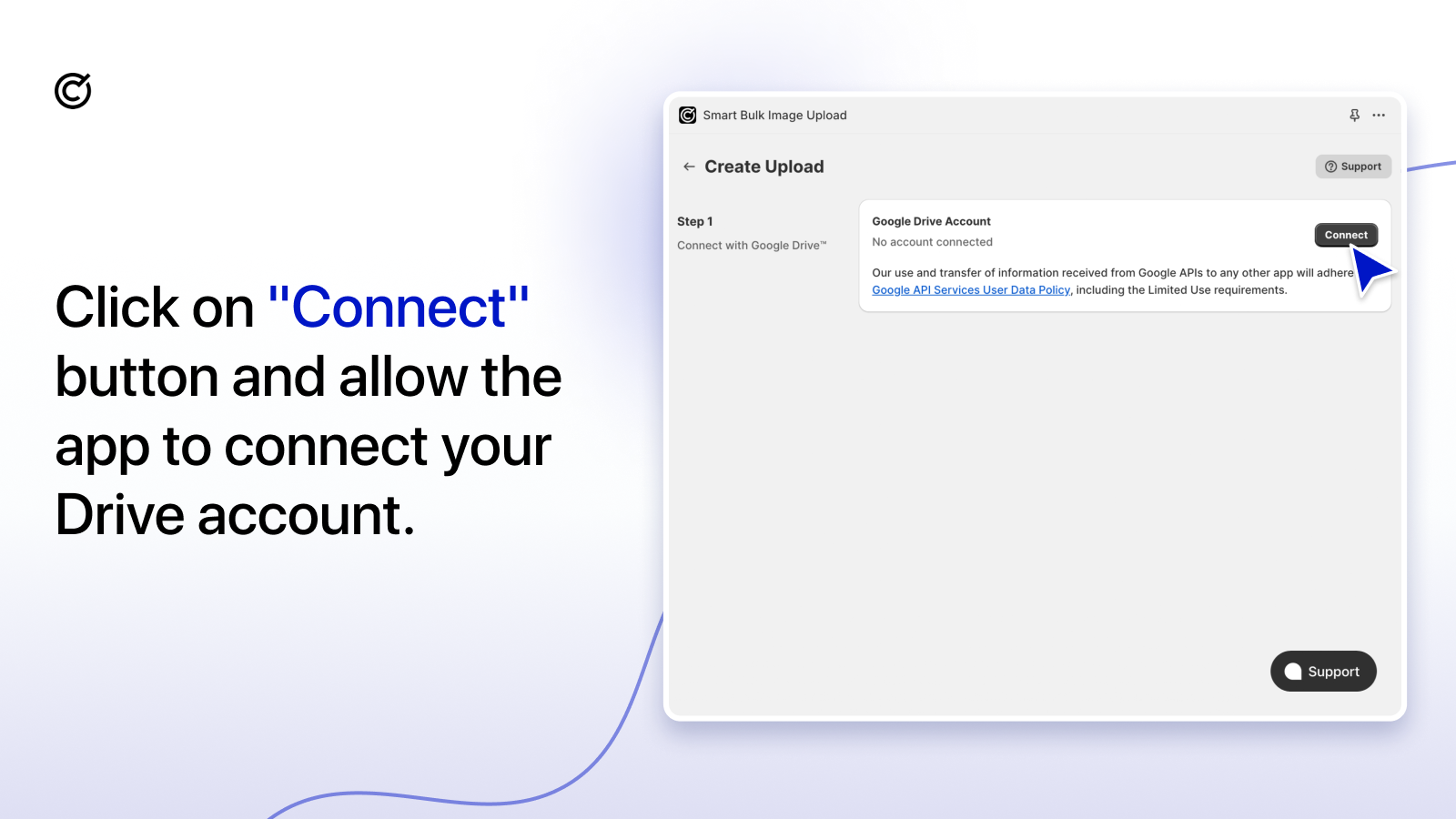


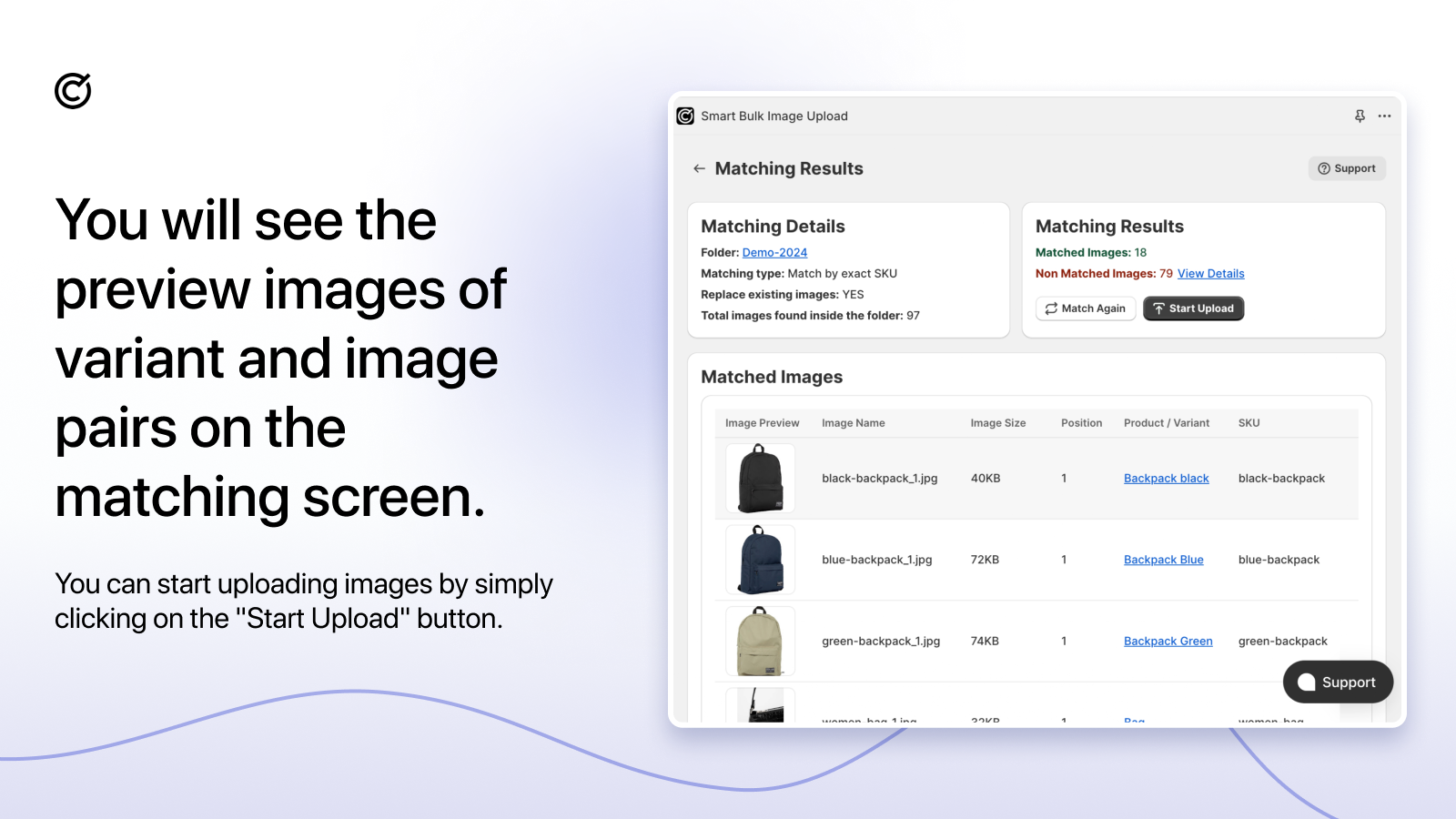

Bulk image upload for product images to save time. Effortlessly Bulk upload images in minutes.
Upload images in one go with the bulk image uploader. Bulk import product images from Google Drive, Dropbox. Intelligent product image importer, matching uses SKU, BARCODE, Product Title & METAFIELD. Options to replace or keep existing product photos. Autoresize large images and bulk photo uploader . Upload images in bulk to minimize errors & product returns due to incorrect product images. Perfect for new store setups, seasonal inventory updates & product expansions with upload images.
- Easy & secured connection with Google Drive , Dropbox for product photo uploader
- Multiple image bulk uploader to the products or variants. Bulk image upload
- Order product images with underscores and numbers. Example: SKU_1.jpg, SKU_2.jpg
- Photo matching results can be checked before product image importer in bulk
- Bulk image upload with Automatic resize images larger than 20MB or 20 megapixels
- Popular with stores like yours
- Based in United States
Languages
English, Arabic, Azerbaijani, German, Spanish, French, Italian, Japanese, Dutch, Polish, Norwegian, Portuguese (Brazil), Swedish, Turkish, and Chinese (Simplified)
Works with
- Shopify Admin
- CS ‑ Export Product Images
- Dropbox
- Google Drive
Categories
Customization
Pricing
Choose the plan that best fits your business.
Free Plan
Free
Features
- Bulk image upload up to 25 images
- Match by SKU,Barcode, Title or METAFIELD
- Seamlessly Replace Existing Images
- SEO-Optimized Automatic Alt Texts
- Google Drive & Dropbox Integration
Premium
$69 / month
Features
- For Shopify Basic, Grow & Lower Plans
- Unlimited Bulk Image Upload
- Match by SKU,Barcode, Title or METAFIELD
- Seamlessly Replace Existing Images
- SEO-Optimized Automatic Alt Texts
- Personalized Initial Setup Guidance
- Priority Access in Image Uploader Queue
- Tailored, Store Specific Image Matching
Premium PRO
$99 / month
Features
- For Shopify Advanced Plans
- Unlimited Bulk Image Upload
- Match by SKU,Barcode, Title or METAFIELD
- Seamlessly Replace Existing Images
- SEO-Optimized Automatic Alt Texts
- Personalized Initial Setup Guidance
- Priority Access in Image Uploader Queue
- Tailored, Store Specific Image Matching
Enterprise
$149 / month
Features
- For Shopify Plus Plans
- Unlimited Bulk Image Upload
- Match by SKU,Barcode, Title or METAFIELD
- Seamlessly Replace Existing Images
- SEO-Optimized Automatic Alt Texts
- Personalized Initial Setup Guidance
- Priority Access in Image Uploader Queue
- Tailored, Store Specific Image Matching
All charges are billed in USD. Recurring and usage-based charges are billed every 30 days.
Reviews (111)
We've migrated 60k+ SKUs into Shopify and this app has saved us so much work, couldn't have managed without it.
And the team have been super responsive. I asked about seeing more upload history and within 24 hours this was available within the app for everyone. Amazing :)
Excellent app that has saved us countless hours managing product images. The bulk upload process is fast, reliable, and easy to use. It has significantly streamlined our Shopify workflow and made large image updates effortless. Highly recommended.
12k+ images to upload and navigating Shopify's complex cvs structure to match a 40k sku catalogue was made possible thanks to the approachable interphase and key input from the team on the chat tool. When Shopify back end struggled, we went one on one to solve the problem and successfully manage the upload.
Thank you
Support
App support provided by Craftshift.
More apps like this



Meets our highest standards for performance, design, and integration. Learn moreOpens in new window

